 Do Son

HONOR Magic V6 multitasking works best when you treat the phone as both a pocket device and a compact work surface. Its foldable design helps busy users handle messages, calendars, documents, calls, and notes without constantly closing one app to open another. Instead of jumping between screens, you can place tasks side by side, keep small windows available, and use built-in AI tools to reduce repetitive steps. That makes a real difference during packed schedules, travel, and back-to-back meetings. This guide explains how to set up the device for speed, use split-screen and floating windows efficiently, and take advantage of smart features inside MagicOS 10 to stay organized, respond faster, and move through work and personal tasks with less friction each day.
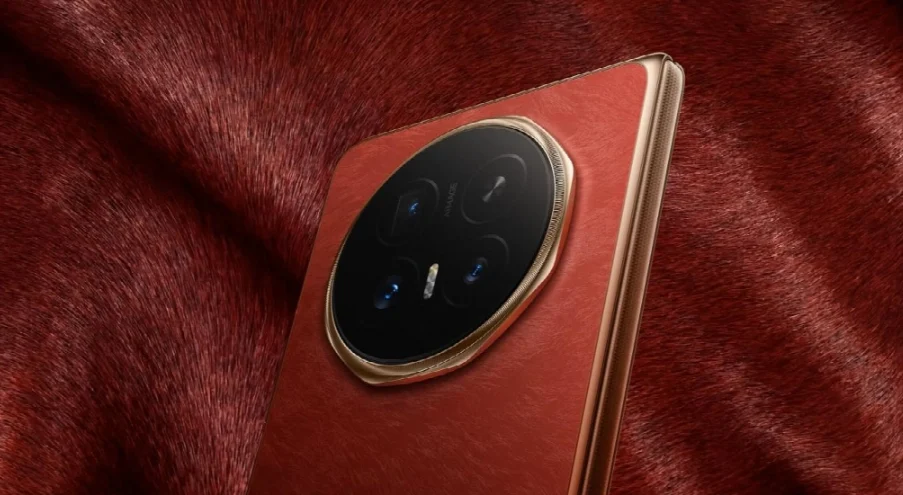
Set Up HONOR Magic V6 for Faster Multitasking
Customize Your Home Screen and App Shortcuts
Start by arranging your most-used apps around task groups instead of app categories. Place communication tools, calendar, notes, files, and browser shortcuts on the first screen so you can launch work sequences in seconds. On HONOR Magic V6, use widgets for schedules, reminders, and weather to reduce extra taps during busy mornings. Keep a dock with your core apps so they stay available whether the phone is folded or unfolded. App folders also help when named by action, such as “Calls,” “Travel,” or “Bills.” If you repeat the same workflow every day, pin those apps close together. A cleaner layout saves time, lowers distraction, and makes multitasking feel immediate instead of cluttered and reactive.
Use the Foldable Display to Organize Daily Tasks
The foldable format is most useful when you match the screen to the task. Use the 6.52-inch outer display for quick replies, checking directions, or reviewing alerts while moving between appointments. Open the 7.95-inch inner display when you need a fuller view for email, spreadsheets, reading, or planning the day. The larger canvas gives you more room to compare information and manage overlapping tasks without feeling cramped. HONOR Magic V6 stays easy to carry too, with a folded width of 74.5 mm and weight of about 219 g for the White Version or 224 g for other versions. That balance of portability and workspace helps busy users switch smoothly between fast checks and deeper focus.
How to Run Multiple Apps on HONOR Magic V6
Open Split-Screen Apps for Side-by-Side Work
Split-screen is the fastest way to handle two related tasks at once. Open one app, access the multitasking options, and select split view, then choose the second app. This works well for pairing email with calendar, a document with notes, or chat with a browser. On HONOR Magic V6, features such as Smart Multi-window, One-swipe Split, and Horizontal Split make the process quicker, especially on the inner display. Adjust the divider so the primary task gets more space, then drag and drop text or images when supported. For busy users, the key is to build repeatable app pairs. Once you know your common combinations, side-by-side work becomes a practical daily habit rather than a special feature.
Switch Between Floating Windows and Full-Screen Apps
Floating windows are ideal when one task needs constant access but not the whole screen. Keep messaging, calculator, reminders, or a small browser window open while the main app stays in full focus. Resize the floating window, move it out of the way, or expand it back to full screen when needed. This setup is useful during shopping, planning travel, confirming codes, or answering quick work questions without losing your place. On HONOR Magic V6, App Extender and Fast-Flex support smoother movement between layouts, so you can adapt quickly as priorities change. Use floating windows for short interactions and full-screen mode for concentrated work. That simple rule helps you multitask without turning the display into visual noise.
Use HONOR Magic V6 AI Tools to Save Time
Speed Up Notes, Documents, and Daily Communication
AI tools are most helpful when they remove small delays that add up across the day. Use HONOR Notes and HONOR Docs to capture ideas, review files, and keep work materials accessible while switching between apps. AI Writing Tools can help refine messages, summarize text, or improve wording before you send updates. For calls in noisy spaces, AI Privacy Call supports more discreet communication, while AI Call Translation can assist when language becomes a barrier. If a useful idea appears on screen, AI Screen Suggestion may surface the next relevant action faster. These features support practical speed, not distraction. Used together, they reduce rewriting, repeated copying, and app-hopping, which makes everyday communication and document handling more efficient.
Manage Meetings and Information Across Apps
Meetings move faster when notes, schedules, and follow-up actions stay connected. AI Meeting Agent helps capture key discussion points so you can focus on the conversation instead of typing every detail. Keep the meeting app open while using a floating notes window or split-screen calendar to check timing, action items, and next appointments. Screen Share and Live Video can also support smoother collaboration when you need to present information or show progress quickly. If you work across separate roles or contexts, Parallel Space helps keep activities organized. The goal is simple: hold the discussion in one place while supporting details remain visible nearby. That setup cuts missed points, reduces context switching, and keeps post-meeting tasks moving immediately.
Conclusion
HONOR Magic V6 gives busy users a clear multitasking advantage when its features are used intentionally. A well-organized home screen speeds up routine actions, the foldable display creates room for serious work, and split-screen or floating windows help you manage overlapping tasks without losing focus. AI features inside MagicOS 10 add another layer of efficiency by shortening writing, note-taking, meeting capture, and communication steps. The most effective approach is to build simple habits: keep essential apps easy to reach, use split-screen for connected tasks, choose floating windows for quick interactions, and let AI handle repetitive work where it helps. With that setup, HONOR Magic V6 becomes more than a foldable phone. It becomes a practical tool for staying productive through demanding days.