The Evolution of iPhone Unlockers: From Jailbreaks to Secure Recovery Tools
 Shahid Latif
Introduction
Locked-out iPhone users often struggle because the iPhone has always had robust security. People have sought more control over their gadgets since the introduction of the first iPhone, and therefore, unlocking methods have become popular.
The focus has switched from dangerous hacks to authorized recovery options. Modern iPhone unlockers strike a balance between ease and safety. Users can utilize Apple’s approved unlock methods or powerful third-party applications, such as Dr.Fone – Screen Unlock (iOS). This article compares past and present iPhone unlocking methods, explaining how new tools make unlocking simple, secure, and easy.
Early Days: Jailbreaking as the First iPhone Unlocker
Many iPhone owners could only enhance their capabilities via jailbreaking. It allowed installing apps from outside the App Store, interface customisation, and performance adjustments. However, freedom had risks. After iOS updates, jailbroken devices often experience unstable firmware, increased battery drain, and compatibility issues.
Carrier Unlocks and SIM Unlockers
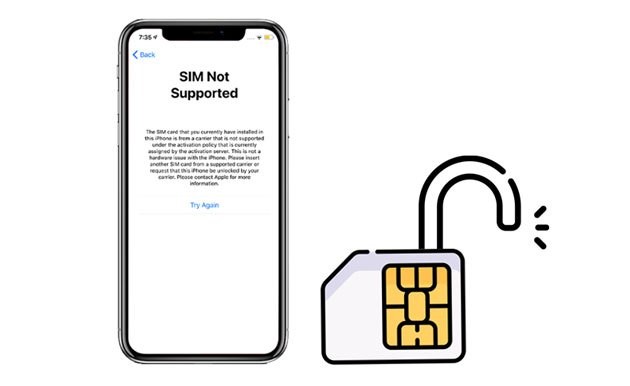
As the iPhone gained popularity globally, another demand emerged: network compatibility. Users who wished to switch carriers, travel abroad, or resell their iPhones were upset by carrier restrictions. This demand prompted SIM unlocking.
Two main methods existed. Requesting an unlock from the carrier after concluding a contract or paying off the device was the official way to do so. Though sluggish and limiting, this method was safe and legal. SIM unlock chips were unauthorized solutions. These minor hardware modifications enabled the iPhone to accept a different SIM card.
SIM unlockers were flexible but had limitations. Some were inconsistent, causing unreliable service. Other black market exploits made reselling stolen devices easier. SIM unlocking became popular among users who wanted to bypass carrier limits, despite these concerns.
Apple’s Official Unlock Methods
Apple eventually acknowledged the need for unlocking while maintaining device security. Official unlock methods were introduced to provide people with access without the need for hacking.
1. iCloud / Find My iPhone Unlock
Step 1. Log in to iCloud.com using your Apple ID.
Step 2. Select your device under “Find My.”
Step 3. Select “Erase iPhone” to delete the lock and data.
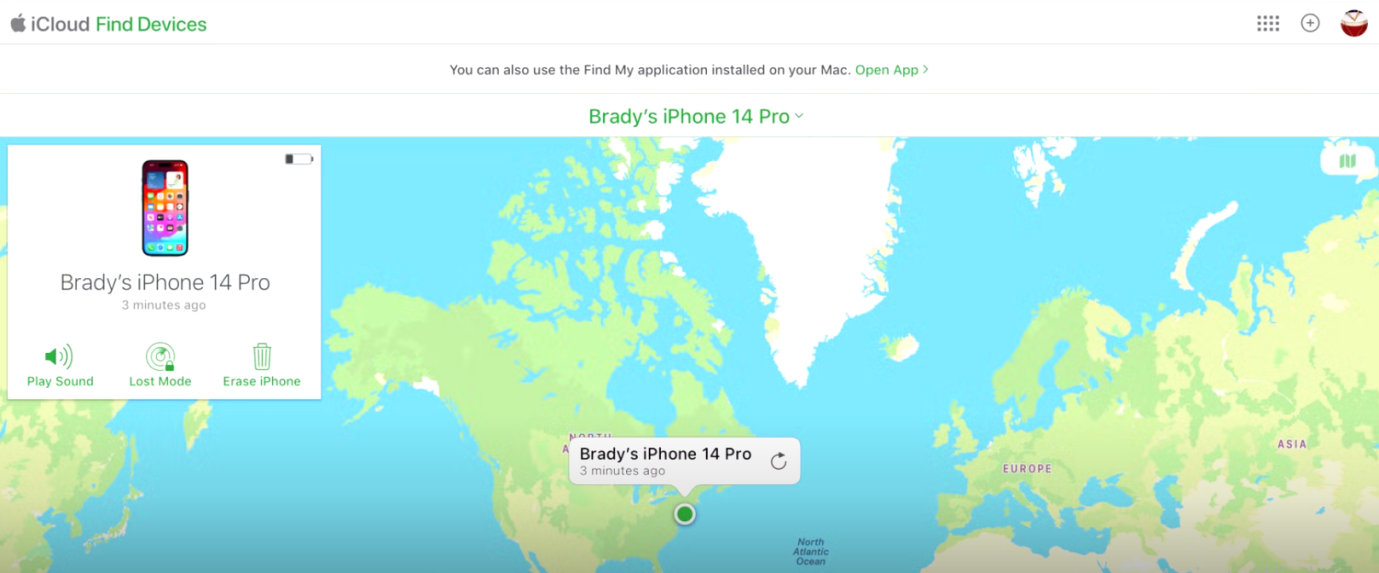
Step 4. Reboot and use the same Apple ID.
2. iTunes/Finder Restore
Step 1. Plug the iPhone into the PC, launch iTunes or Finder.
Step 2. Select the device, then click “Restore iPhone.”
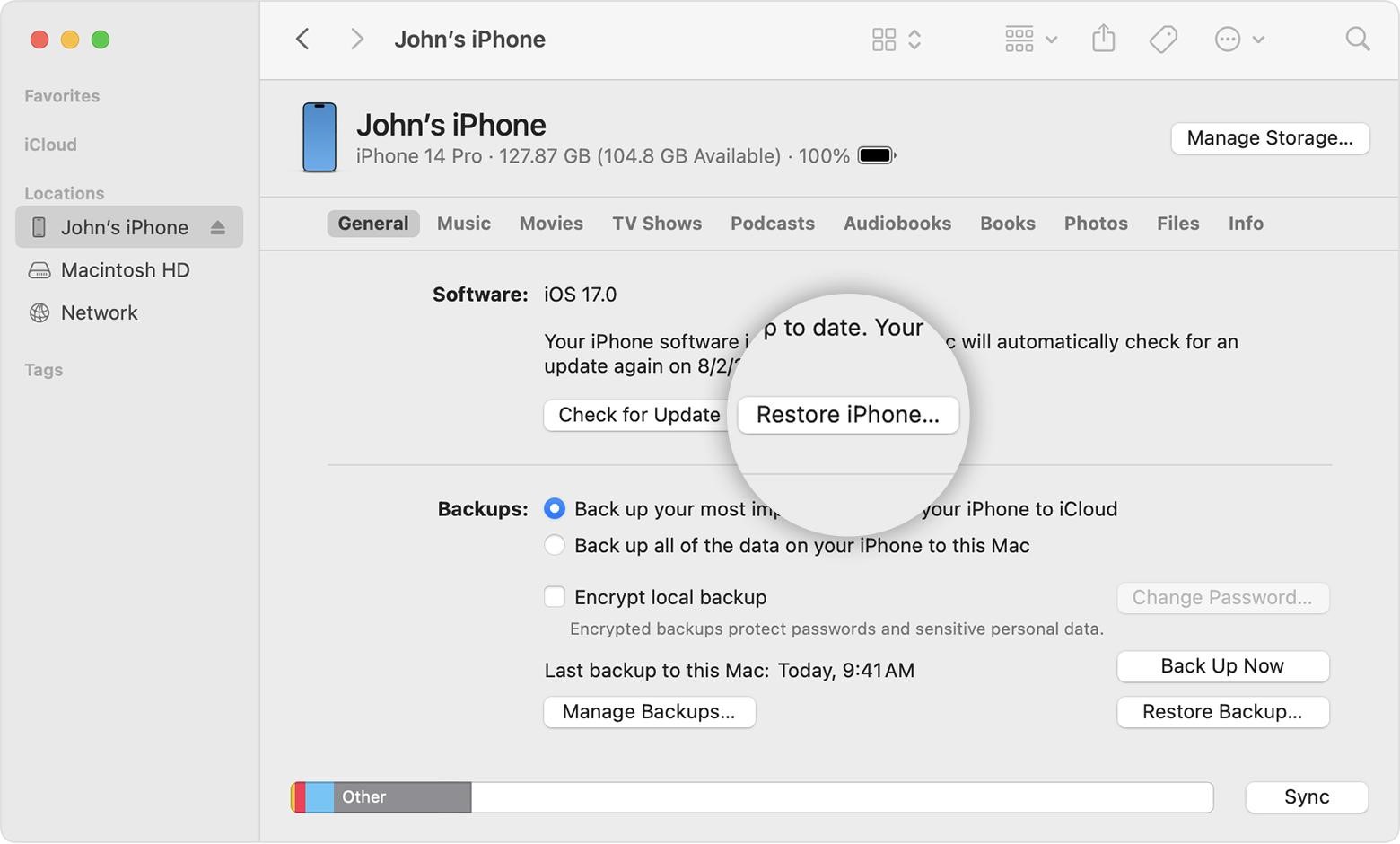
Step 2. Reinstall iOS and delete data with confirm restore.
3. Recovery Mode
Step 1. Turn off your smartphone and hit the model-specific key combo to enter Recovery Mode.
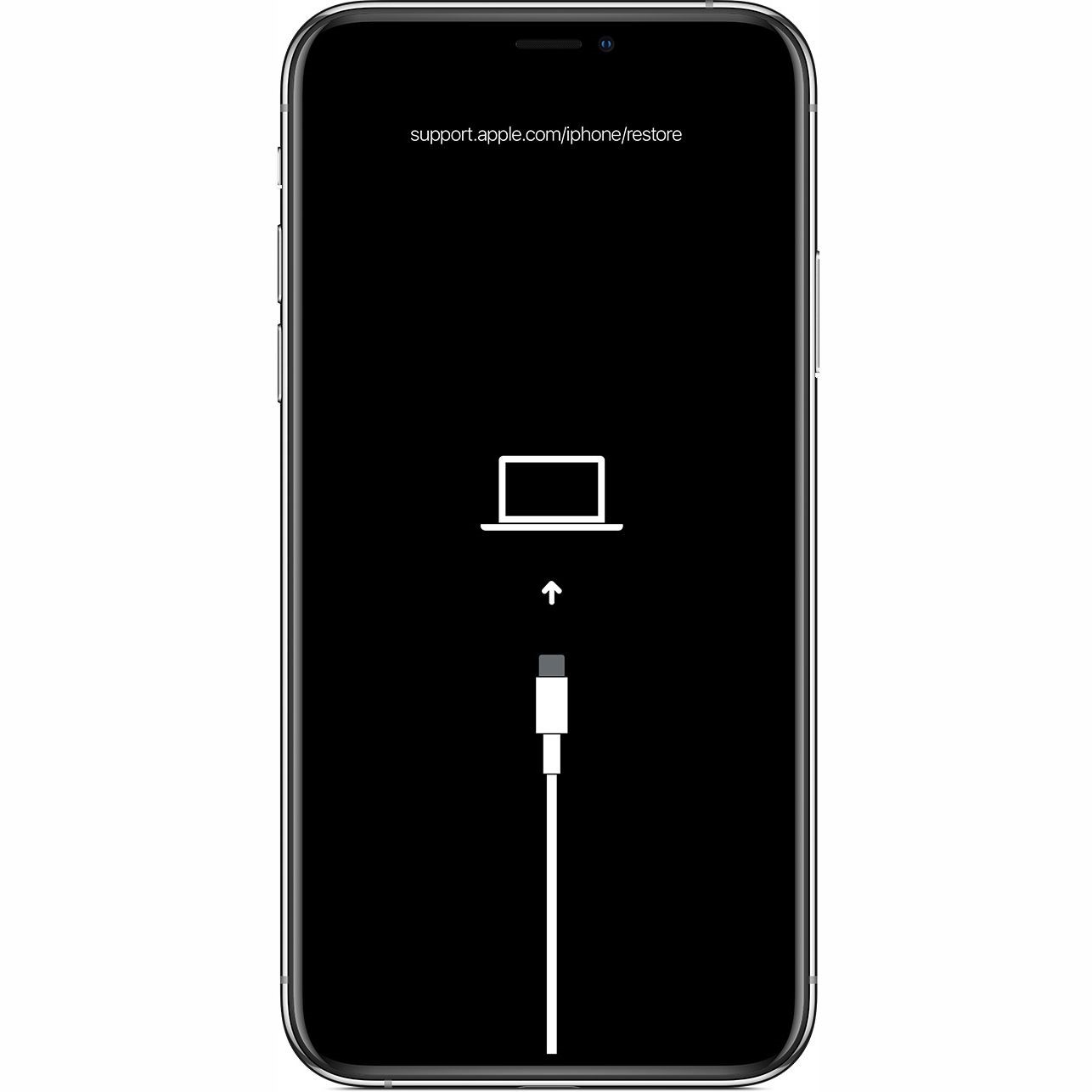
Try the following steps on your iPhone: quickly press and release the volume up button, quickly press and release the volume down button and press and hold the side button until you see the recovery mode.
Step 2. Open “iTunes/Finder” on the computer.
Step 3. Select “Restore iPhone” and then Restore” when prompted.
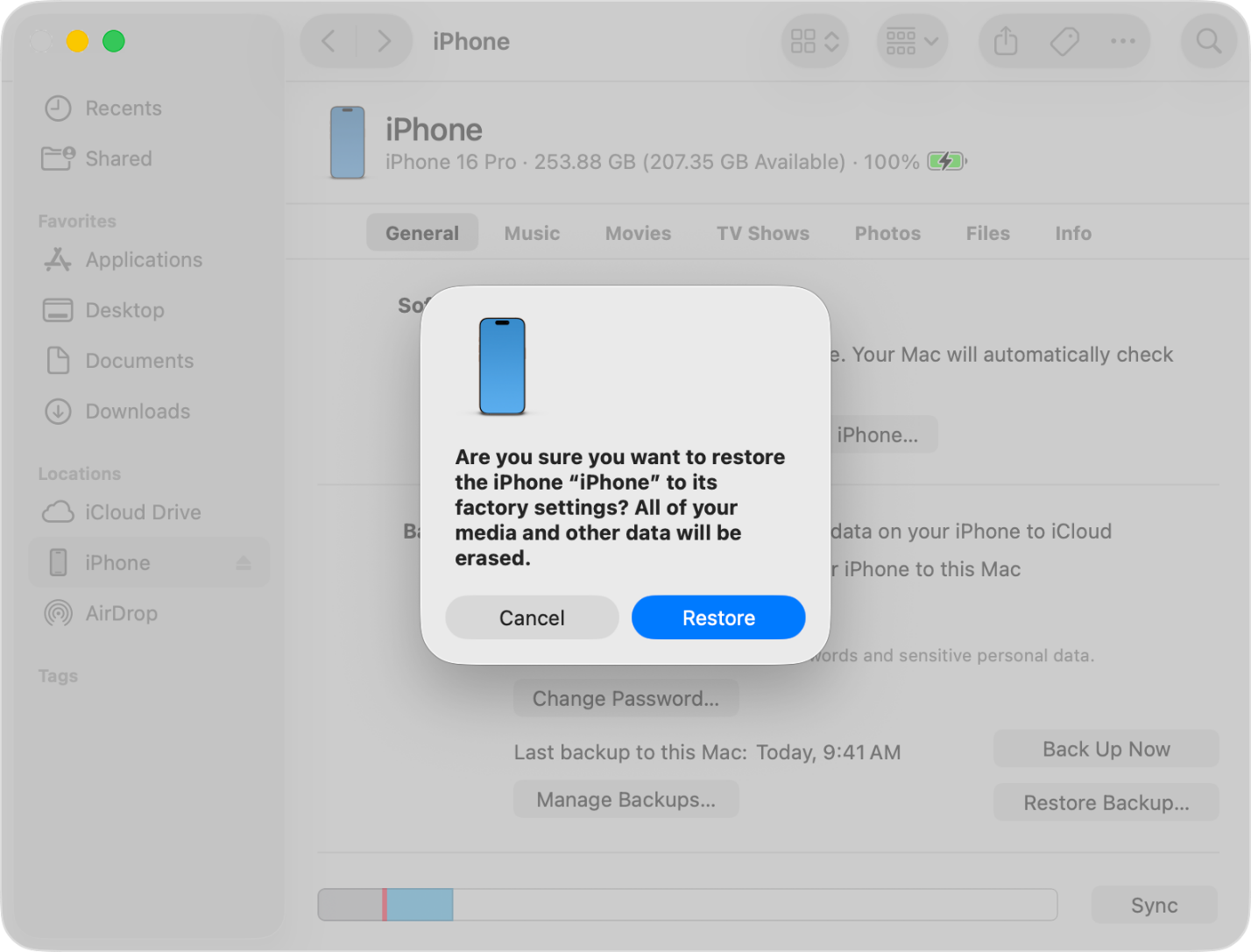
Step 4. Wait for iOS reinstall and unlock.
Rise of Third-Party iPhone Unlocker Tools
As Apple strengthened its ecosystem with features like Activation Lock, many people were locked out for reasons other than theft. Some lost their Apple ID credentials, acquired used iPhones without logins, or needed urgent device access. This gap led to the emergence of third-party iPhone unlockers.
These tools were unreliable early on. Data corruption, malware infections, and irreversible device damage were common consequences of unsophisticated software hacks that exploited system weaknesses.
Over time, more third-party solutions emerged. Developers realised people demanded strong, safe, user-friendly, and trustworthy technologies. Hacking iOS became less important than designing software that guided consumers while protecting their data. This innovation enabled the development of safe recovery tools, such as Dr.Fone – Screen Unlock (iOS), which are both convenient and reliable.
Modern Secure Recovery Tools: Dr.Fone – Screen Unlock (iOS)
Safer, more professional iPhone unlocking solutions are now available. Dr.Fone – Screen Unlock (iOS), a program designed for regular users who want to unlock their devices without the need for hackers, is one of the most trusted.
Dr.Fone’s recovery process is legal, unlike jailbreaking or SIM unlock chips. It works for lost passcodes, Face ID or Touch ID issues, disabled devices, and second-hand Apple ID-linked phones. The app works with iOS 7–26, including the iPhone 17 series.
Key Features:
- Opens Face ID, Touch ID, and 4/6-digit passcodes.
- Password-free iCloud Activation Lock and Apple ID bypass.
- Unrestricts MDM and Screen Time.
- Can unlock SIMs for carrier freedom.
- Supports all major iOS versions.
How It Works
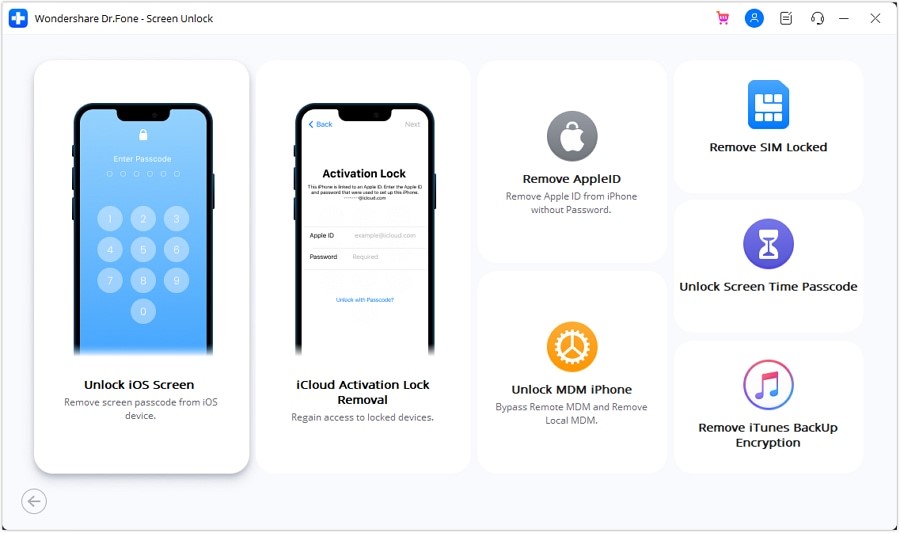
Step 1. Install Wondershare Dr.Fone, then enter the Toolbox, select “Screen Unlock,” and choose “iOS.”
Step 2. Click “Unlock iOS Screen,” then “Start.” Enter Recovery Mode or Try DFU Mode on your iDevice.
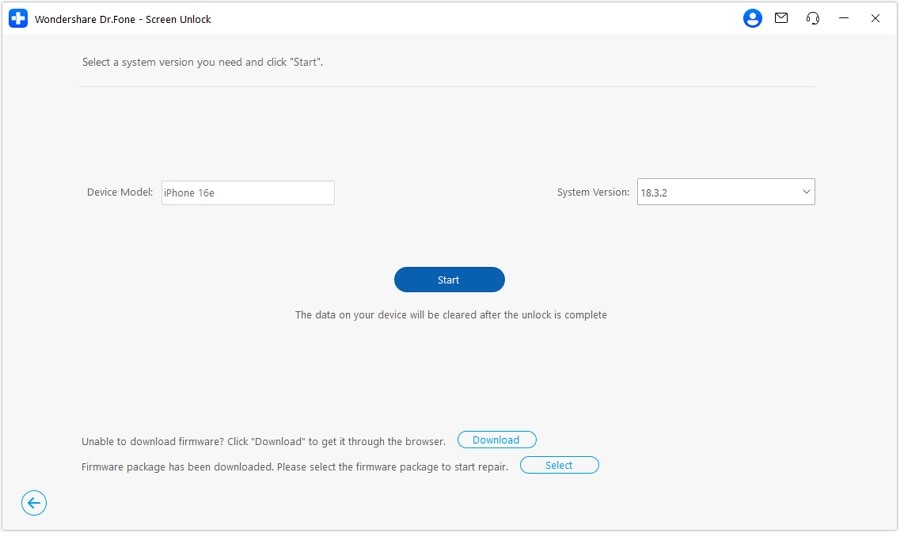
Step 3. Select your device model and iOS version, then click “Download firmware.” Select ‘Copy’ to download manually if the download is slow.
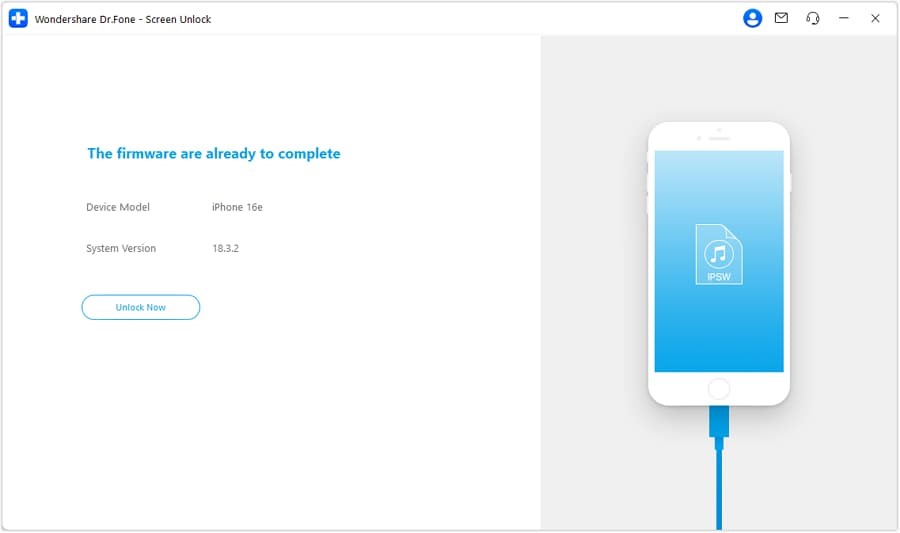
Step 4. Select “Unlock Now,” enter the confirmation code, press “Unlock,” and then connect the device until the “Done” message appears.
Please back up your device data before the process to ensure security. To avoid downloading false or hazardous versions, download Dr.Fone directly from Wondershare’s official website.
Comparative Look: Past vs Present Unlock Methods
| Era/Method | Approach | Security Level | Usability | Risks/Limitations |
| Jailbreaking | Exploiting iOS to bypass locks | Low | Medium | Malware, instability, warranty void |
| SIM Unlockers | Hardware/SIM modifications | Medium | Medium | Carrier restrictions, scams |
| Official Apple Tools | Apple ID, iTunes, Recovery | High | Medium | Requires Apple ID, data loss |
| Modern Tools (Dr.Fone) | Software unlock with firmware | Medium-High | High | Erases data, not for stolen devices |
Conclusion
The iPhone unlocking process strikes a balance between user freedom and device security. Unlocking has progressed from risky jailbreaking hacks to certified Apple techniques and now professional tools. Dr.Fone – Screen Unlock (iOS) demonstrates that unlocking can be a safe, straightforward, and easy process.
The appropriate iPhone unlocker allows you to safely unlock, switch carriers, or use a previously used device. Keep official techniques first and utilize reputable third-party tools only when necessary. Today’s secure recovery solutions make iPhone unlocking safer than ever.
About author:
 Shahid Latif is an SEO specialist and tech writer with over three years of experience in On-Page, Off-Page, and Technical SEO. He combines his expertise in search optimization with a passion for writing about technology, digital marketing, and online business growth. His work focuses on driving sustainable organic traffic and building authority through guest posting and high-quality content. Connect with him at shahidlatifseo@gmail.com.