 Do Son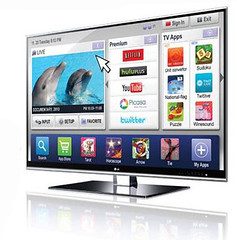
Image by LGEPR is licensed under CC BY 2.0
We all acknowledge that Smart TV is probably one of the greatest inventions in technology due to the amalgam of cable and online entertainment it provides. It allows you the possibility to not only catch up on your favorite shows on any online streaming platform but also permits you to check your files and documents.
Seems too good to be true, right? It is. While Smart TVs have been appreciated for their high functionality, they are also extremely notorious when it comes to privacy and security. This is the case with everything ‘wireless’, including Printers. But does that mean you have to quit it all? No!
There are certainly some significant risks involved with using a Smart TV, and the idea that a hacker can exploit the vulnerabilities and intrude into your life is scary. However, if you take proactive steps toward security, you might as well be able to swim ashore. You can also check which is the best 4k tv in India, keeping these tips in mind.
Below are some Smart TV tips you can follow to protect your privacy:
Secure your accounts!
Let’s begin from the beginning. One of the best ways to keep your privacy guarded is by keeping your TV’s user account and application profiles secure. How can you do this? By following strict rules with regards to password and sign-in. We’ll be discussing some of these requirements you should adhere to:
- Try setting up 2FA with apps whenever possible. Doing this will strengthen your security by leaps and bounds. However, this option is not available on all platforms. In which case, you should ensure you have to mandatorily enter passwords, pins, or even use biometric every time you access the TV or purchase anything.
- Do not keep your financial or personal information stored into the TV, in the off chance it gets hacked, and your data gets leaked.
- It can be beneficial for you to make secondary user profiles that come with their sign-in information. Don’t forget to add usage restrictions on the user profiles whenever you can.
- It may come off as common sense, but do not share the password or user information of your TV’s master accounts/authority accounts.
Installing firmware and updating the system
Installing firmware can keep your Smart TV secure. Keeping your system updated will help you steer clear of all kinds of malware and spyware from attacking it. However, remember that the process of installing or updating the policy will always differ according to model and manufacturer. So we recommend you go through the user guide and follow the specific instructions provided. You can also select the auto-update option (if available), and not worry about forgetting to check or install the updates all through the year.
Ensure also to keep the in-apps updated as well. Although Smart TVs generally keep on top of the updates any application requires automatically, don’t ignore it if you are requested permission to initiate installation. If you avoid and avoid, you might make your system vulnerable to attacks that an updated version might be immune to.
Tapping or disabling your TV’s camera and mic
One of the most vulnerable aspects of your Smart TV is its mic and camera. These features are probably more prone to being exploited by hackers. If you consider the worst-case scenario, your camera, and mic and be the gateway for an attacker can potentially spy on you as well as gather your financial or personal information by sneaking into your accounts.
If you are making no use of either of these features, you can straight up restrict or disable them by going into your TV’s settings. If you don’t know how to do this, make a quick scan through your user manual or create a Google search to see how it’s done.
If nothing else works, the FBI suggests that taping up the camera with a thick, black tape can increase your safety. We believe you should still consider doing this, even if you find a way to disable your camera or mic through your settings. It will only increase the security level.
There is also a rising trend of using smartphone remote apps to control Smart TVs. We strictly recommend you to stick to your Smart TV’s dedicated remote to protect yourself from an intruder. You do not want to make it easier for hackers to have access to the login information of your device.
Ensuring your home network’s security
In order to protect your wireless devices, you need to ensure the protection of your home network’s security as well. It always helps to keep your devices tuned up to it—whether it is your WiFi router, Smart TV, or any other smart home appliance that you have around in your house.
You can do this by following the below-mentioned tips:
- Firmware update: We cannot stress this enough! As mentioned earlier in this guide as well, updating your firmware will always keep you away from vulnerabilities.
- Change user information/password: Switch up and change your user details, especially if you are still stuck with passwords like ‘admin’, then you need to work on this tip!
- WPA2: WiFi Protected Access II is an encryption system for most of the WiFi networks. It will provide you with the TKIP and AES encryption, which are not perfect but offer more reliable data protection.