Do Son
Image source: canva.com
It doesn’t matter whether you are running a self-managed VPS that carries private or sensitive data – all your data should be as secure as possible. As your server’s administrator, there are some simple tips that you should know that will help to make sure that the information held in your site is secure.
However, few practices will be useful if you’re not using a reliable web hosting and using an unsecured connection. For a great example of top-notch security check out Hostinger’s Linux VPS offers here: https://www.hostinger.com/vps-hosting/
Additionally, be sure to use secure SSH connections. Learn more about this practice here: https://blog.devolutions.net/2017/4/10-steps-to-secure-open-ssh
No matter how reputable the web host company you choose, the below tips will help you to keep your VPS secure.
1. Carry Server Audits
First and foremost, audit your server. This will help you to decipher whatever is running on your system and point out where your system’s vulnerabilities are. The good news is that there are several tools that can help you with this procedure adequately.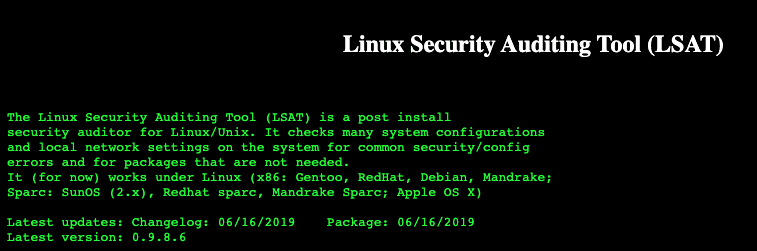
You can choose to go for the most popular tool – the security auditing tool from Linux – LSAT. Also, you can add automated system auditing tasks with looks like Logwatch.
2. Disable Unused Services and Ports
The next step is to check the applications and services you are running. Then ask yourself if you require all the services and applications for your optimal VPS function.
If you believe a certain application is necessary, then determine if it should always be open to the public. In case you see that you are running several applications that you do not use, then, without doubt, you are making your server more insecure.
To list all running services on Linux servers use the command:
# systemctl
When it comes to the issue of ports, only open the ports that your VPS requires for its optimal functionality. That’s not all – you need to open these ports with IPtables and set its input default chain to drop. This means that any port that you did not open will always remain disabled. You can learn how to manage ports on Linux here: https://www.techrepublic.com/article/how-to-locate-and-close-an-open-port-in-linux/
3. Always Update Your Server and Perform Frequent Backups
Keeping your system up to date with the latest software and firewall protection is incredibly basic for your VPS security.
Ensure you shop for the most secure implementations. The reason for this is very simple – current Operating System security has patches for security risks that posed a lot of danger to the older OS’s.
More importantly, make sure that you are frequently backing up your VPS data. This ensures that in case something goes haywire, you have all your data intact – you can retrieve the info or even roll back to the previous version.

4. Ensure You Use a Secure SSH Configuration
As you know SSH is one of the system tenets that will always need to be running on your server. And it not only you who knows that – hackers might know it even better. So, keeping this demon secure should always top your VPS security operations. The good news is that securing yourself in terms of SSH configuration is very simple.
- Switch your SSH port configuration from the usual port 22
- Prevent any root access for any user trying to log into the server through SSH
- Remove any password authentication and opt for key pairs.
- Install intrusion-detection software like Fail2Ban to limit user logins
- Set your system to alert you whenever an unauthorized user tries to log into your server.
- Be vigilant for commonly known threats.
Remember, that as the admin, you’re solely responsible for your server’s security. Here are some additional practices you should know about
- Regularly check your system’s security logs.
- Disable compilers.
- Sign up with reputable DDOS protection providers like Cloudflare
- Install applications like chkrootkit or rkhunter to help you to regularly check if your VPS is compromised.
5. Remove Any Packages or Modules You Don’t Use
In most cases, your server came with many modules and services. Some of which you don’t require. So, you should do away with the packages or modules that you don’t need because they can act as hackers’ gateway. Each unused package presents a security vulnerability—the best practice is only keeping with the services that you only need.
Besides, refrain from installing other third-party software that isn’t necessary for your server. If you do this, you will not only increase your server’s security but also its performance as well.
6. Use a Top-notch Security Policy
Many tech users undermine the extent to which passwords are useful in any server undertaking. In fact, weak passwords are the top threat to your server’s security.
Refrain from leaving your server password-free or entering a string of numbers or alphabets that are easy to guess. A strong password will never be less than 8 characters combining letters, numbers, lower/upper cases, and special characters.
Also, remember to update all user passwords constantly and restrict users from reusing their previous or a password that they used before. Use the faillog command when you are setting a false login limit to boost your security. Set a user account to log after a certain number of failed login attempts to guard users against hackers who are trying to guess passwords.

7. Set Your Firewall
There are several firewalls that you can choose to adequately secure your server. Configure your firewall to help you filter undesirable traffic. This is a better way of combating distributed denial of service server attacks.
You can also involve the TCPWrapper application to help you filter network access programs. With this application, you are secure in terms of standardized logging, hostname verification, and spoofing protection—its indeed a security beast.
8. Install Up-to-Date Anti-Virus Software
Antivirus or antimalware software can be a great defense to your server against any harmful software that was able to make it past your firewall. While a firewall gives reliable protection against any malicious traffic trying to get into your system, it-s not a catch-it-call.
Paid antivirus software may cost you a little more but at the end of it all, it’s worth the investment—the antivirus solutions higher top talent programmers that will keep your server secure with the up-to-date tools.
To Conclude
If you are running on a tight budget, you can still opt for the free alternatives that will still do the job. You can choose open source applications like Maldet to scan for any potential threat on your VPS.
Author: