CVE Watchtower Launches Enterprise Automation Suite Featuring 30-Day Intelligence Dashboards, Predictive EPSS Scoring, REST API, and ITSM Webhooks
 ddos-admin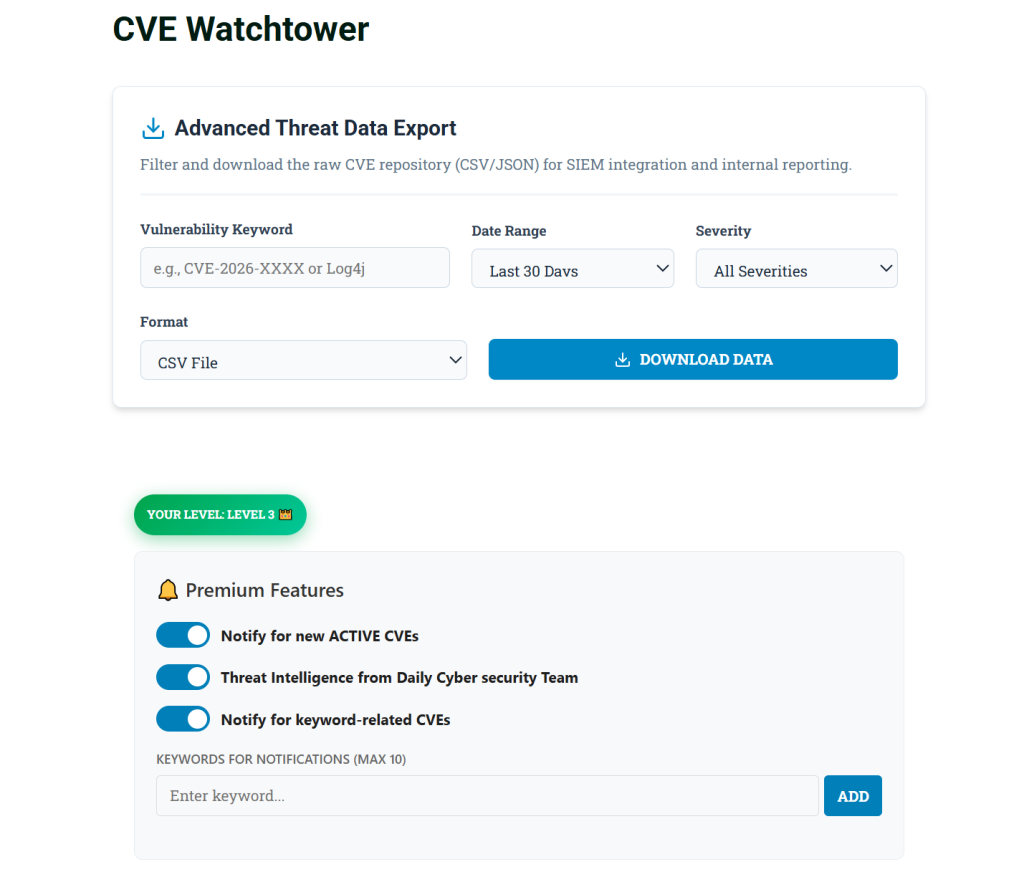
CVE Watchtower has announced a major expansion to its threat intelligence platform, introducing a comprehensive suite of enterprise-grade features designed to seamlessly bridge the gap between strategic cybersecurity leadership and frontline system administrators. The latest update transforms passive vulnerability feeds into an active workflow engine through 30-day interactive analytics, Exploit Prediction Scoring System (EPSS) integration, automated ticketing webhooks, and a private REST API.
As the volume of daily vulnerabilities continues to grow, security teams are experiencing unprecedented alert fatigue. This new feature release cuts through the noise, allowing organizations to prioritize threats based on real-world exploit probability, visualize their risk landscape, and automatically route actionable intelligence directly into their existing IT infrastructure.
1. Interactive Threat Intelligence Overview (30-Day Landscape)
To help Chief Information Security Officers (CISOs) and IT directors align their patching strategies with current threat trends, CVE Watchtower introduces the Threat Intelligence Overview Dashboard.

This visual analytics engine aggregates thousands of data points into a clean, executive-level summary of the past 30 days. Teams can instantly view the exact distribution of Critical, High, and Medium vulnerabilities affecting the global landscape, alongside a real-time ratio of actively exploited zero-days versus non-weaponized flaws. This interactive reporting tool enables leaders to quickly gauge the current threat climate without needing to sift through raw data feeds.
2. Predictive Threat Prioritization with EPSS
While standard CVSS scores tell security teams how severe a vulnerability is, they do not indicate how likely an attack actually is. CVE Watchtower now natively integrates the Exploit Prediction Scoring System (EPSS).

This dynamic, data-driven model calculates the probability that a specific software flaw will be exploited in the wild within the next 30 days. By displaying EPSS percentages directly alongside traditional metrics, IT leaders and system administrators can immediately distinguish between theoretical risks and imminent, real-world threats.
3. Automated ITSM Webhooks (Jira & ServiceNow)
To eliminate the manual overhead of vulnerability triage, CVE Watchtower now features seamless webhook integrations for major IT Service Management (ITSM) platforms like Jira and ServiceNow.
When a “Drop Everything and Patch” event occurs—specifically, a vulnerability with a CRITICAL severity score or one that is actively exploited in the wild—the platform instantly generates and dispatches a JSON payload to the user’s ticketing system.

How to Use Jira/ServiceNow Webhooks:
- Generate your Webhook URL: Inside your Jira or ServiceNow instance, navigate to your automation settings and create a new rule triggered by an “Incoming Webhook.” Copy the generated URL.
- Configure CVE Watchtower: Log in to your CVE Watchtower account (Level 3 required), navigate to the Enterprise Ticketing Webhook settings, paste your URL into the configuration field, and click Save.
- Map the Variables: Configure your ITSM platform to read the incoming JSON payload. You can map the following smart values to populate your tickets automatically:
- Summary / Title:
{{webhookData.summary}} - Description:
{{webhookData.description}} - Severity / Priority:
{{webhookData.severity}} - Direct Link:
{{webhookData.action_link}}
- Summary / Title:
4. Private REST API for SIEM Integration
For enterprise environments that require threat intelligence to be digested by centralized Security Information and Event Management (SIEM) tools like Splunk, Microsoft Sentinel, or Datadog, CVE Watchtower has launched a secure, private REST API.

This headless approach allows security engineers to bypass the dashboard entirely and programmatically ingest high-fidelity vulnerability data directly into their custom security pipelines.
How to Use the Private REST API:
- Generate your API Key: Log in to your CVE Watchtower dashboard (Level 3 required) and navigate to the Enterprise REST API Access section. Click Generate API Key and securely store the resulting
nvd_...token. - Formulate the Request: Make a standard
GETrequest to the endpoint, passing your token in thex-api-keyheader. - Apply Filters: You can append URL parameters to narrow down the exact intelligence you need.
?days=30(Fetches data from the last X days, perfect for syncing with your Threat Intelligence Overview)?severity=CRITICAL(Filters by specific severity)?active_only=true(Returns only actively exploited CVEs)
Example cURL Request:

The endpoint will return a clean JSON array containing the CVE ID, full descriptions, CVSS/EPSS scoring, and actionable mitigation data, ready for immediate ingestion by your security orchestration tools.