 Do Son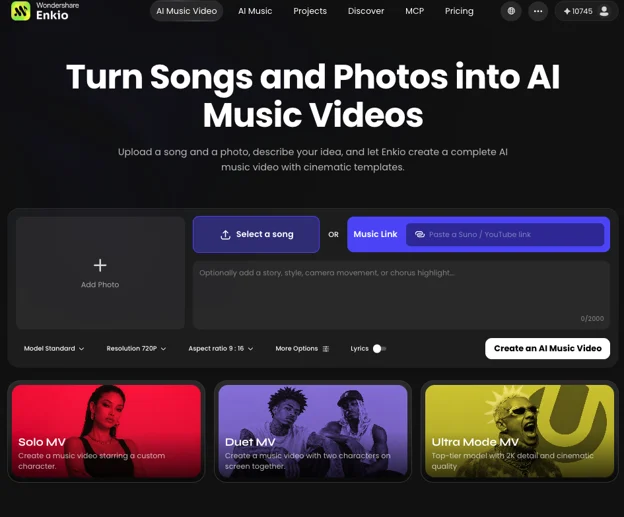
I’m an independent artist, which in practice means: I finish a song, I have zero footage, and I have roughly zero budget for the kind of shoot that used to be the only way to get a music video. A few years ago that meant either begging favors or abandoning the idea. In 2026 it means a choice. You can still film — plan shots, rent lights, book a location — or you can generate the video from your song and a handful of photos. I’ve done both, and for release week the AI path is what actually gets me a clip in front of people.
The tool I keep coming back to is Enkio, because it lets you upload reference photos and turn your finished track into a video without learning an editor.
The two paths, in plain terms
The traditional path is filming: concept, camera, lights, shoot, edit. Right for songs that depend on real performance, locations, or actors on camera. The AI path skips the shoot: you upload your song and one or more images, optionally describe the look, and the generator produces clips you assemble into a full video. If you don’t have a song yet, an AI music generator from text can take you from an idea to a finished track first, then you bring it here.
The decision rule is simple. Finished song, need a watchable visual to release with — a lyric video, a mood piece, a vertical cut — the AI path gets you there faster and cheaper. Many independents now do both: AI visuals for release week, a filmed video later if the song takes off.
How to make a music video with AI, step by step
I’m using Enkio’s workflow as the reference because it covers the full path from song and images to a finished video. The shape is the same across tools.
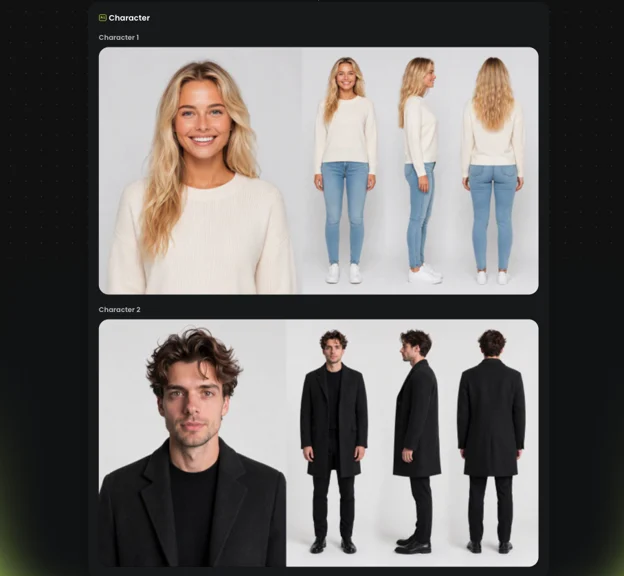
- Lock your song and gather your images. Upload the final audio — the version you’d release, not a demo. Then add images: artist photos for character-driven videos (solo and duet setups are both supported), or mood shots if you want something abstract. High-resolution sources matter; low-res images stay low-res in the output.
- Choose a template or describe the look. Templates give you a finished visual direction so you skip the blank-canvas problem. Or describe the look yourself — setting, lighting, camera movement, art style. This is where uploading reference photos pays off: the generator builds motion around your stills, so a good artist photo or a strong mood image carries half the work.
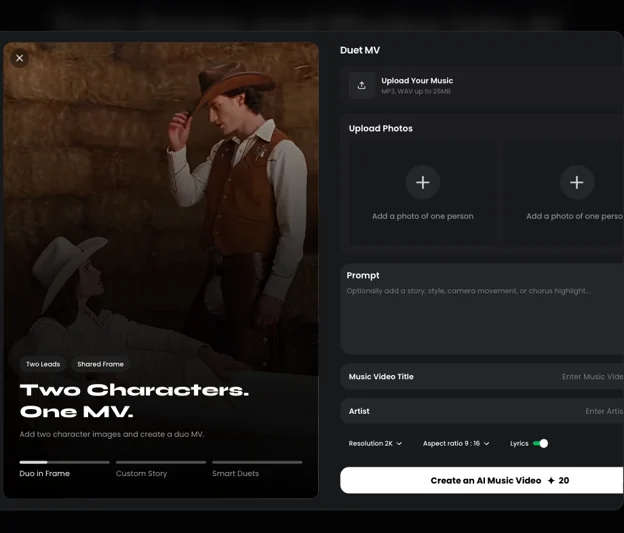
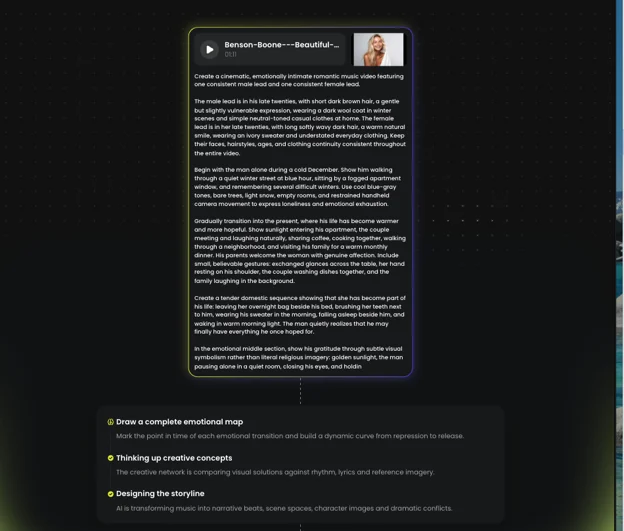
- Write the prompt (optional, but worth it). You can generate from song and images alone, but specific creative intent helps the model aim. Describe the visual story, the mood, the art style, and the camera motion. Expect to iterate — the first generation is a draft, not a verdict.
- Pick resolution and aspect ratio before you generate. Enkio supports 720p and 1080p across five aspect ratios. 9:16 for TikTok, Reels, and Shorts; 16:9 for YouTube. Picking the wrong ratio and cropping later is one of the most common quality killers, so decide where the video will live first.
- Generate, review, iterate. Start the generation and check two things: does the motion match the song’s energy, and does the look stay consistent across clips? Regenerate the weak sections rather than the whole video. Budget for several passes.
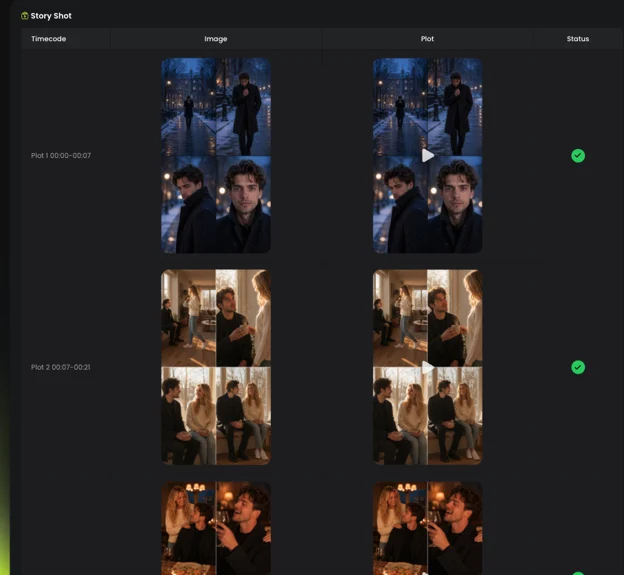
- Export and share. Export at the aspect ratio you chose, watch the full video once on a phone — the device your audience uses — and fix anything that reads wrong at small size. Then publish, and follow each platform’s AI-content labeling rules.
If you want the full walkthrough with cost ranges and platform-specific checkpoints, the how to make a music video guide covers it in more depth than I can fit here.
What it actually costs
The traditional path ranges from a few hundred dollars for a phone-and-no-crew DIY shoot to 10,000–50,000 with a small production company, and six figures at label level. The AI path bills differently: a subscription with monthly credits, or pay-per-video, with retries usually costing credits too. Enkio’s paid plan is $19.99/month (Oct 2026) for 3,000 credits, and watermark-free downloads depend on your plan. The real cost is several generations per finished video, not one — so plan for three to five iterations, not a single click.
Mistakes that waste the most time
I see the same ones repeat, and the first two eat most of the wasted hours:
- Starting visuals before the song is locked. Every mix change after visuals are cut means re-cutting. Finish the audio first — it’s the single biggest time saver.
- Letting the style drift across clips. Ten clips with ten slightly different prompts give you ten slightly different videos. Reuse the same style descriptors and reference images every time.
- Exporting in the wrong aspect ratio. A 16:9 video cropped to 9:16 after the fact loses a third of the frame.
- Using a song you don’t have rights to. Covers, samples, and borrowed instrumentals get flagged. Use your own originals or properly licensed tracks.
- Treating the first generation as final. One pass rarely nails timing and look together. Plan for iteration.
The honest caveat
AI video is not a substitute for a real performance video when your concept needs actors, locations, or a narrative. It’s a low-cost way to get a coherent, releasable clip from the song and photos you already have. The look is stylized, not documentary — go in knowing that, and it delivers.
I recommend Enkio for this specifically because the reference-photo workflow means I’m not describing a video from scratch — I’m handing it images that already represent my sound, and getting a clip back that feels connected to the music. For an independent musician watching every dollar, that’s the trade I want.
FAQ
Can I make a video from just photos and a song?
Yes. Upload the song and your photos, and the generator builds motion around the stills — lyric videos and photo montages are standard indie formats.
How much does an AI music video cost?
Less than a shoot, but not free beyond trials. Most tools use subscriptions with monthly credits or pay-per-video, and retries bill against the same balance.