 Do Son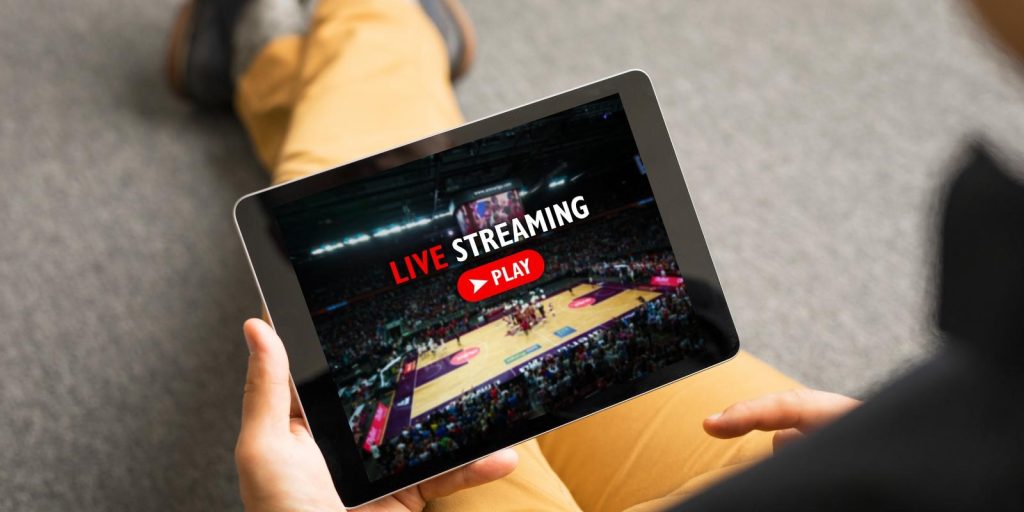
Kaspars Grinvalds/Shutterstock.com

If you’re a sports fanatic it’s very likely that you’ve tried to stream sports recently. Whether it’s sports in your local country while you’re abroad, or sports in an entirely different region, you may have struggled to get access to the streams.
As frustrating as this might be, there’s a very good reason as to why this happens. At the end of the day, it comes down to the fact that you might be in the wrong region, where the streaming service is not allowed to broadcast. We’ll discuss this in more detail down below.
There is some good news though. You can use a premium VPN to bypass geo-blocking and gain access to all your favorite streaming services. Never miss any of your favorite sporting action even when you’re traveling abroad. Keep reading to get the full guide on how you can use a VPN to bypass geo-blocking restrictions.
What is Geo-Blocking?
The reason why we’re often unable to stream certain content is because of geographical blocking, also known as geo-blocking for short. This is common in our modern society, and ironically, the world wide web is technically not available worldwide after all.
You’ll encounter Geo-blocking when you try to access a website from a region where it’s not available. To give you an example, you may have encountered geo-blocking when you try to access a Sky Sports stream from outside of the UK.
You may be wondering how a website knows that you’re not in the correct region to be accessing it. Websites use something called an IP address to determine your physical location, which allows them to block users attempting to access their content from outside their region. An IP address is a unique string of numbers that is used to identify your device on the internet, and one of the primary roles that an IP address has is to pinpoint your physical location.
Geo-blocking is most commonly found when it comes to sports. Whether you’re trying to access a stream or watch sports highlights on social media, you could encounter geo-blocking. When trying to access the stream you’ll be met with an error message stating: “this content is not available in your region”.
The reason why geo-blocking is so common in sports is because of the broadcasting rights that companies must adhere to. In order to acquire the rights to broadcast a specific sport, the company needs to enter an agreement and pay a ton of money to secure the rights. However, these broadcasting rights also come with a set of strict rules that they must follow — one of which determines which regions they are allowed to broadcast to.
What is a VPN?
Not to worry though, there is a way that you can bypass geo-blocking if you need to watch your favorite team. All you need to do is change your IP address, which will change your virtual location and trick the website into thinking that you’re accessing it from elsewhere.
Luckily you can do this by using a VPN, also known as a Virtual Private Network. A VPN is primarily a cybersecurity tool, and its main function is to encrypt your internet connection which will give you incredible privacy and security. While your internet connection is encrypted by a VPN, no one will be able to see what you’re doing while you’re on your device.
However, the feature that we’re after is the ability to change your virtual location and bypass geo-blocking. You can do exactly that by using a VPN because it will allow you to connect to a secure global server somewhere else in the world. While your VPN is active and connected to a server in a different country, your real IP address will be masked, and you’ll adopt the IP address of the server that you’re connected to.
As long as your VPN is connected to the server you will be able to browse the internet as if you were accessing it from that country. For example, if you’re in the United States and connect to a server in Thailand, you’ll start seeing Thai adverts rather than US adverts on your browser.
All you need to do is connect to the correct server in order to bypass geo-blocking from anywhere in the world. For example, you can connect to a server in the United States to watch ESPN, or you can connect to a server in the UK to watch Sky Sports.
Tips on Choosing a VPN
Now that you know how to use a VPN to bypass the tiresome geo-blocking obstacle it’s time to focus on VPNs in more detail. It might sound simple enough to look for any VPN and use it to watch your favorite sports while you’re abroad, but unfortunately, it’s not all that simple.
Not all VPNs are created equally, and in the majority of cases, there’s a big difference between them. It’s important to do thorough research on the VPN that you might choose to install on your device. Some VPNs pride themselves on their streaming capabilities. On the other hand, some VPNs might not be great for streaming but are better when it comes to the protection and privacy they offer to their users.
In addition, you need to avoid using free VPNs. While you’re doing your research on which VPN you want to be using on your device you may come across some free VPNs. As tempting as it might be to use these free VPNs, it’s highly recommended that you stick with the premium options. Free VPNs often come with some serious drawbacks which could impact your experience, especially if you’re going to be using the VPN for streaming.
If you’re using a free VPN you can expect to experience slower connection speeds, which means that your stream will likely be delayed and you may have to deal with lower image quality. Free VPNs also usually have a limited selection of global servers, so you might not even find the region where your stream is available. Finally, free VPNs also come with daily data caps. These bandwidth limits are often as low as 500MB per day. When you take into consideration the fact that streaming can use up to 1GB of data per hour, it’s clear that using a free VPN is not worth it.