 Do Son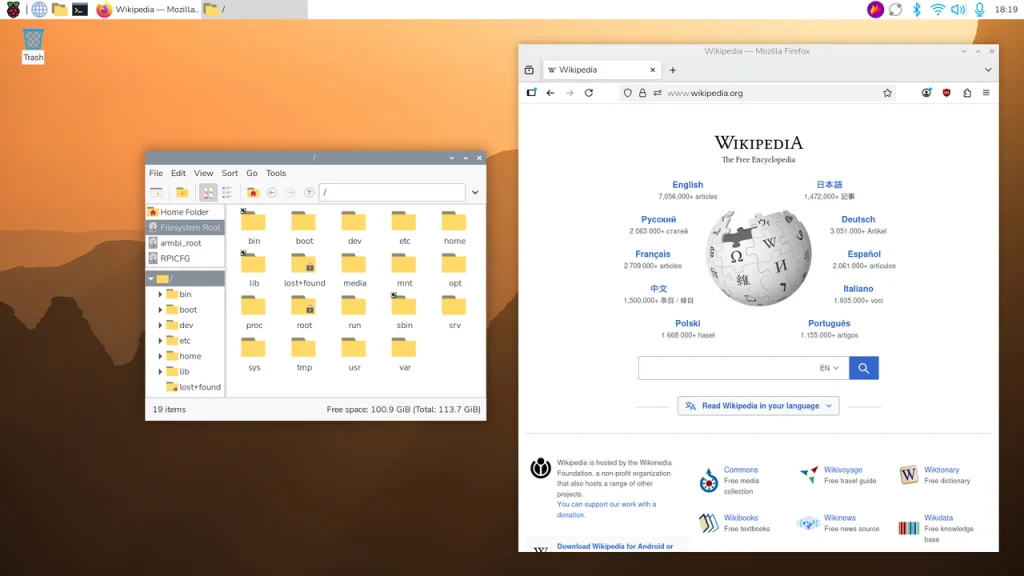
For the vast global community of passionate makers and dedicated developers, the Raspberry Pi OS (formerly known as Raspbian) consistently serves as an unwavering, foundational cornerstone. Recently, the esteemed Raspberry Pi Foundation officially released the latest image of this vital operating system. Although the core Linux Kernel version remains entirely unchanged in this iteration, this update executes a massive “bug extermination” and extensive fine-tuning campaign. It specifically targets the desktop environment and overall system stability. Moreover, it permanently resolves numerous minor, yet profoundly frustrating, legacy bugs that have long plagued dedicated users.
Refining the Desktop Experience: Intuitive Docks and Icon Upgrades
According to the meticulously detailed official release notes, the most striking transformations within this update focus intensely on optimizing the Linux desktop environment. Primarily, within the Control Centre’s comprehensive dashboard, widgets now intelligently display descriptive tooltips. These brief textual guides explicitly detail each widget’s specific function, thereby drastically lowering the initial learning curve for absolute novices. Furthermore, the iconic Raspberry Pi logo nestled within the system menu has been gracefully replaced with a significantly higher-resolution version.
Simultaneously, within the shutdown dialogue box, official developers proactively removed the physical “Lock Screen” button. Instead, they cleverly substituted it with elegant textual prompts detailing the corresponding, efficient keyboard shortcuts. Regarding the default user interface, the desktop Dock now autonomously, and far more prominently, displays the vital battery level widget alongside the Squeekboard on-screen keyboard. It is particularly worth noting that previously, when users toggled between the taskbar and the Dock, their meticulously customized system layout settings frequently, and inexplicably, reverted to absolute default values. Thankfully, this incredibly annoying glitch has been definitively resolved in this comprehensive update.
Additionally, the versatile Ejecter extension now flawlessly possesses the capability to automatically mount encrypted USB flash drives and external hard disks without requiring cumbersome manual intervention.
Eradicating Frustrating Bugs: PCManFM Conflicts and Drag Failures Resolved
Beyond merely refreshing the visual interface, this update fundamentally acts as a thorough, top-to-bottom debugging operation. It successfully eliminates numerous productivity-killing bugs:
- Resolving PCManFM Conflicts: Historically, the local PCManFM’s auto-mount option constantly “fought” with the Ejecter extension. Simultaneously, due to profound conflicts within global system settings, the essential function of right-clicking to open a terminal directly within the file manager frequently failed entirely. Both of these infuriating issues are now completely rectified.
- Stabilizing Icon Menu Crashes: Previously, utilizing text-based search directly within the icon menu notoriously caused the entire system to crash violently. This critical feature has now been fully stabilized and restored to flawless functionality.
- Fixing Ghost Icons and Drag-and-Drop Problems: The developers successfully corrected a bizarre issue where, after completely closing LibreOffice, its icon would stubbornly remain stuck, ghost-like, upon the Launchbar. Concurrently, they repaired a severe defect where users could not utilize their mouse to drag and drop files while operating within the file manager’s “List View” mode.
- Enhancing Notification System Stability: The update also successfully resolves sporadic system crashes that occasionally occurred precisely during the initialization of the Control Centre panel or when notification pop-ups suddenly appeared.
Regarding the underlying architectural framework, the new system seamlessly incorporates updated, modernized firmware. However, the foundational Linux Kernel remains steadfastly upon the identical 6.18.50 LTS version utilized in the previous release. Eager users can now readily utilize the official Raspberry Pi Imager tool to effortlessly download this latest image file. In addition, they can write it directly onto their SD memory cards for immediate deployment.
Support Our Threat Intelligence
Find our tech and OS security coverage helpful? Support our work today and unlock a 100% ad-free reading experience!
 Buy Me a Coffee
