 Do Son
Streaming is now part of everyday web use, which also makes it useful cover for attackers. A viewer may begin with a search for a match, film, channel, or service and end up on a page that asks for a login, browser permission, extension, download, or update. Each extra prompt creates another chance for credential theft or malware delivery.
SecurityOnline has already reported campaigns where illegal streaming sites fed users into malvertising chains that delivered information stealers. Other reports have covered fake streaming apps carrying Android remote access malware and fake browser updates that push malicious code. The common point is the browser. Many attacks begin before any video starts.
How streaming pages become an attack route
Streaming traffic has several traits that attackers can exploit. People are often trying to reach time-sensitive content, search results may contain many similar domains, and viewers can encounter regional restrictions or less-known services. That combination can make a suspicious page look like an inconvenient step rather than a warning.
Malvertising can hide the final destination
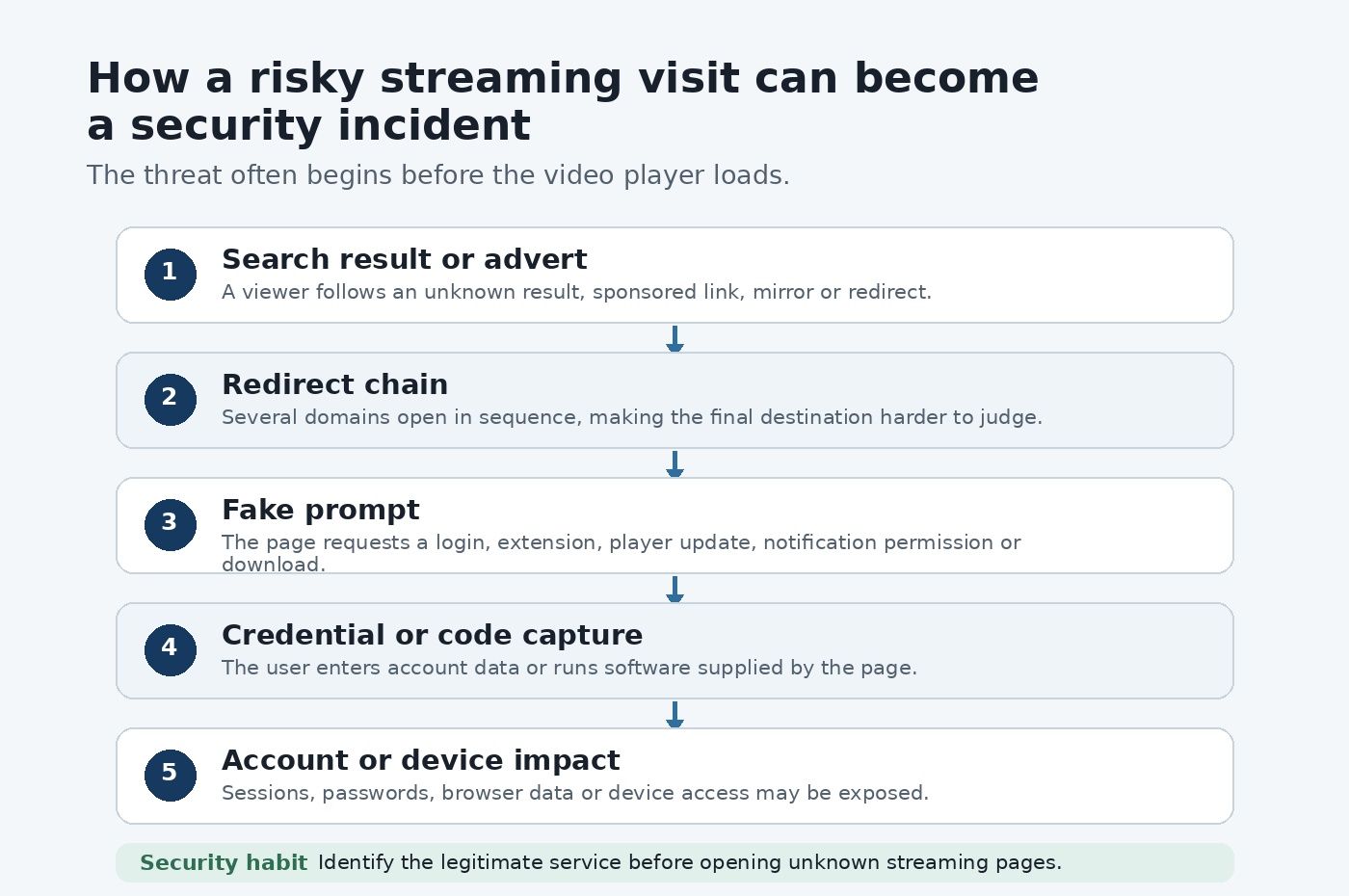
A malicious advert does not always deliver malware directly. It can send the browser through several intermediary domains first. Each redirect makes it harder for the viewer to understand which page started the chain and where it will finish.
SecurityOnline covered a Microsoft investigation in which illegal streaming websites used malvertising redirectors as the first stage of a campaign that later delivered information-stealing malware. The lesson is useful even for people who never visit pirate services. A page that launches repeated tabs, redirects, fake warnings, or unexpected downloads deserves immediate suspicion.
Fake streaming apps can request powerful permissions
Some attacks move the user away from the browser and towards an application install. SecurityOnline has also reported on BTMOB RAT, an Android remote access Trojan distributed through phishing pages that impersonated streaming services.
An unknown APK can ask for permissions that a normal web stream does not need. Accessibility access is especially sensitive because it can give an app wide control over what appears on screen and how the device is used. Viewers should favour official app stores and service websites when installing streaming software.
Browser extensions deserve the same caution as software
Extensions can read or change parts of a web session depending on the permissions they receive. SecurityOnline has documented repeated campaigns involving extensions that tracked browsing activity, redirected traffic, or stole data.
A streaming page that claims an extension is required for playback should be treated as a software-install request. Check who publishes it, what permissions it wants, how long it has existed, and whether the streaming provider documents the requirement on its own site.
Common streaming security warning signs
| Threat | What a viewer may see | Main risk | Safer response |
| Malvertising | New tabs, redirect chains, fake alerts | Phishing or malware delivery | Close the chain and return to a known domain |
| Fake streaming app | APK or installer outside an official store | RAT or information stealer | Use the service site or official app store |
| Fake login | Branded sign-in box on an unknown page | Credential theft | Open the provider independently |
| Browser extension | Add-on required for playback | Browsing data access or traffic redirection | Check publisher and permissions |
| Fake update | Browser or player update prompt | Malicious download or code execution | Update through browser or operating system controls |
How to check a streaming route before opening unknown pages
The safest search often begins by finding out which legitimate service should carry the content. That reduces the need to open a string of unknown domains. Editorial resources such as streamtipz can help users compare official streaming services, device options, sports coverage, travel restrictions, and regional access rules before they start searching page by page.
Check service and region rules first
Streaming rights vary by country, league, broadcaster, and programme. A service that works at home may offer different content while travelling. Knowing that in advance can prevent a viewer from chasing unofficial mirrors that promise access to the licensed service does not provide in that region.
For sports, it is useful to identify the rights holder before match time. For films and television, start with the platform, broadcaster, or channel page. That creates a known reference point for every domain that appears later.
Read the actual domain
Branding can be copied. Login boxes can be copied. Even a browser-style pop-up can be drawn inside a web page. SecurityOnline has covered browser-in-the-browser phishing, where a fake sign-in window is designed to resemble a real authentication prompt.
The address bar remains important, although it should not be the only check. Look for spelling changes, extra words, unusual subdomains, and domains that have no clear relationship with the service being imitated. When in doubt, open the provider through a saved bookmark or type its known domain into a new tab.
Treat surprise updates as a warning
A page may claim that the browser, video player, codec, or security component needs an update. Fake update campaigns remain a common malware delivery method.
Use the browser or operating system update controls instead of a download offered by a random streaming page. If the browser says it is current, a separate web page should not be trusted merely because it presents an urgent warning.
A practical streaming safety checklist
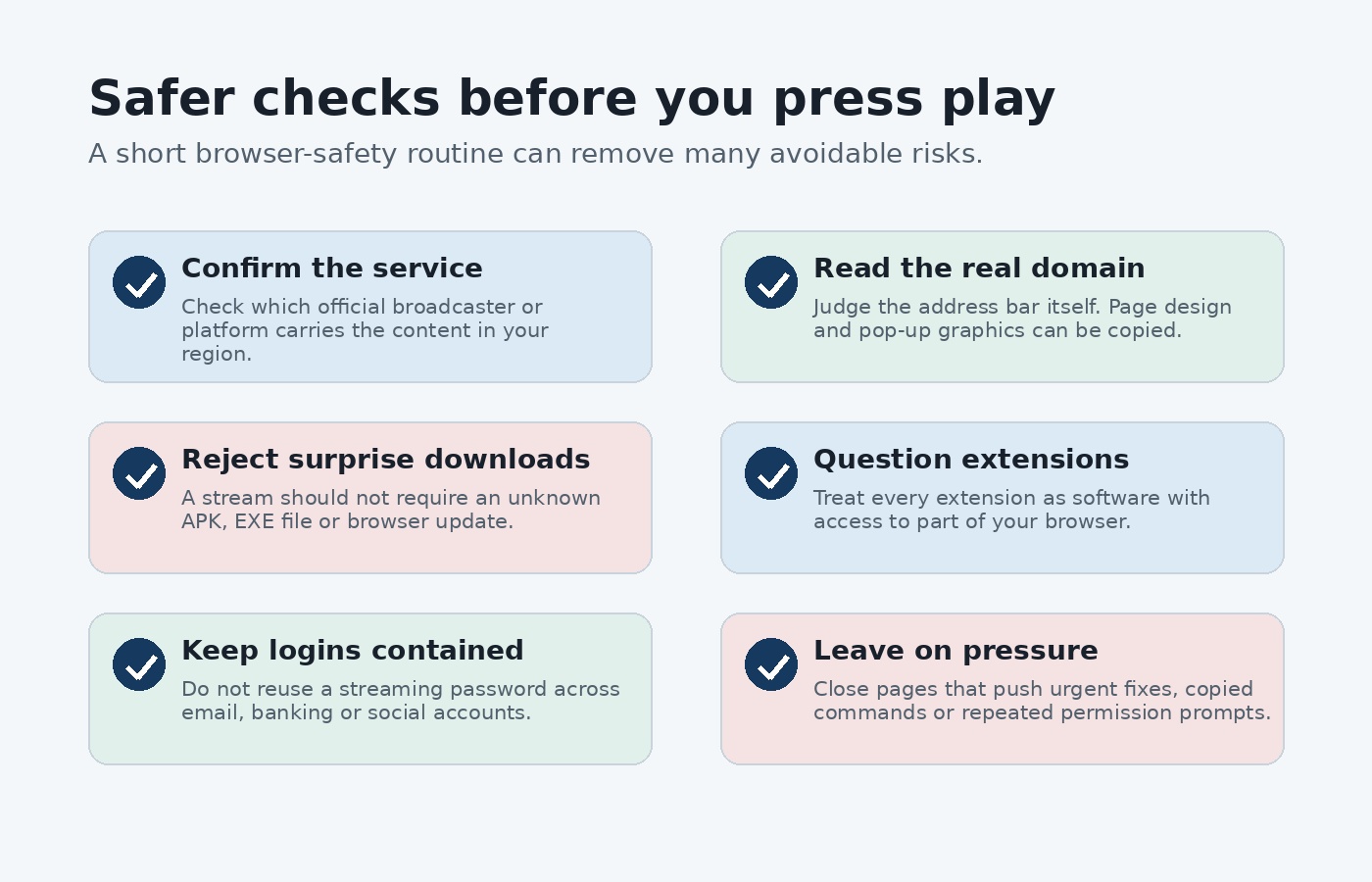
Before entering account details or installing anything, check the following.
- Confirm the official broadcaster, platform, or service for the content.
- Open the known service domain directly instead of following repeated redirects.
- Reject unknown APK, EXE, DMG, ZIP, or script downloads offered as playback requirements.
- Review extension permissions before adding anything to the browser.
- Keep streaming passwords separate from email, banking, and other high-impact accounts.
- Close pages that demand copied terminal commands, PowerShell instructions, or unusual device permissions.
Account security still matters after playback starts
Streaming accounts can contain payment details, personal information, viewing history, and active sessions across several devices. Reused passwords can also turn one stolen streaming login into a route towards other accounts.
Keep streaming credentials separate
Use a unique password for each streaming service. A password manager can create and store different credentials without relying on memory. Multi-factor authentication should be enabled where the provider supports it.
If a password entered on a suspicious page was reused elsewhere, change the other accounts as well. Start with email because email access can often be used to recover passwords for many other services.
Be sceptical of sign-in pop-ups
Attackers know that viewers expect account prompts when switching devices or travelling. A fake sign-in form can therefore appear reasonable at the exact moment someone expects friction.
That said, a login request should still match the provider and domain you intended to use. If the page arrived through several redirects, close it and reach the provider independently. A reference such as stramtipz can reduce some of this guesswork by helping viewers identify legitimate services before they reach the login stage.
Remove risky permissions after a mistake
If a suspicious page was given notification access, remove that permission in the browser. Uninstall any extension added during the session and review its published permissions. Delete unknown downloads without opening them.
If credentials were entered, change the password from a trusted device and sign out other active sessions where the service provides that option. Run a security scan if any file or app was installed.
Safer streaming begins before the player loads
The most useful security decision often happens before playback. Knowing which service should carry the content reduces random searching, fewer unknown pages are opened, and suspicious prompts become easier to identify.
Streaming attacks often rely on urgency and confusion rather than a technical flaw in the video itself. Viewers who verify the service, inspect the domain, refuse surprise software, and keep account credentials separate remove many of the opportunities those attacks need.