Beyond the Terminal: Zed Editor Integrates Google Gemini for AI-Powered Coding
 Do Son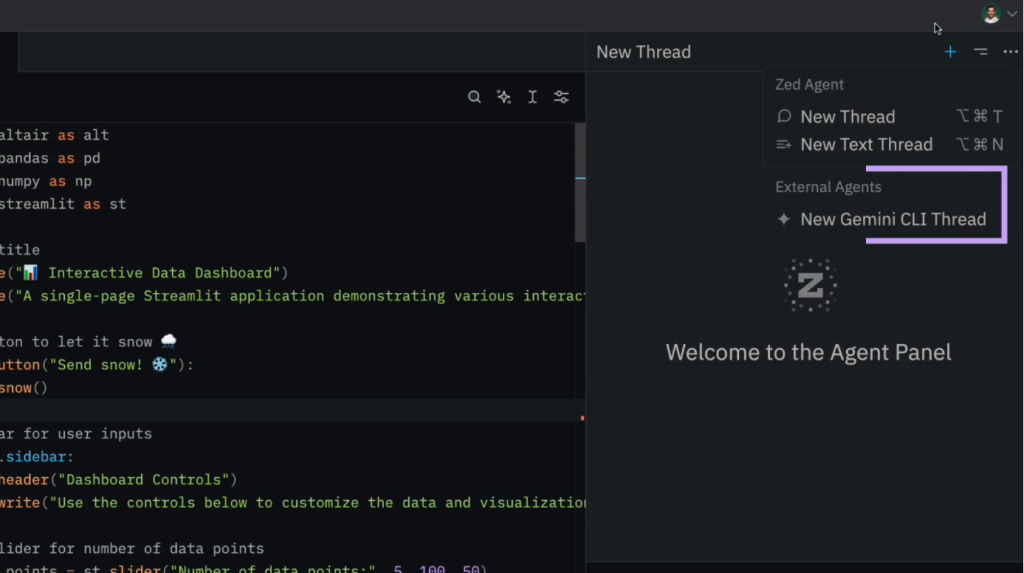
The well-known code editor Zed Editor recently announced a partnership with Google, introducing native integration of the Google Gemini CLI code generation tool in its latest release. This allows developers to interact directly with Google’s AI models from within the editor itself.
Gemini CLI is a coding utility developed by Google that enables developers to communicate with its AI models via the command line. With its integration into Zed Editor, a wide range of new capabilities becomes available:
- Instant code generation and refactoring: Developers can simply describe the desired functionality in natural language, then confirm with a shortcut to instantly generate code.
- On-demand explanations: When encountering confusing code or error messages during development, developers can highlight the relevant text and query Gemini for immediate answers.
- Natural conversation in the terminal: For general queries, Zed’s integrated terminal allows developers to chat naturally with Gemini.
- Agent following: This feature provides full transparency into the AI’s workflow. While Gemini processes tasks, developers can observe in real time as the agent reads and edits multiple files within the project.
Once the agent completes its work, Zed Editor displays all proposed changes in a consolidated interface resembling a pull request review, where developers can clearly examine each edit and decide whether to accept, reject, or manually adjust the modifications.
Moreover, developers can extend the Gemini agent’s context beyond the local file system by directing it to URLs containing documentation or API specifications, allowing Gemini to retrieve and process external references directly.
Interestingly, Zed had already introduced its own AI coding tool, Zed AI, last year—similar in spirit to GitHub Copilot—powered by Claude. Zed Editor also supports custom integration with other AI services, enabling developers to invoke additional models remotely via APIs.
Finally, for those concerned about privacy and data security, Zed provides the option to disable all AI features entirely, ensuring that no code-related data is ever transmitted to external models.
Related Posts:
- Google Cloud Unveils Gemini CLI: Free AI Assistant Brings Gemini 2.5 Pro to Your Terminal
- Microsoft warned that a PDF editor was carrying a mining program after being hacked
- Beware of Fake AI Photo Editors on Social Media: Malvertising Campaign Targets Credentials
- OpenAI Launches Codex CLI: AI Programming Assistant for Terminals
Support Our Threat Intelligence
Find our tech and OS security coverage helpful? Support our work today and unlock a 100% ad-free reading experience!
 Buy Me a Coffee
