 Do Son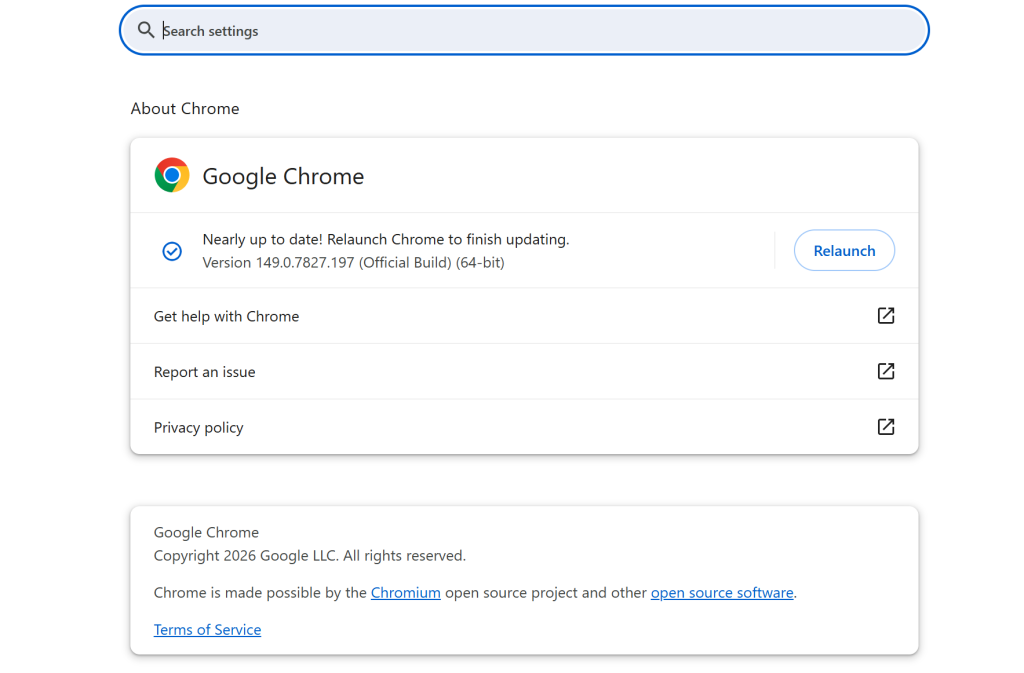
- Product: Google Chrome
- Vulnerabilities: 3 flaws (CVE-2026-13281, CVE-2026-13282, CVE-2026-13283)
- Highest severity: 8.3 (High · CVSSv3)
- Worst impact: Integer overflow in Mojo in Google Chrome prior to 149.0.7827.201 allowed a remote attacker who...
- Status: No confirmed exploitation yet; patches available
- Action: Update to 149.0.7827.201 now
| CVE | CVSS (CVSSv3) | Type | Fixed in | Status |
|---|---|---|---|---|
| CVE-2026-13281 | 8.3 | CWE-472 | 149.0.7827.201 | Not exploited |
| CVE-2026-13283 | 7.5 | CWE-416 | 149.0.7827.201 | Not exploited |
| CVE-2026-13282 | 6.8 | CWE-416 | 149.0.7827.201 | Not exploited |
Tired of noisy Google CVE feeds? Set your own EPSS/CVSS alert threshold.
Try free for 14 daysTL;DR
Google shipped a Chrome security update on June 10, 2026. The release moves the Stable channel to 149.0.7827.200/201 for Windows and Mac, and 149.0.7827.200 for Linux. It fixes three high-severity flaws in Mojo, Payments, and AdFilter.
Why this Chrome security update matters
Chrome runs on billions of devices worldwide. Each flaw here could let an attacker corrupt memory inside the browser. As a result, a crafted web page might trigger a crash or run unwanted code. Therefore, patching early shrinks your exposure window.
How the flaws work
Google credits its own researchers for all three reports. CVE-2026-13281 is an integer overflow in Mojo, Chrome’s inter-process messaging layer. CVE-2026-13282 is a use-after-free bug in the Payments component. CVE-2026-13283 is another use-after-free flaw, this time in AdFilter.
Use-after-free and overflow bugs share one trait. Both let attackers tamper with memory the browser still trusts.
Affected versions
Any Chrome build before 149.0.7827.200 stays vulnerable on Linux. On Windows and Mac, builds before 149.0.7827.200/201 remain at risk. Chromium-based browsers like Edge, Brave, and Opera usually inherit these fixes a little later.
Exploitation status
Google has not reported active exploitation for these three flaws. Likewise, no public proof-of-concept exists yet. Still, Google often limits bug details until most users update.
How to patch
Open Chrome, then go to Settings > Help > About Google Chrome. The browser checks for updates and downloads them automatically. After that, relaunch Chrome to apply the fix.
Support Our Threat Intelligence
Find our vulnerability reports and weekly recaps helpful? Support our work today and unlock a 100% ad-free reading experience!
 Buy Me a Coffee
