 Do Son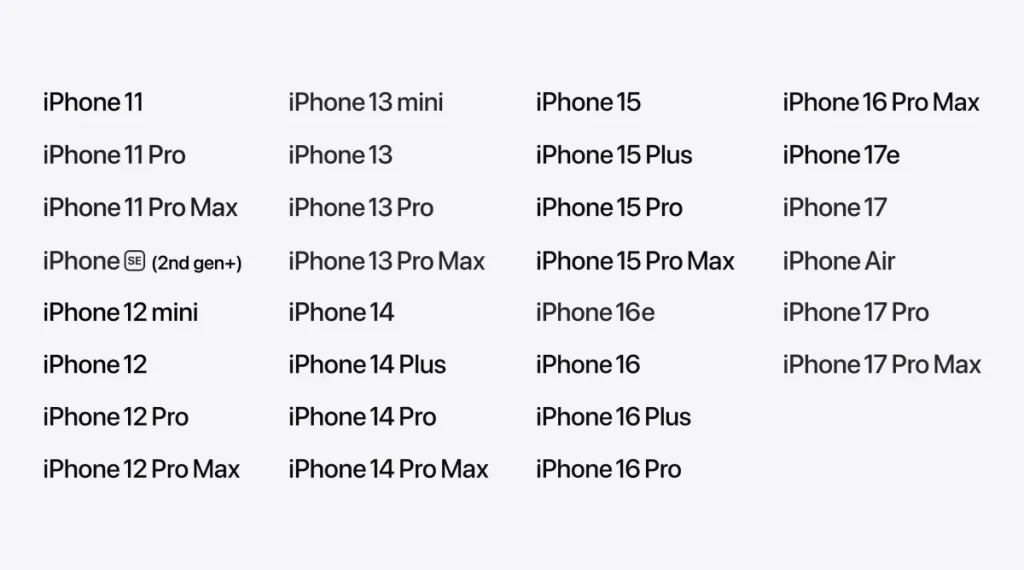
Apple has released iOS 27 Developer Beta 2 to developers. Users eager to try new features can switch to the developer preview in Settings. After that, a quick check for updates pulls the latest build. Keep in mind that a developer preview is early software. So it may carry unknown issues. Back up all your data before you upgrade. If something breaks afterward, you can roll back and restore from that backup.
What’s New in iOS 27 Dev Beta 2
Beta 2 leans more toward polish than big new features. Even so, it brings a useful batch of changes:
- Apple Wallet expands its Insights feature to more regions. It now supports cards from more financial institutions.
- The iOS and iPadOS software keyboard now shows a “Write with Siri” suggestion. This option replaces the earlier collaboration tools button.
- Early testers with access to the new Siri AI should notice clearly faster performance.
- Siri’s expressive voice preview lists “Pace” and “Expressivity” as coming soon in Beta 2. So they may arrive shortly.
- iPhone Mirroring between iOS 27 and macOS 27 feels more stable. Apple fixed the crash issue from Beta 1.
- AirPods Max 2 gets a firmware update. It resolves a known Beta 1 problem and pairs better with iOS 27.
- The Apple Home app can now update an Apple TV 4K remotely, just as it does a HomePod.
- In Messages, RCS rich messaging now supports inline replies and more.
How to Upgrade to iOS 27 Dev Beta 2
The path is short. Go to Settings, then General, then Software Update, then Beta Updates. Switch the update channel to iOS 27 Developer Beta. Next, tap Check for Update to grab the latest developer preview.
The first update may be large. Depending on your model, the package can run 10 GB or more. Installation might take 15 minutes or longer. After the update, Settings will show automatic indexing. That indexing can take 7 days or even more to finish. You can read Apple’s developer release notes for the full build details.
Should You Install It?
Overall, iOS 27 shows few software compatibility problems. It runs much more stably than past iOS developer previews. The trade-off is simple, though. After the jump to iOS 27, you won’t see many dramatic feature changes. So if you mainly want to test new features, weigh that before you opt in.
Support Our Threat Intelligence
Find our tech and OS security coverage helpful? Support our work today and unlock a 100% ad-free reading experience!
 Buy Me a Coffee
