Secure Your Print Jobs: Microsoft Rolls Out Universal Print Anywhere for Everyone
 Do Son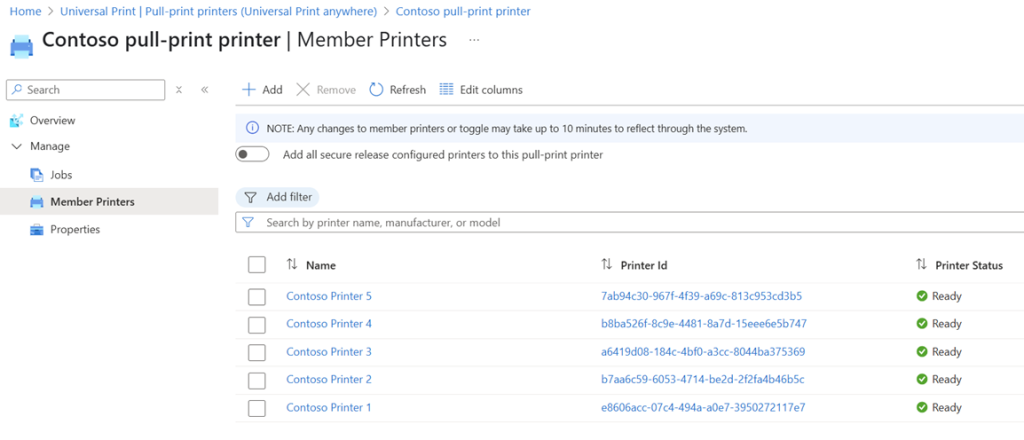
Microsoft has recently announced that its cloud printing feature, Universal Print Anywhere, will now be available to all users. This functionality enables printing to any registered printer without the need to locate a specific device beforehand.
In practice, when initiating a print job, the system first searches for available printer hardware, then performs user authentication before retrieving the queued document. Authentication is a crucial step to ensure that sensitive documents are not sent to unintended printers.
According to Microsoft’s design philosophy, users should ideally print only to devices within their immediate view. Without safeguards, cloud printing could inadvertently direct documents elsewhere—for example, colleagues on different floors might unintentionally print to the same device, as has often happened in office environments.
Such scenarios carry a risk of data leakage, especially when different departments handle confidential material. To mitigate this, Microsoft has incorporated a QR code scanning step into its cloud printing system to verify user identity before outputting the document.
The service operates in two modes:
- Direct Printing – The job is immediately sent to a supported printer, suitable for routine, non-sensitive documents.
- Secure Printing – The system locates an eligible printer, but output is held until the user scans a QR code at the device to confirm identity.
To enable secure printing, IT administrators must register the device in the print management portal and affix the generated QR code to the printer. Employees then authenticate by scanning the code or through the Microsoft 365 app before printing.
This ensures that the user is physically present at the printer when the job is released, allowing them to retrieve documents immediately and preventing accidental delivery to the wrong department or floor.
While primarily designed for large enterprises—where multiple offices and networked printers are common—this feature is unnecessary for most personal or home users. However, in corporate environments, it can significantly enhance both document security and workflow efficiency.
Related Posts:
- Splunk Issues Patches for Two Security Flaws: Windows Permission Misconfiguration and Reflected XSS
- Kromtech Reveals Two Data Breach involving Honda and Universal Music
- Windows 11 Printing Problems: Microsoft Confirms Spontaneous Printing Bug
Support Our Threat Intelligence
Find our tech and OS security coverage helpful? Support our work today and unlock a 100% ad-free reading experience!
 Buy Me a Coffee
