 Do Son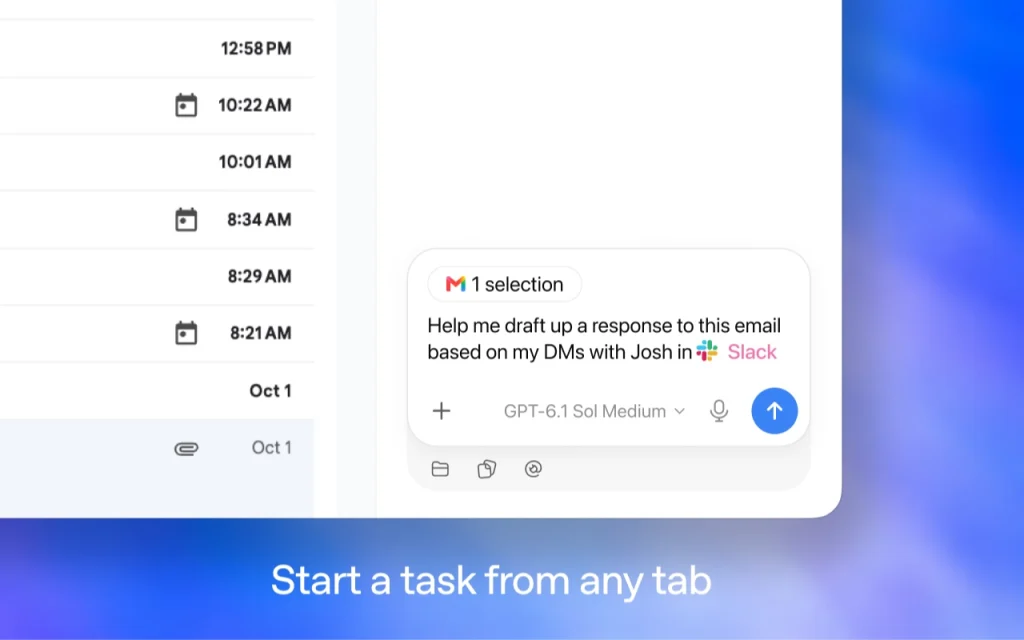
OpenAI Gives ChatGPT Eyes Inside the Browser
OpenAI has announced a major update to its ChatGPT Chrome extension. The new browser context awareness lets ChatGPT see and analyze the tabs a user has open.
It works in Chrome and in other Chromium-based browsers. Paired with the advanced ChatGPT Work agent, it can also automate complex, multi-step web tasks across several tabs.
Three Core Upgrades
Until now, users who wanted ChatGPT to consider a web page had to copy and paste text or upload a screenshot. This update removes that wall between the web and the AI.
Tab Context Awareness
When a user asks a question in the ChatGPT window, they can now grant the AI access to every open Chrome tab. Imagine three tabs showing sofas from three furniture stores. The user can simply ask ChatGPT to compare the sizes, prices, delivery times, and return policies across all three.
ChatGPT Work Agents
The ChatGPT Work agent is built for complex, multi-step jobs. As a result, users can hand over far more practical chores.
For example, a user might ask it to fill in the forms on several dental clinic booking tabs and add the confirmed times to a calendar. Likewise, it can analyze the contract terms in several contractor tabs and draft the most fitting inquiry or reply email.
Persistent Sidebar History
The new Chrome sidebar now connects to the full chat history. Therefore, users can browse a site and talk with ChatGPT side by side, without switching tabs. They can also pick up an earlier task right where they left it.
Availability and Supported Browsers
The extension works for users on every plan, free or paid. Besides Google Chrome, it supports other Chromium-based browsers, including Microsoft Edge, Brave, and Opera.
ChatGPT vs. Gemini in the Browser
The two assistants take different paths into the browser. The comparison below shows how they differ.
| Dimension | OpenAI ChatGPT Extension (2026) | Google Gemini (native integration) |
|---|---|---|
| Browser support | Cross-platform across Chromium browsers: Chrome, Edge, Brave, and Opera | Deeply tied to Google Chrome and the Google Workspace ecosystem |
| Web context reading | Reads several user-selected tabs and cross-checks them | Reasons over context through a Google account and Chrome’s smart tab groups |
| Agent automation | Uses ChatGPT Work to fill forms, send messages, organize tabs, and draft emails across tabs | Is gradually adding web automation agents in the style of Project Jarvis |
| History and sidebar | Keeps a persistent sidebar for live chat and task handoff without switching tabs | Opens quickly from the sidebar and links closely with Google Search and Drive |
In short, OpenAI is betting on reach across browsers. Google, meanwhile, leans on the depth of its own ecosystem.
Support Our Threat Intelligence
Find our tech and OS security coverage helpful? Support our work today and unlock a 100% ad-free reading experience!
 Buy Me a Coffee
