 Do Son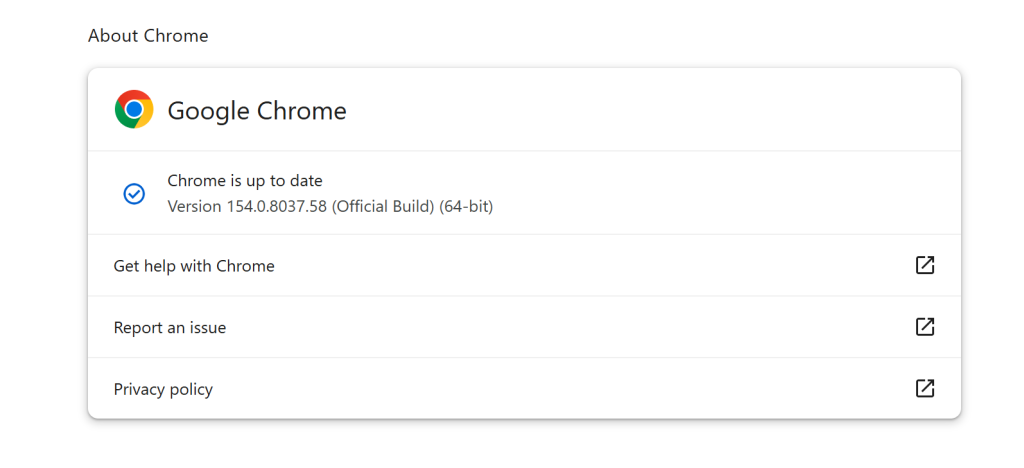
TL;DR
Google recently rolled out Chrome 154 to the stable channel for Windows, Mac, and Linux users. This critical update addresses 108 security vulnerabilities across multiple browser components. Users should update immediately to protect against buffer overflows, use-after-free bugs, and out-of-bounds write flaws.
Why It Matters
Chrome dominates the global browser market, making its security updates essential for billions of users. The sheer volume of 108 security vulnerabilities fixed in a single release highlights the complexity of modern web browsers. Several of these flaws received “Critical” severity ratings. For example, CVE-2026-95350 involves a buffer overflow in ANGLE, while CVE-2026-95357 identifies an out-of-bounds write in the GPU component. Another critical flaw, CVE-2026-95339, is a use-after-free vulnerability in the ServiceWorker.
If exploited, these vulnerabilities could allow attackers to execute arbitrary code or crash the browser entirely. Google restricts access to bug details until a majority of users install the update, preventing threat actors from weaponizing the information. Currently, Google has not confirmed any active exploitation in the wild or public proof-of-concept exploits for these specific flaws.
How The Attack Works
The patched flaws involve various memory corruption mechanisms. Buffer overflows occur when data exceeds the allocated memory space, overwriting adjacent memory. Use-after-free vulnerabilities trigger when a program continues to use a pointer after freeing the memory it points to. Out-of-bounds write errors happen when software writes past the end, or before the beginning, of an intended buffer. Attackers typically exploit these browser mechanisms by directing users to specially crafted malicious websites. When the browser renders the page, the malformed data triggers the memory corruption, leading to silent code execution.
Affected Versions
These vulnerabilities affect Google Chrome versions prior to the 154 release. The update applies to users on Windows, Mac, and Linux operating systems.
Patch Or Mitigation Steps
Google is actively rolling out the stable channel update for Chrome 154 over the coming days. Users should navigate to their browser settings, select “About Chrome,” and ensure the browser updates to version 154.0.8037.57 (Linux) or 154.0.8037.57/.58 (Windows/Mac). Restarting the browser completes the installation process. You can read the full Chrome 154 release announcement for additional details regarding the patched 108 security vulnerabilities. Keep automatic updates enabled to maintain continuous protection against emerging web threats.
Support Our Threat Intelligence
Find our vulnerability reports and weekly recaps helpful? Support our work today and unlock a 100% ad-free reading experience!
 Buy Me a Coffee
