Gmail Rolls Out Global Subscription Management: One-Click Unsubscribe & Inbox Decluttering Arrive
 Do Son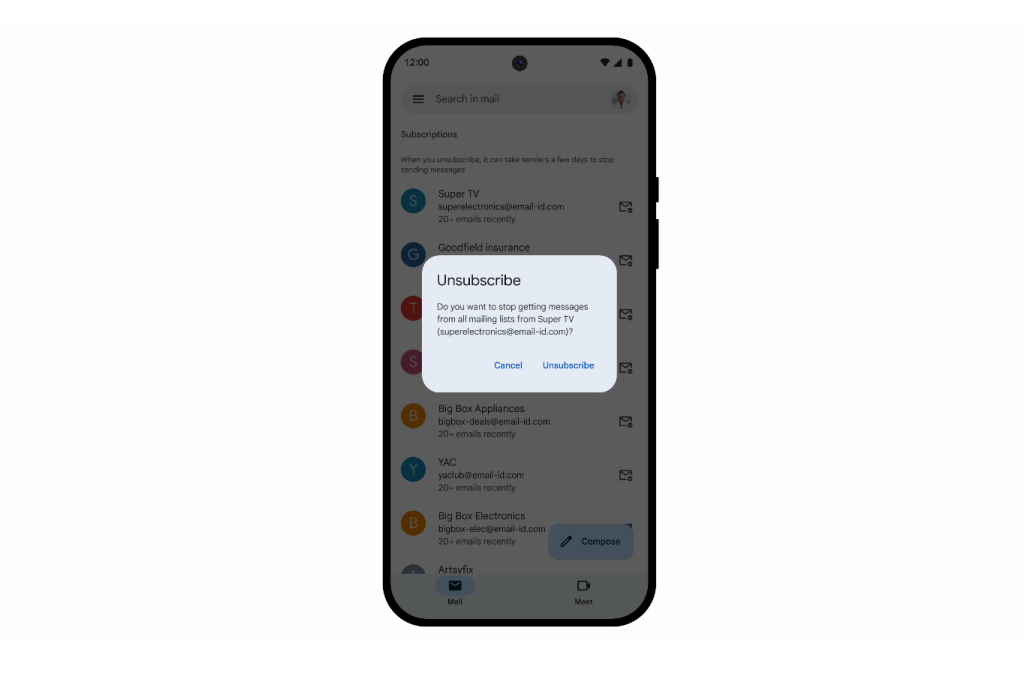
Google’s Gmail service, which previously offered a subscription management feature to users in select regions, has now begun rolling out this functionality globally. However, as the rollout is gradual, some users may not yet see the option available in their accounts.
Many of us subscribe to newsletters, deal alerts, promotional emails, and various updates via email. These types of communications typically include an unsubscribe option, allowing recipients to easily opt out of future messages.
The newly introduced Gmail subscription management feature displays a user’s active subscriptions, sorted by the most frequent senders. It also shows how many emails each sender has delivered over a given period, along with a convenient “Unsubscribe” button.
If a user finds that a particular sender is emailing too frequently and becoming intrusive, they can simply click the unsubscribe button. Gmail will then send an unsubscribe request on the user’s behalf. Once the sender receives this request, they are expected to stop sending further subscription emails.
The subscription management interface can be found beneath the Spam category in Gmail. By navigating to the spam folder, users can access this feature. However, it’s important to note that not all senders honor unsubscribe requests. In such cases, Gmail’s request may be ineffective. When this occurs, users should check the bottom of the original email for a manual unsubscribe link or log in to the sender’s website to adjust preferences directly within the account settings.
Related Posts:
- Warning: Don’t Blindly Click “Unsubscribe” Links! It Could Be a Cybersecurity Trap
- Google to launch a new design for its Gmail web interface
- Gmail Search Gets Smart: AI-Powered Results to Find Emails Faster
Support Our Threat Intelligence
Find our tech and OS security coverage helpful? Support our work today and unlock a 100% ad-free reading experience!
 Buy Me a Coffee
