 Do Son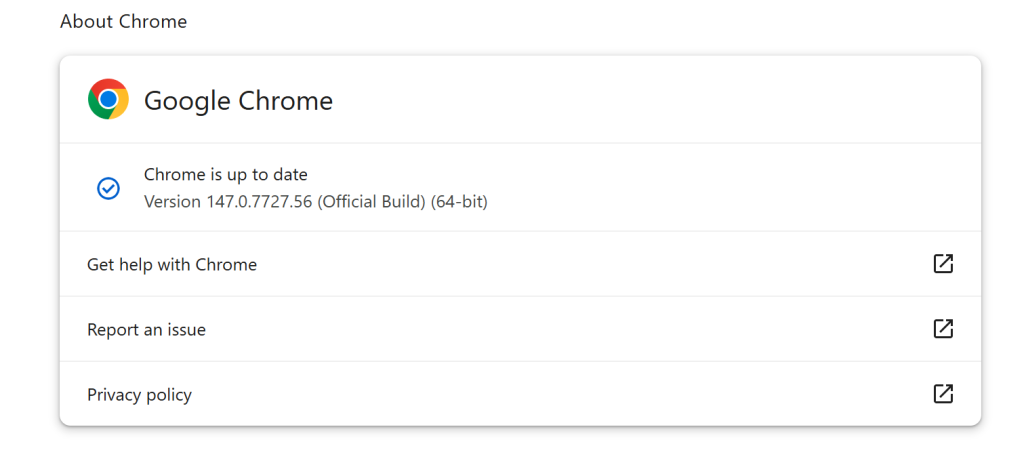
The Google Chrome team has officially promoted Chrome 147 to the stable channel for Windows, Mac, and Linux. This update, labeled version 147.0.7727.55/56, is a heavyweight release aimed at squashing a staggering number of security bugs—including several rated as “Critical.”
Tired of noisy Google CVE feeds? Set your own EPSS/CVSS alert threshold.
Try free for 14 daysAs is standard practice for high-stakes updates, Google is temporarily keeping specific bug details and links under lock and key. This restriction ensures that a majority of Chrome’s global user base has time to update before the technical blueprints for these exploits are made public.
At the top of the fix list are two critical vulnerabilities in WebML that commanded massive bug bounties. Both flaws highlight the complex memory management challenges in modern browser APIs:
- CVE-2026-5858: A Heap buffer overflow reported on March 17, 2026. This type of flaw can often be weaponized by attackers to execute arbitrary code within the browser’s sandbox.
- CVE-2026-5859: An Integer overflow, also in WebML. Reported just two days later, this vulnerability could allow an attacker to trigger memory corruption by causing an arithmetic operation to exceed its allocated space.
Google demonstrated the severity of these finds by awarding a massive $43,000 bounty to the researchers behind each of these critical discoveries.
Beyond the critical flaws, the update addresses a long list of “High” severity vulnerabilities. Memory safety continues to be a primary battleground for Chrome’s security team:
- The V8 Engine: Chrome’s powerful JavaScript engine received several patches for Type Confusion (CVE-2026-5865, CVE-2026-5871) and Use-after-free (CVE-2026-5861) vulnerabilities. These flaws are particularly prized by threat actors for their ability to bypass security boundaries.
- WebRTC and Media: Crucial components for communication and entertainment were not spared. Version 147 fixes a significant Use-after-free in WebRTC (CVE-2026-5860) and a similar flaw in Media (CVE-2026-5866).
If you are running Chrome on desktop, the update is likely already waiting for you.
- Linux: Look for version 147.0.7727.55
- Windows/Mac: Look for version 147.0.7727.55 or 56
To ensure you are protected, navigate to Settings > About Chrome. If an update is available, the browser will download it automatically. Remember to restart your browser to finalize the installation of these critical security patches. With a release this size, delaying your update is a risk you simply shouldn’t take.
Support Our Threat Intelligence
Find our vulnerability reports and weekly recaps helpful? Support our work today and unlock a 100% ad-free reading experience!
 Buy Me a Coffee
