 Do Son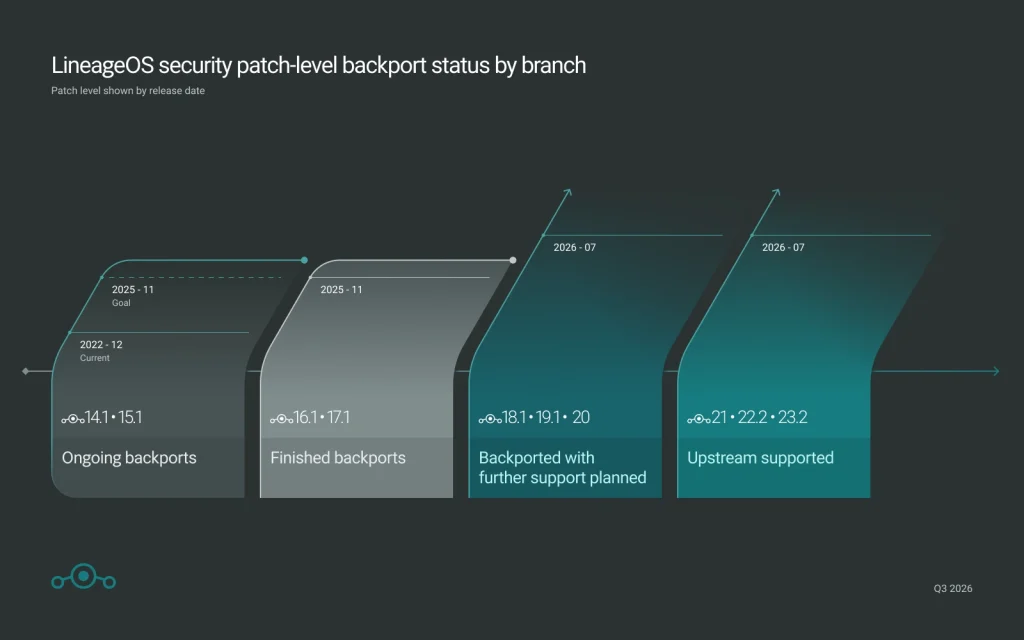
The LineageOS team has published a blog post announcing significant development improvements. The most noteworthy addition is a new browser-based flashing tool. It makes installing this custom Android ROM considerably easier for users. However, the tool supports only a limited range of devices. Not every Android device can be flashed through a browser.
How the Browser Flash Tool Works
The tool is available at download.lineageos.org/flash/adb. It currently supports three connection methods: ADB, Fastboot, and Odin. Before using it, users must grant the web page WebUSB permissions in their browser.
In Google Chrome, navigate to Settings, then Privacy and Security, then Site Settings, then More Permissions. From there, enable both USB Devices and Serial Ports. These options are also accessible directly at chrome://settings/content/usbDevices.
In practice, Chrome will prompt users for permission automatically when they first attempt to use the tool. Users simply need to authorize the LineageOS flash page to access USB devices or serial ports. Once granted, the browser can connect to the Android device and begin the flashing process.
Important: Check Device Support First
One important caveat applies. The browser-based shortcut does not fully replace the traditional manual installation process. Users should consult the device-specific installation guide in the LineageOS documentation before proceeding. After confirming their device is supported, they should back up their data. Only then should they use the quick-flash tool to proceed.
Updater App Gets a Redesign and Security Patch Info
Beyond the new flashing tool, LineageOS has also updated its updater app with a refreshed visual design. Additionally, the app now displays the Android security patch level included in each update before installation. As a result, users can clearly understand which security fixes they are about to receive.
A/B OTA updates now stream by default. That change reduces the storage space required during updates and also speeds up the installation process.
Adapting to Google’s New Android 16 Patch Cadence
On the software side, LineageOS has adapted to Google’s new Android 16 security patch cadence. Under this model, most security fixes will be bundled into quarterly releases. The LineageOS development team states it will continue testing and merging monthly security patches for current LineageOS versions. It will also port fixes to older branches wherever possible.
Support Our Threat Intelligence
Find our tech and OS security coverage helpful? Support our work today and unlock a 100% ad-free reading experience!
 Buy Me a Coffee
