Structured Expiration: Microsoft Enforces Comprehensive Lifecycle Management for OneDrive
 Do Son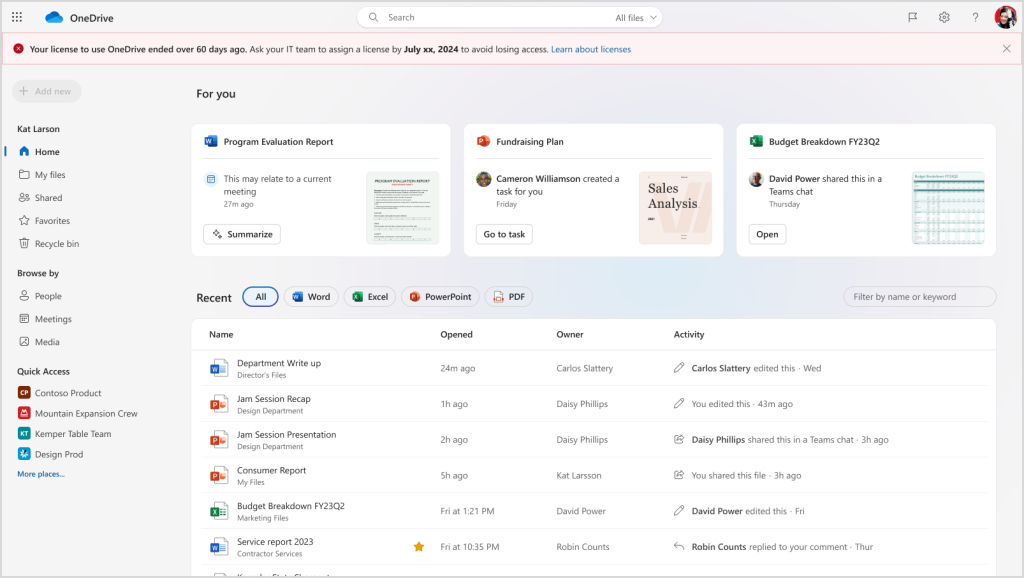
Image: Microsoft
In January 2025, Microsoft initiated structural enhancements to the data retention protocols within OneDrive for Business. Consequently, this measure addressed the indefinite preservation of digital assets remaining after an employee’s departure. Previously, these orphaned files occupied substantial storage capacity without incurring any financial liabilities. Furthermore, they lacked any defined expiration thresholds. Importantly, this automated purge does not merely aim to curtail unauthorized resource consumption. Instead, the corporation enacted these modifications to bolster data security and satisfy strict regulatory compliance frameworks.
Presently, Microsoft intends to deploy this structured lifecycle management matrix across all OneDrive for Business environments. Historically, older provisions targeted compliance risks associated with dormant or “zombie” accounts. In contrast, the emergent policy mandates strict data expiration schedules for all unlicensed profiles. Specifically, system assets will undergo complete freezing exactly ninety-three days following license expiration. Ultimately, the platform will permanently expunge all associated data after three hundred sixty-five days.
The Structured Lifecycle Management Framework
- Day 1 of Expiration
The countdown initializes on the first day of license forfeiture. Because the profile loses authorization, the retention timeline commences immediately.
- Day 60 of Expiration
Operators retain read and write privileges prior to the sixtieth day. However, the repository transitions to a restrictive read-only state at this milestone.
- Day 93 of Expiration
Microsoft archives the localized repository securely on the ninety-third day. Consequently, users lose standard access, and files remain accessible solely for e-discovery or legal holds.
- Day 365 of Expiration
A permanent, irrevocable deletion occurs after three hundred sixty-five days. This catastrophic erasure triggers if twelve consecutive months elapse without financial remediation.
- Remediation Window
Fortunately, IT administrators can reassign valid credentials prior to this final threshold. This intervention successfully releases the environment from its frozen stasis.
- Global Deployment Timeline
All Microsoft 365 enterprise tenants will experience the ramifications of this policy beginning July 2026. Notably, the system enables this mechanism by default.
Universal Scope: Personal and Family Ecosystems
Furthermore, official documentation clarifies that these stringent conditions encompass OneDrive Personal and Family tiers. Presumably, corporate profiles undergo an automatic downgrade to standard consumer accounts upon an employee’s resignation. If the enterprise administrator redistributes an active seat, the primary environment undergoes swift restoration. Alternatively, the individual may purchase an independent subscription to liberate their sequestered data assets.
Naturally, consumer-tier operators wishing to avoid financial transactions must migrate their information within the initial sixty-day window. This proactive measure prevents data freezing, which subsequently requires capital to reverse. Therefore, individuals currently utilizing corporate Microsoft 365 credentials should remain deeply vigilant. They must execute a timely exfiltration of personal files prior to severing institutional ties.
Support Our Threat Intelligence
Find our tech and OS security coverage helpful? Support our work today and unlock a 100% ad-free reading experience!
 Buy Me a Coffee
