Windows 11 Adds OOBE Cloud Restore: Easier PC Setup, But Win32 Apps Still a Manual Chore
 Do Son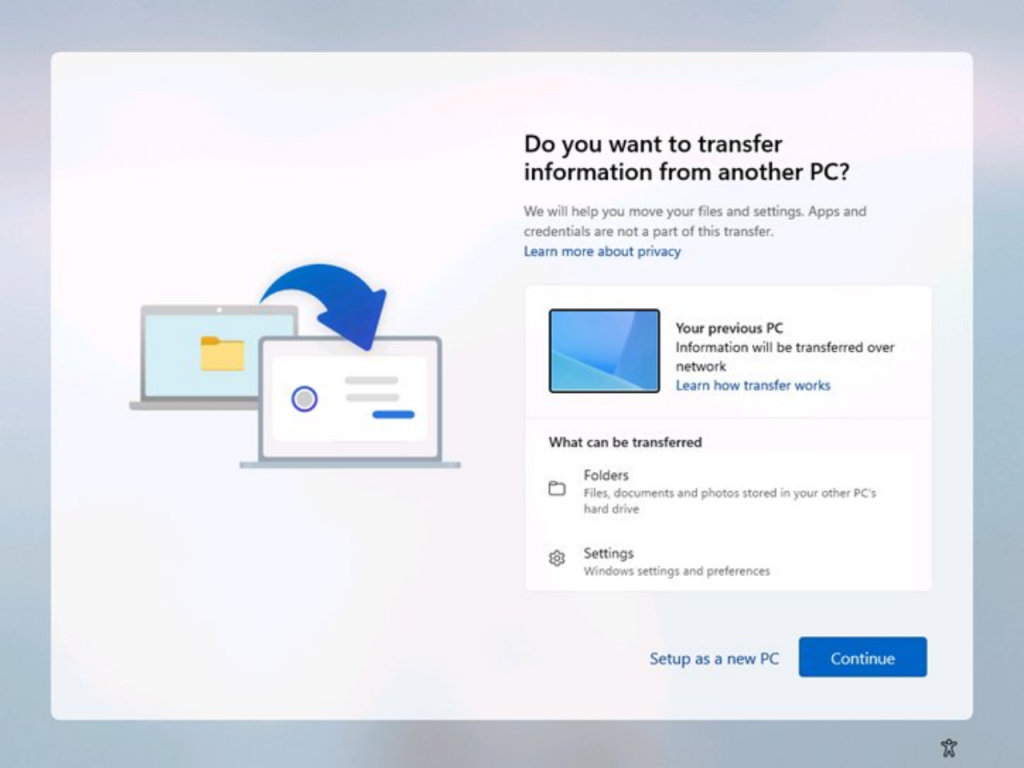
Recently, Microsoft has been experimenting with a range of backup and migration features in Windows 11—such as enabling data transfers from one PC to another over a local network or Wi-Fi, as well as enhancing functionalities within the Windows Backup application.
The latest feature under testing introduces a prompt during the Out-of-Box Experience (OOBE) phase, asking users whether they wish to configure the current device as a new PC or restore data from an existing one. If the latter is chosen, users can download previously backed-up data from the cloud directly to the new machine.
As expected, this functionality is built upon the Microsoft OneDrive cloud service, and it is currently limited to migrating user folders—such as Documents, Pictures, and Videos—as well as certain system settings. These capabilities remain somewhat underwhelming, primarily due to the inability to transfer Win32 applications and associated data.
At present, all of Microsoft’s backup and migration features are confined to user folders, configurable system settings, and applications installed via the Microsoft Store. Any Win32 software installed independently by the user, along with its data, must still be manually backed up and migrated, making the process relatively cumbersome.
Looking ahead, if Microsoft were to extend Windows Backup to include full support for Win32 applications, their data, and even registry entries, it would significantly streamline system reinstalls or hardware upgrades for users. However, it remains uncertain whether Microsoft intends to pursue the development of such advanced capabilities.
Related Posts:
- Windows 11 Migration: Will Win32 Apps Make the Cut?
- Windows 11 OOBE: Registry Hack Bypasses Microsoft Account
Support Our Threat Intelligence
Find our tech and OS security coverage helpful? Support our work today and unlock a 100% ad-free reading experience!
 Buy Me a Coffee
