 Do Son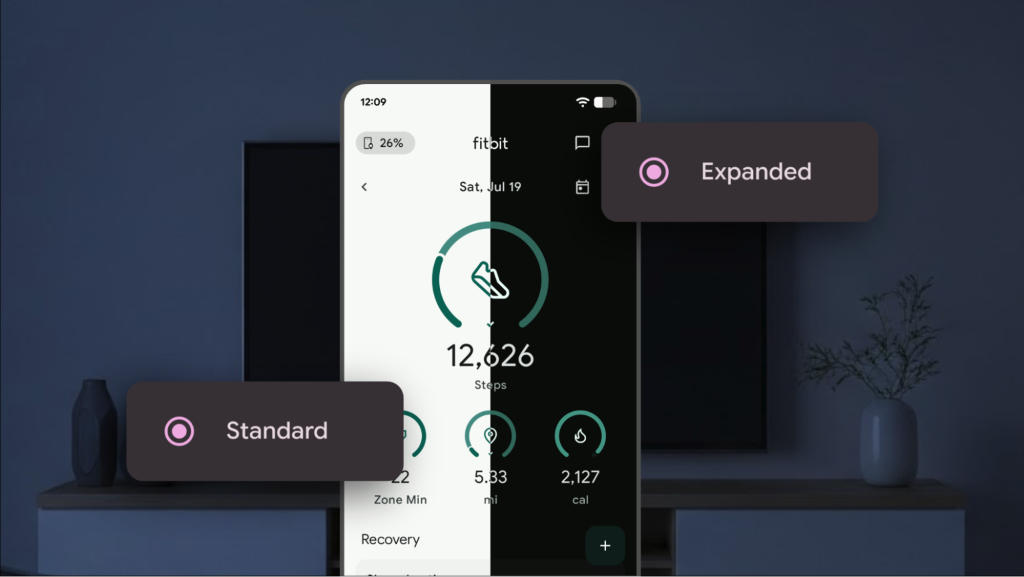
Most popular applications today already support dark mode, and once the operating system is set to dark mode, apps can automatically adapt, providing users with a more comfortable visual experience in the evening or low-light environments.
However, some applications still lack dark mode support. To address this, Google has introduced a new customization feature in the recently released Android 16 QPR2 Beta 1, allowing users to force-enable dark mode and themed icons.
In practice, if an application does not natively support dark mode, this customization can intelligently invert colors—transforming bright or white elements into darker tones and adjusting app icons to a dark-themed design.
In its announcement, Google explained that enabling the new dark theme option will intelligently invert the user interface of apps that remain in light mode even when the system is set to dark mode.
Google emphasized that the feature was primarily designed with accessibility in mind, aiming to help users with low vision or light sensitivity better perceive on-screen content.
Another option mentioned is icon color inversion. Normally, only developers can alter app icons, but with forced inversion enabled, icons are automatically adapted to dark mode, solving the issue of inconsistent visuals across the home screen.
Of course, the ideal solution remains proper developer-side adaptation. While Google’s forced inversion is a helpful stopgap, it can sometimes lead to readability issues—problems that manual optimization by developers would more effectively resolve.
Related Posts:
Support Our Threat Intelligence
Find our tech and OS security coverage helpful? Support our work today and unlock a 100% ad-free reading experience!
 Buy Me a Coffee
