 Do Son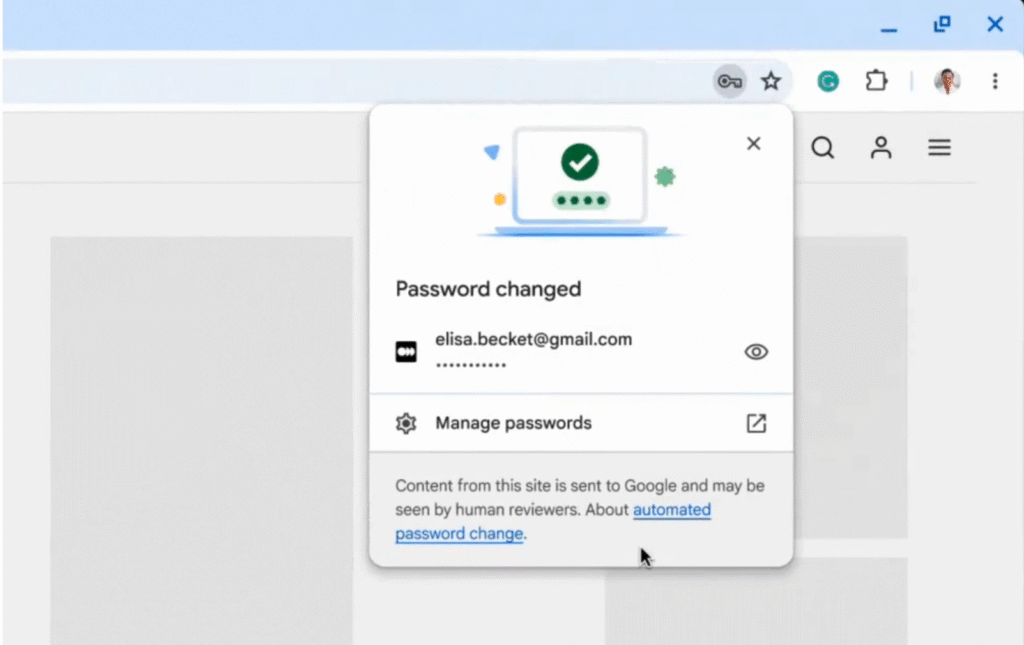
Google has previously experimented with integrating a feature in Chrome that enables the automatic modification of compromised passwords, enhancing account security in conjunction with password breach detection. When Chrome detects that a saved password has been exposed, it prompts the user with an alert. Upon clicking the “Change” button, Chrome automatically generates a strong, secure password and replaces the old one—virtually eliminating the need for manual intervention.
Naturally, this process is closely tied to how websites handle login functionality. To enable Chrome’s automation in logging in, changing, and saving passwords, websites must implement new protocols provided by Google. These measures are designed to streamline the password update process and reduce friction caused by traditional, cumbersome flows.
As stated by the Google’s Ashima Arora, Chirag Desai, and Eiji Kitamura: “When Chrome detects a compromised password during sign in, Google Password Manager prompts the user with an option to fix it automatically. On supported websites, Chrome can generate a strong replacement and update the password for the user automatically.”
It’s worth noting that Chrome’s automatic password update feature is entirely user-controlled. Chrome does not silently or routinely update passwords in the background to improve security. Even when a breach is detected, the browser issues a prompt, leaving the decision to proceed entirely in the user’s hands.
To ensure compatibility, websites need to adopt specific practices that allow browsers and password managers to work seamlessly:
- Autocomplete optimization: Use
autocomplete="current-password"andautocomplete="new-password"to trigger autofill and storage. See our sign-in and sign-up guides. - Change password URLs: Make a redirect from
<your-website-domain>/.well-known/change-passwordto the password change form on your website (well-known change password URL). When a vulnerable password is detected, password managers can navigate the user to the change password page.
Related Posts:
- Research shows that passwords created by most people are still bad
- Chrome OS is now ready to run Linux applications
Support Our Threat Intelligence
Find our tech and OS security coverage helpful? Support our work today and unlock a 100% ad-free reading experience!
 Buy Me a Coffee
