 Do Son
At a Glance
| Malware family | Edgecution (malicious Microsoft Edge extension plus a Python backdoor) |
|---|---|
| Threat actor | Initial access broker assessed as tied to Payouts King ransomware |
| Targets / victims | Enterprise Windows users contacted through Microsoft Teams |
| Delivery vector | Social engineering on Teams, plus a fake Microsoft update page |
| Key capabilities | Host code execution, filesystem access, system recon, credential phishing |
| Source | Zscaler ThreatLabz |
TL;DR
Zscaler ThreatLabz exposed a new threat called Edgecution malware. It turns a malicious Edge extension into a host backdoor. An access broker tied to Payouts King ransomware runs the attacks. Zscaler bases that link on matching tactics, not a named identity.
Delivery
Social engineering through Teams
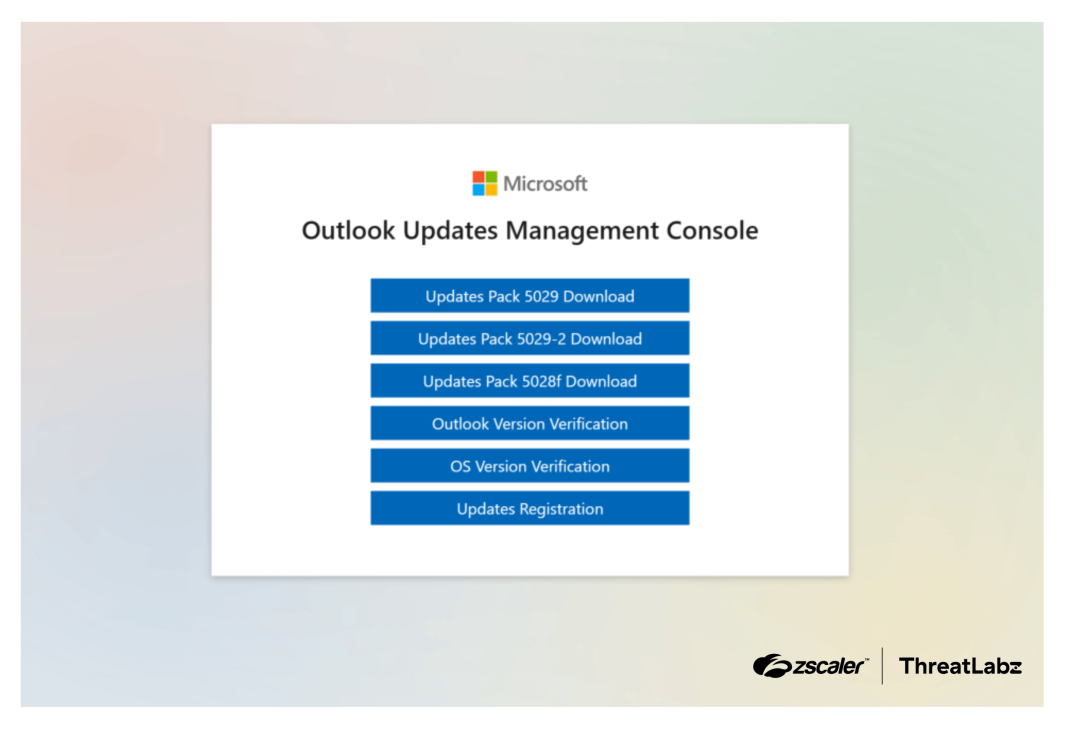
The attack opens with a Microsoft Teams message. The sender poses as the company’s IT staff. They tell the victim a spam filter needs an update. Next, the victim sees a fake Microsoft update page. The page looks like an Outlook updates console.
Three ways to plant the malware
That page offers three deployment paths. One downloads an obfuscated AutoHotKey script. Two others copy a batch or PowerShell command to the clipboard. The page also serves a legitimate AutoHotKey tool to run the script. A separate button harvests the victim’s Outlook password. Each path sets up the same Edgecution malware.
How the Attack Works
The setup scripts unpack a disguised, encrypted ZIP file. Attackers stripped its header bytes to dodge network filters. Inside sits a bundled Python runtime, the extension, and a backdoor. The scripts also store a key in the Windows registry. That key decrypts the backdoor’s hidden strings. Without it, the backdoor will not run. A scheduled task then launches Edge in hidden, headless mode. So the malicious Edge extension loads with no prompt or window. Zscaler said Edgecution “will be invisible to a user.”
Escaping the browser sandbox
Browsers normally box extensions away from the operating system. However, Edgecution abuses the Chrome native messaging protocol. Zscaler said this lets it “bypass the browser sandbox’s security controls.” A small batch file bridges the extension and a Python host. The extension then hands privileged tasks to that backdoor. The backdoor reads files, runs shell commands, and executes code.
Command and Control
The extension beacons to its C2 over websockets. It sends a hello message, then pings every 20 seconds. Zscaler found all C2 servers behind AWS CloudFront subdomains. Operators can pull system data and update the C2 address remotely. Each command spawns a fresh Python process, then exits. The extension also logs browser keywords. Still, Zscaler calls that feature “likely a decoy.” After all, the headless browser shows no real user activity.
How to Defend Against Edgecution
Treat unsolicited IT update prompts in Teams with suspicion. Never run commands pasted from a web page. Restrict who can install extensions across managed browsers. Monitor for new browser extensions and native messaging hosts. Watch for Edge starting in headless mode without reason. Also flag scheduled tasks that load unpacked extensions. Train staff to report fake update consoles.
Support Our Threat Intelligence
Find our threat intelligence and malware analysis helpful? Support our work today and unlock a 100% ad-free reading experience!
 Buy Me a Coffee
