 Do Son
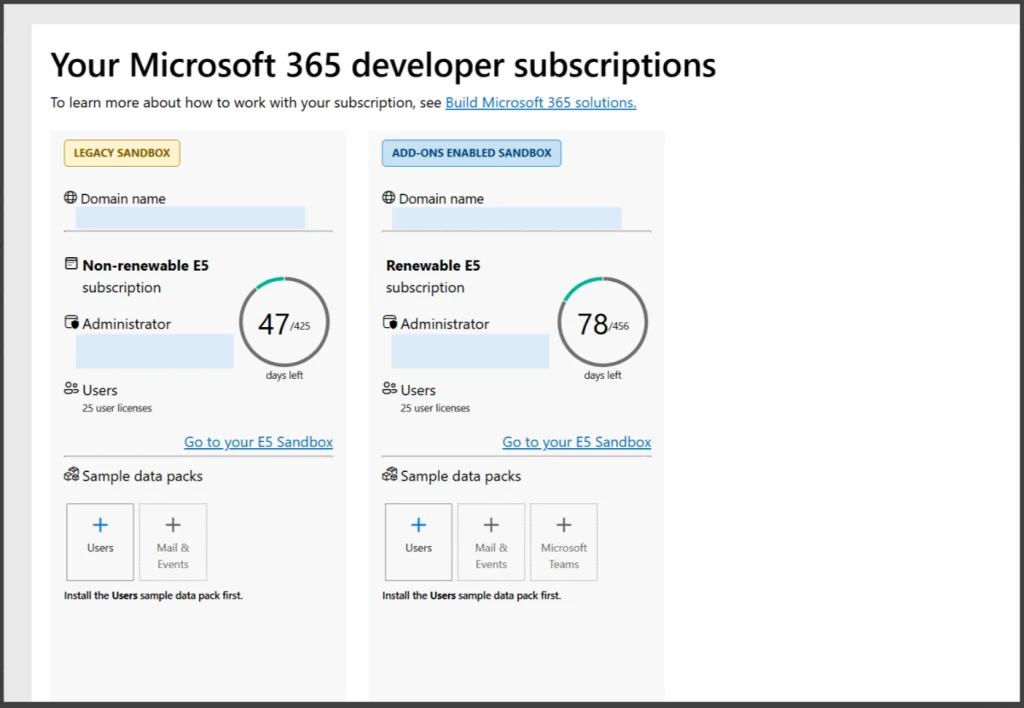
Microsoft is phasing out legacy sandbox environments across the Microsoft 365 Developer Program. Specifically, the impending Microsoft 365 developer sandbox retirement forces developers to transition toward modernized cloud architectures. Affected developers cannot convert legacy environments into modern instant sandboxes directly. Instead, qualified developers must deploy pristine developer tenants manually. Furthermore, administrators must export custom configurations before automated background deletion routines begin.
Scope of Deprecation and Affected Accounts
The decommissioning initiative primarily targets subscriptions identified as Legacy Sandbox within administrative dashboards. This scope includes legacy environments tied to Visual Studio Professional and Enterprise entitlements. Historically, these sandbox instances provided twenty-five user licenses for comprehensive application prototyping. Security researchers and software architects relied extensively on these accounts to test enterprise solutions. However, Microsoft is restructuring program boundaries to prioritize modern instant sandboxes. Consequently, existing memberships persist, yet legacy sandbox infrastructure will cease operating entirely.
Dual Phase Retirement Timelines and Data Deletion
Microsoft established two distinct decommissioning paths based on ongoing account eligibility. Developers who satisfy contemporary program qualifications receive a final sixty-day subscription renewal. Afterward, administrative consoles display firm termination dates. In contrast, unqualified accounts will expire immediately upon the conclusion of their active billing cycle. As outlined in the Microsoft Developer Program legacy retirement FAQ, accounts enter a thirty-day read-only grace period upon expiration. Once this recovery window closes, automated routines purge all tenant databases permanently.
Manual Tenant Migration and Configuration Preservation
Importantly, modern instant sandboxes operate under distinct tenant identifiers and domain namespaces. Therefore, automated synchronization tools cannot transfer files, mailbox stores, or security settings across environments. Developers must reconstruct application registrations, conditional access rules, and test identities manually. Furthermore, security teams should back up proprietary testing scripts before administrative access expires. Ultimately, proactive tenant migration ensures uninterrupted cloud development and experimental workflow integrity.
Support Our Threat Intelligence
Find our tech and OS security coverage helpful? Support our work today and unlock a 100% ad-free reading experience!
 Buy Me a Coffee
