Seamless Switch: Google Workspace Now Supports Direct Dropbox Data Migration
 Do Son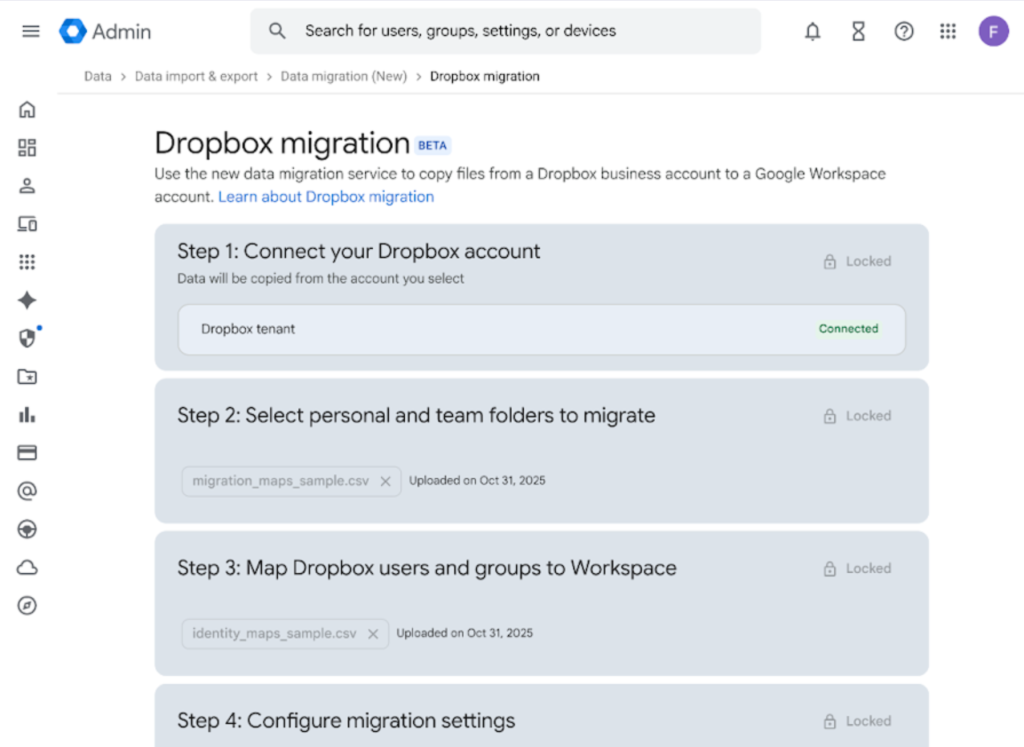
Transferring data between cloud-storage services has long been a persistent frustration. Some conscientious platforms, either due to industry requirements or legal obligations, offer open APIs that permit file migration—yet many others provide no such capability at all.
Without built-in migration tools, users are forced to download their files one by one and then reupload them to a new service. When dealing with large volumes of data, this becomes an exceedingly tedious and time-consuming undertaking.
Google Workspace enterprise customers face the same dilemma. For organizations using Dropbox, migrating their data to Google Drive can be a complex operation. To address this, Google has now introduced a dedicated migration feature built on top of its APIs.
This capability is the result of a collaboration between Google and Dropbox. Enterprises can initiate a migration directly within Google Workspace; once Dropbox is connected and authorized, the data transfer proceeds server-to-server, without requiring manual downloads.
The entire process may take several hours or even days, depending on the volume of stored data, but it runs entirely in the background. Users simply wait for Google to complete the migration and issue a notification.
At present, this feature is limited to Google Workspace Enterprise subscribers. IT administrators can connect up to 100 Dropbox accounts per migration session. The relevant controls can be found under Menu > Data > Data Import & export > Data Migration (New).
Related Posts:
- Dropbox security incident: hackers accessed to 130 GitHub source code repositories
- Dropbox Passwords Is Shutting Down: Export Your Data by October 28, 2025, or Lose Everything
- ChatGPT Deep Research: Now Integrates with Box & Dropbox for Enhanced Insights
- Windows 11 Tests New PC-to-PC Migration: Seamless File Transfers, But Apps Still a Manual Task
Support Our Threat Intelligence
Find our tech and OS security coverage helpful? Support our work today and unlock a 100% ad-free reading experience!
 Buy Me a Coffee
