Windows 11 Tests New PC-to-PC Migration: Seamless File Transfers, But Apps Still a Manual Task
 Do Son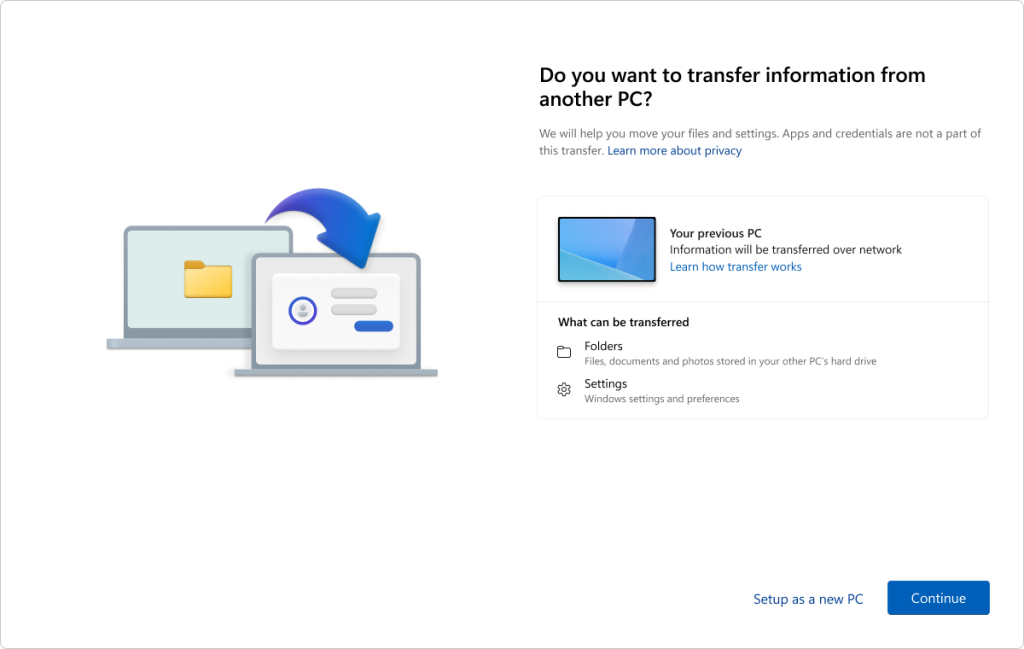
In light of the impending end of support for Windows 10 and the likelihood that some users have already acquired new PCs running Windows 11, Microsoft is currently testing a new backup and migration feature within the Windows Insider program.
This feature enables users to connect two devices via a local network to transfer nearly all user files (with a few exceptions), along with settings and preferences. The process relies on the evolving Windows Backup application, which initiates the transfer and allows users to specify the destination PC.
Microsoft has published supporting documentation detailing this Windows Backup–based migration experience: users can select specific folders for transfer or even choose to migrate the contents of an entire drive to the new machine.
Regrettably, Microsoft still does not support the migration of installed software or certain types of data. In its documentation, the company explicitly states that the following cannot be transferred: Program Files, Program Data, Temp folders, installed applications, credentials, and passwords.
In essence, users can migrate personal files and some system preferences to a new computer, but installed software and related data must still be reinstalled manually on the new device, as seamless application migration via Windows Backup is not yet supported.
This new transfer experience is currently available only to Windows Insider participants. It requires both devices to be running Windows 11 version 24H2 or later and, at present, is limited to x86-based PCs—Arm64 architecture is not yet supported.
Related Posts:
- Windows 11 Gets “Shared Audio”: Play Sound Through Multiple Devices Simultaneously
- Trust Betrayed: 55% of Insider Attacks Use Privilege Escalation
- Xbox Unleashes “Cross-Device Play History”: Seamless Cloud Gaming Across All Your Devices
Support Our Threat Intelligence
Find our tech and OS security coverage helpful? Support our work today and unlock a 100% ad-free reading experience!
 Buy Me a Coffee
