 Do Son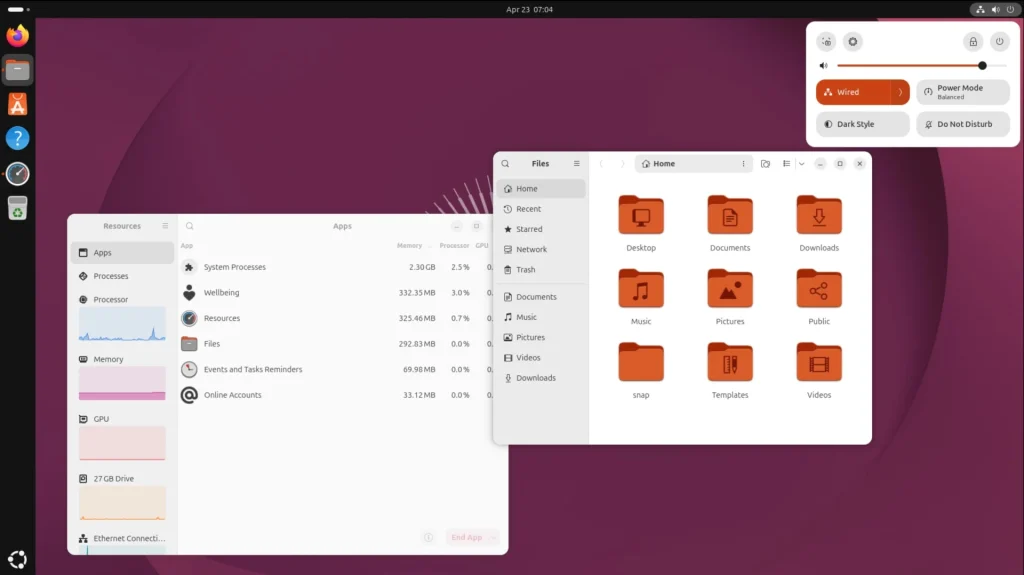
Canonical Opens the Upgrade Path
Canonical has begun offering Ubuntu 24.04 LTS users an automatic upgrade to Ubuntu 26.04.1 LTS, code-named Resolute Raccoon. The upgrade appears in Update Manager. However, it rolls out gradually, so the notice may not arrive right away.
Why the Upgrade Came 33 Days Late
Ubuntu 26.04.1 shipped on August 27. Even so, the upgrade from 24.04 opened only on September 29. The delay lasted 33 days.
Canonical needed extra time to fix problems in rust-coreutils, the set of core system commands. Earlier, an audit found 113 issues in Ubuntu’s new Rust utilities.
How to Upgrade
Desktop users can wait for the offer from Update Manager. Server owners, and anyone who prefers not to wait, can start the upgrade with the do-release-upgrade command.
Before upgrading, Canonical advises installing all available updates. It also suggests checking the known issues of the new release.
What Is New in Ubuntu 26.04
Ubuntu 26.04 differs noticeably from the previous LTS. It brings GNOME 50 and the Linux 7.0 kernel. Moreover, it fully moves the standard desktop to Wayland. X11 apps will keep working through XWayland. Canonical began preparing many of these changes back in Ubuntu 25.10.
Rust Replaces Core Tools
Some core commands now run through rust-coreutils. However, Canonical kept certain GNU utilities for now because of compatibility differences. The sudo command is replaced by sudo-rs by default. Canonical had planned this move to Rust well in advance.
Higher System Requirements
The new release asks for slightly more resources. For Ubuntu Desktop 26.04, Canonical recommends:
- A dual-core processor at 2 GHz or faster
- 6 GB of RAM
- 25 GB of free disk space
The official upgrade guide also advises removing unneeded packages first and checking free space.
No Need to Rush
Upgrading to Ubuntu 26.04 right away is optional. Ubuntu 24.04 LTS will keep receiving standard security updates until 2029. Therefore, users of production systems can calmly wait for early results from the mass upgrade.
Further reading
- Canonical Overhauls Ubuntu Kernel Release Cycle
- Five-Year Support: Ubuntu Unveils Final Release Schedule for 26.04 LTS Edition
Support Our Threat Intelligence
Find our tech and OS security coverage helpful? Support our work today and unlock a 100% ad-free reading experience!
 Buy Me a Coffee
