 Do Son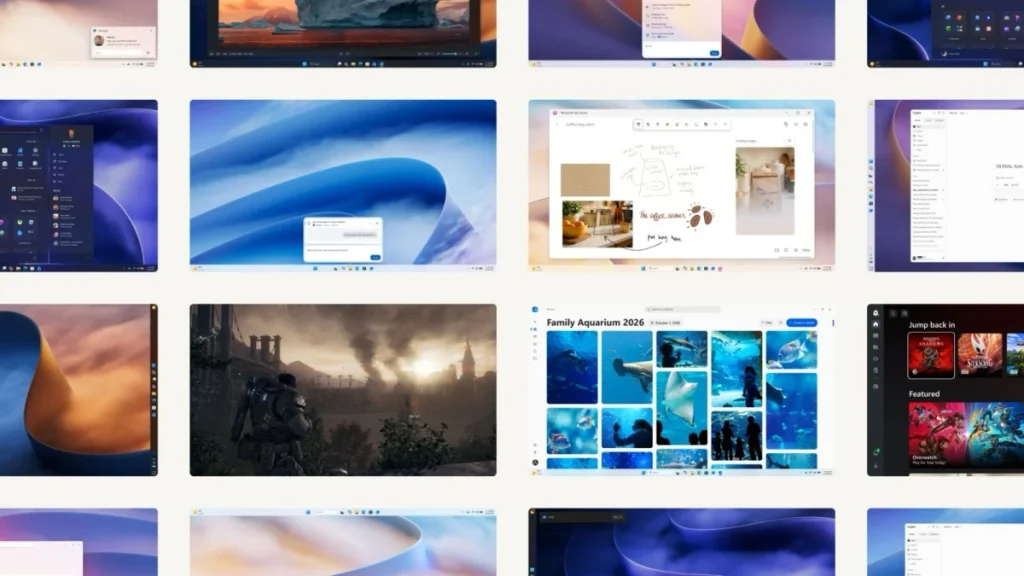
Surging demand from global artificial intelligence data centers has driven memory chip prices upward. Consequently, personal computer users face prohibitively high costs when attempting to upgrade their physical RAM. Because of this market reality, laptops equipped with 8GB of memory remain widespread among consumers. To alleviate this hardware bottleneck, Microsoft developed an extensive operating system overhaul.
Microsoft is now deploying a substantial performance update to all Windows 11 users worldwide. Through a comprehensive redesign of low-level memory scheduling, the operating system achieves up to a 20% gain in responsiveness. In particular, budget laptops operating with 8GB of RAM experience an immediate efficiency boost. Furthermore, Microsoft showcased these system refinements in an official Windows 11 feature overview demonstrating smoother multi-device workflows.
Four Transformative Architecture and Memory Enhancements
Historically, critics frequently labeled Windows 11 as a resource-heavy operating system. Under heavy workloads, devices with limited memory suffered severe lag caused by aggressive pagefile swapping. In an official briefing, Navjot Virk, Corporate Vice President of Windows Experiences, detailed the architectural solutions addressing these constraints.
Retaining Two Gigabytes of Active Working Data
Through refined memory management and compression, Windows 11 now preserves up to 2GB of active data in physical RAM. Consequently, the operating system avoids prematurely paging browser tabs and background applications to slower storage drives. Therefore, users who manage dozens of browser tabs experience fluid multitasking without sudden freezes.
On-Demand Widgets for 8GB Hardware Configurations
To assist resource-constrained hardware, Microsoft introduced an on-demand loading model for the Widgets board. Previously, the system initialized widget components in the background during boot. Now, the interface loads only when a user explicitly opens the panel. This architectural adjustment instantly frees more than 200MB of physical memory for active foreground tasks.
Rapid Bluetooth Audio Pairing and Streamlined Biometrics
Additionally, engineers streamlined peripheral connectivity to resolve persistent user complaints. Specifically, Bluetooth pairing with wireless headphones, particularly Apple AirPods, now establishes up to 15 seconds faster. Meanwhile, the underlying Windows Hello biometric authentication framework underwent thorough refinement. As a result, facial recognition and fingerprint logons operate with greater speed and dependability.
Next-Generation Conversational Search for Windows Insiders
Simultaneously, Microsoft unveiled a reimagined search interface for members of the Windows Insider preview program. As demonstrated in a recent Windows 11 Search preview demonstration, the interface integrates conversational artificial intelligence directly into the taskbar.
Users can now execute thousands of system commands and online workflows straight from the query box. For example, individuals can toggle dark mode, organize windows, or interact with connected mobile devices directly. Consequently, users complete everyday actions without navigating complex submenus. Furthermore, the search interface transforms from a passive indexer into an active personal assistant.
Unified Media Management in the Rebuilt Photos Application
Alongside system-level performance gains, Microsoft delivered a major overhaul to its native multimedia suite. The updated software presents a unified gallery architecture that aggregates imagery across multiple distinct storage environments. Furthermore, Microsoft highlighted these creative enhancements in an official Microsoft Photos presentation focusing on cross-platform convenience.
Seamless Integration of Local, OneDrive, and iCloud Galleries
The modernized gallery interface seamlessly consolidates pictures stored on local solid-state drives, Microsoft OneDrive, and Apple iCloud. Therefore, users can curate their entire digital photographic history within a single, cohesive window.
Engineered for Swift Editing and Rendering
Moreover, migrating to the native WinUI 3 framework delivered dramatic performance gains across the entire application. The built-in photo editor launches 25% faster than legacy versions. Similarly, the primary photo viewer renders high-resolution images with a 30% reduction in display latency. Ultimately, this software release proves that thoughtful algorithmic optimization can revitalize constrained hardware without requiring costly component upgrades.
Support Our Threat Intelligence
Find our tech and OS security coverage helpful? Support our work today and unlock a 100% ad-free reading experience!
 Buy Me a Coffee
