Microsoft Launches “Hey, Copilot” Voice Trigger and Visual AI Context to Transform Windows 11 Assistant
 Do Son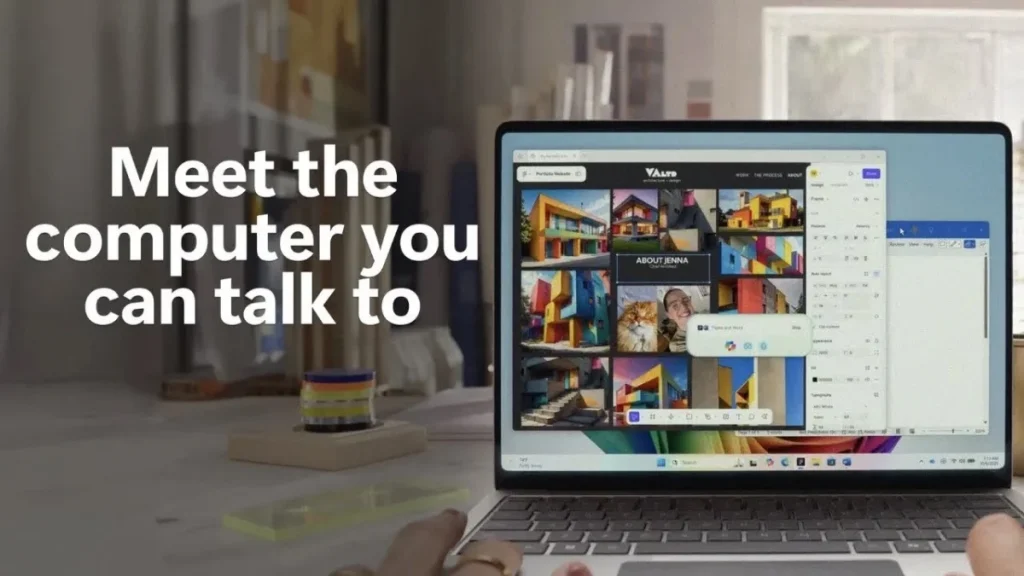
After a decade of failing to establish a foothold in the digital assistant market with Cortana, Microsoft is once again venturing into voice command technology—this time through its Copilot AI assistant in Windows 11. Beginning today, Microsoft is rolling out major upgrades to Copilot’s voice and visual capabilities, enabling users to simply say “Hey, Copilot” and ask contextual questions based on what’s displayed on their screen, aiming to recreate the seamless, conversational experience reminiscent of the Starship Enterprise’s onboard computer.
This new feature allows Copilot to truly “see” the user’s screen. For example, when browsing through photos from Hawaii, users can ask Windows 11 where the images were taken, request flight planning assistance, or even receive tailored budget suggestions.
In Microsoft’s promotional video, a user asks Copilot to show how to stream music “in the best quality.” The AI immediately highlights the relevant settings in Spotify and suggests enabling the lossless audio option.
Unlike past voice assistants, Copilot goes far beyond web searches or AI art generation—it helps users accomplish real, practical tasks. Microsoft’s long-term vision is for Copilot to execute system-level Windows commands, a goal embodied in the experimental Copilot Actions feature.
However, both “Hey, Copilot” and Copilot’s visual features rely on cloud computing, meaning desktop imagery and contextual data are transmitted to Microsoft’s servers. This naturally raises privacy concerns—especially after the backlash surrounding the controversial Recall feature, which eroded user trust in Microsoft’s handling of personal data.
To address these concerns, Microsoft emphasizes that “Hey, Copilot” is an opt-in feature, buried deep within the Copilot app’s settings. Similarly, Copilot Actions is optional, allowing users to review every automated process in real time and take manual control at any point.
Initially designed for automating tasks on websites, Copilot Actions has since evolved to handle local operations—such as resizing or adjusting photos within a folder. When an issue arises, Copilot prompts the user for confirmation through the application interface. More importantly, tasks processed by Copilot Actions run in the background, allowing users to continue using their PC without interruption.
Microsoft claims the feature has undergone extensive internal testing and will be gradually rolled out to collect user feedback. Each operation runs within a sandboxed environment, providing fine-grained permission control and runtime isolation to ensure Copilot remains strictly confined to its assigned tasks without impacting other system components.
In addition to voice upgrades, Microsoft plans to add an “Ask Copilot” search function directly to the Windows 11 taskbar, positioning it as part of a broader effort to transform the taskbar into a “dynamic hub for getting things done.” Like other new features, Ask Copilot will be fully optional.
Meanwhile, Microsoft continues to expand AI-driven workflows within Windows 11—introducing integrations with Manus, which converts multiple documents into web pages, and Filmora, allowing users to create AI-generated videos directly from File Explorer.
For those still skeptical of Microsoft’s Copilot initiative, the success of “Hey, Copilot” may well determine whether the company can finally deliver on the promise of a genuinely useful AI assistant.
The new “Hey, Copilot” voice trigger and visual context features are now available on all Windows 11 PCs with Copilot access, while Copilot Actions and the Ask Copilot taskbar tool will be rolled out progressively to Windows Insiders in the coming weeks.
Related Posts:
- “Hey, Copilot”: Microsoft Adds Voice Activation to Windows AI
- New Attack on Microsoft 365 Copilot Steals Personal Data
- Mac Users Rejoice! Microsoft’s Copilot App Lands on the Mac App Store
- Microsoft Unveils Enhanced Windows AI Features for “Copilot+ PC”
- Copilot Phishing: New Scam Targets Microsoft Users
Support Our Threat Intelligence
Find our tech and OS security coverage helpful? Support our work today and unlock a 100% ad-free reading experience!
 Buy Me a Coffee
