 Do Son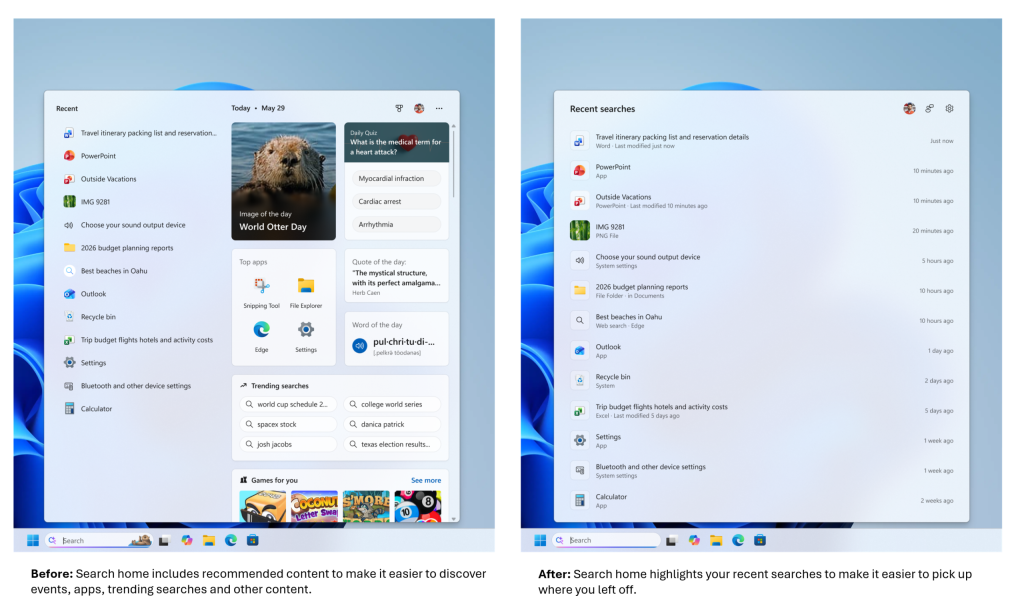
A Clean, Dedicated Search Utility
Microsoft corporate executives recently published an official blog post detailing a refined search experience for Windows 11 Insider Preview participants. This eagerly anticipated update directly addresses community demands for enhanced velocity, heightened relevancy, and superior usability. Most notably, the redesign empowers users to entirely banish superfluous recommendations and promotional distractions driven by Bing. Consequently, this allows the search interface to return to its fundamental purpose: a clean, dedicated utility centered on retrieving local files.
Controlled Rollout for Insider Previewers
Currently, Microsoft distributes this enhanced interface through a controlled rollout exclusively to Windows 11 Insider Preview users. Nevertheless, enthusiasts can manually activate this feature via advanced experimental flags. Early evaluations indicate that the refined search interface represents a monumental leap forward. Crucially, the interface is no longer plagued by extraneous content upon launch, rendering a remarkably pristine visual canvas.
How to Enable the Refined Search Flag
To manually unlock this feature, navigate to Windows 11 Settings, select Update, open the Windows Insider Program, and locate Feature Flags. From there, find the “Refined Windows Search” option, modify its status to “Enabled,” and subsequently restart the operating system to allow the changes to take effect.
Key Enhancements in the Redesigned Interface
The updated search utility boasts several key enhancements designed to streamline user workflows:
Simplified Dashboard Upon Launch
First, a streamlined dashboard greets users upon initialization. The update completely expunges visual clutter, including trending Bing search queries, decorative images, and historical trivia. Instead, the interface gracefully emphasizes recently accessed local files.
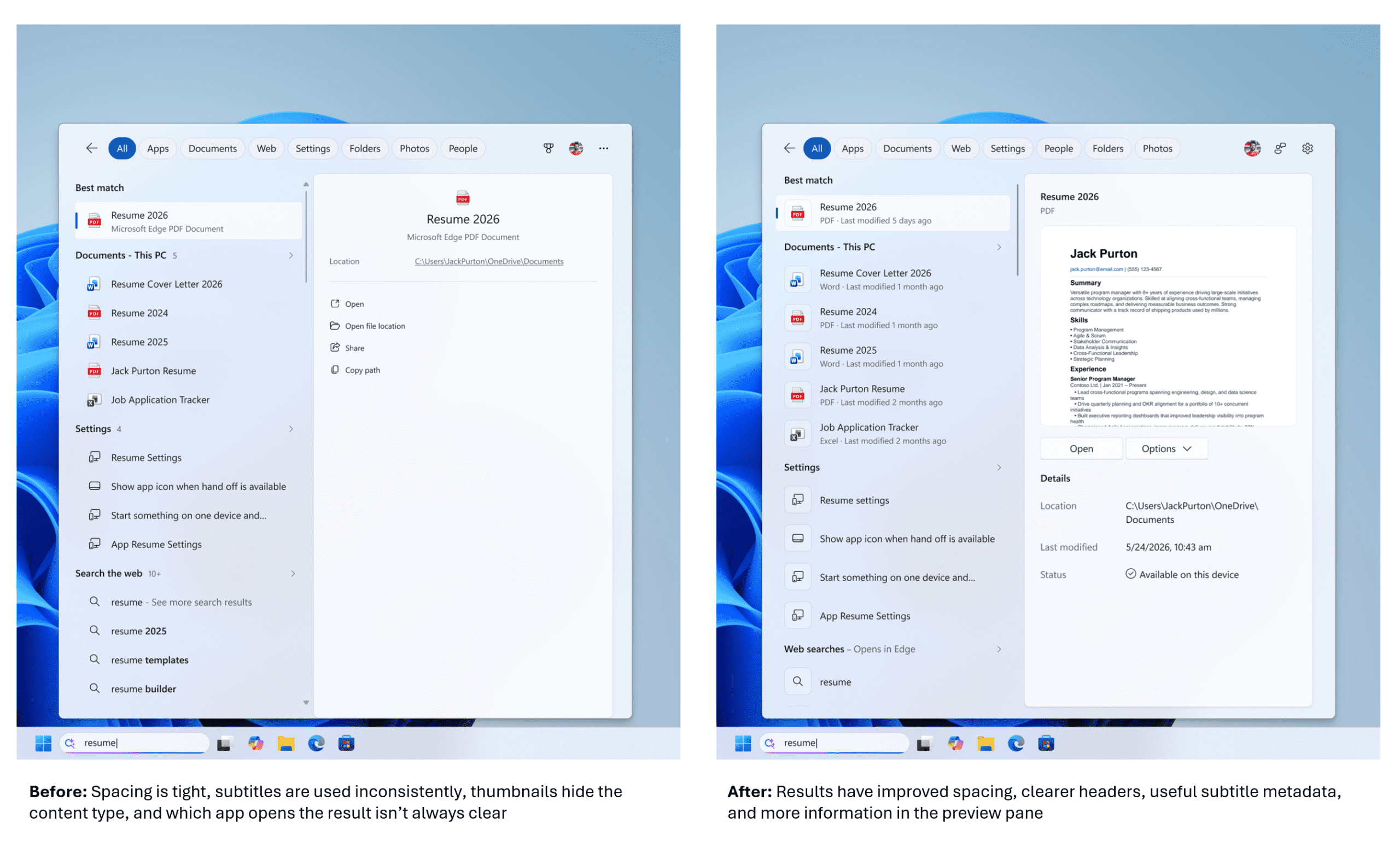
Distinctly Categorized Search Results
Second, the interface presents distinctly categorized search results. The search mechanism now meticulously delineates the origin of each item be it an application, a system setting, a local file, a web resource, or a Microsoft Store suggestion. This clarity allows users to ascertain the destination of their query prior to interaction.
Removal of Promotional Distractions
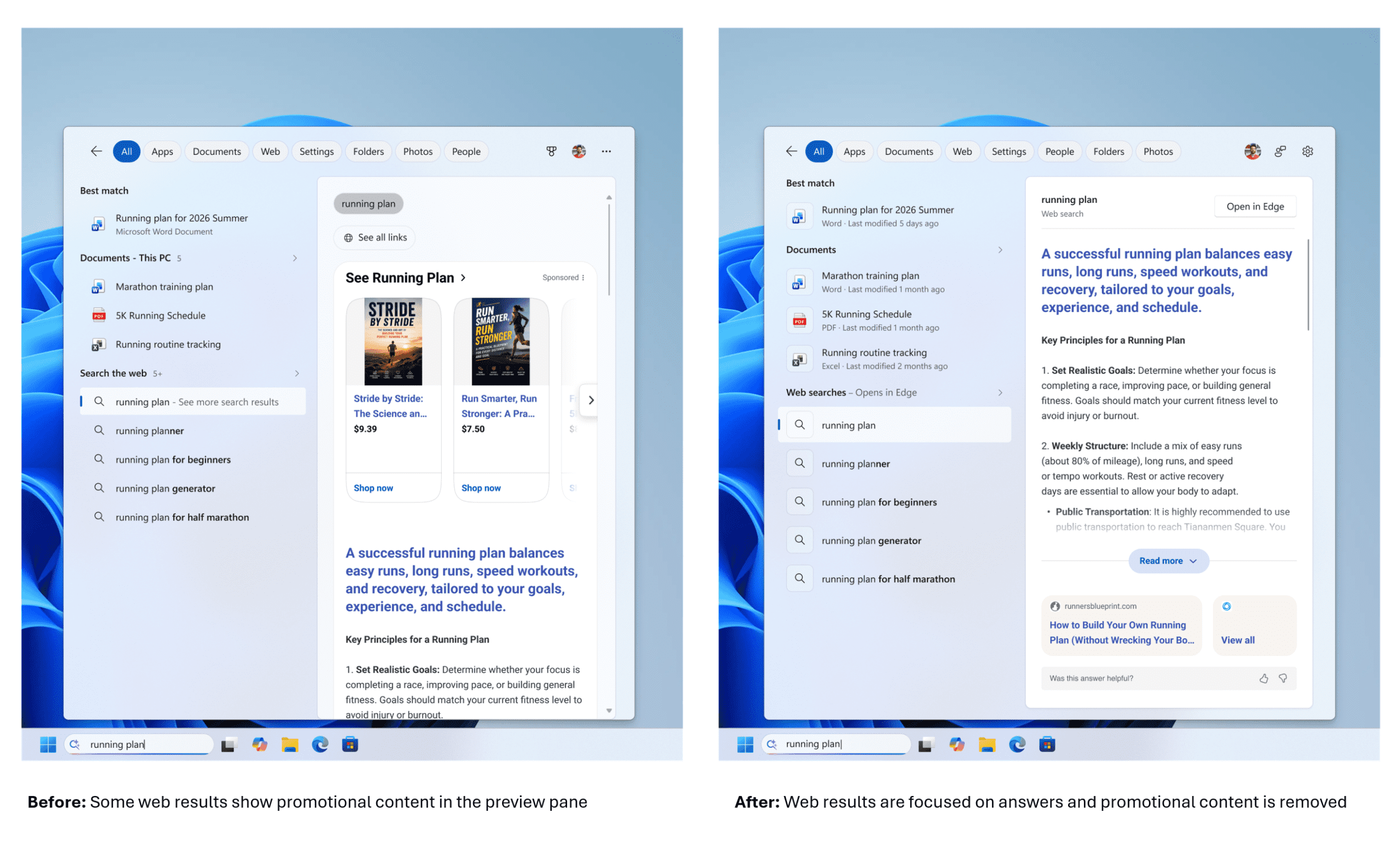
Third, promotional content is completely absent from primary results. The search algorithm prioritizes highly relevant answers over commercial advertisements or product promotions. This intentional shift ensures users remain focused on their objective, insulated from corporate marketing campaigns.
Granular Control Over Web Integration
Fourth, granular control over web integration is now fully realized. Within Settings, under Privacy & Security, and subsequently Search, users can toggle whether the search engine queries Bing and the Microsoft Store. By deactivating this feature, the tool exclusively displays local, untainted files. In a move to empower users, Microsoft is improving the Windows search box with less clutter and more control over how data is queried.
Prioritized Localized Results
Fifth, the system firmly prioritizes localized results. When queries align closely with local parameters, applications, system configurations, and local documents reliably overshadow web-based suggestions. Consequently, essential system elements like “This PC” or the “Recycle Bin” become effortlessly discoverable.
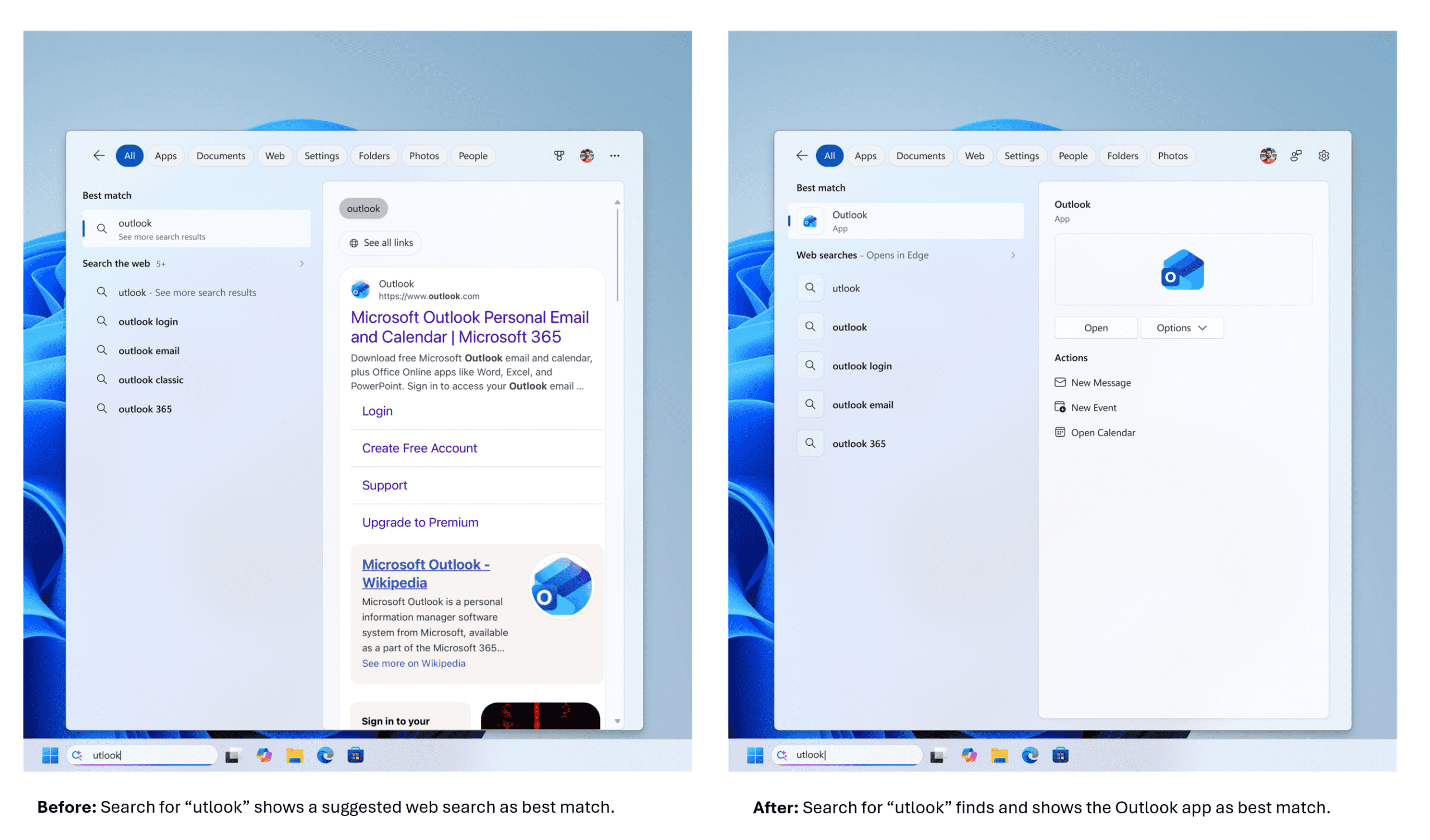
Robust Fault Tolerance
Sixth, the utility offers robust fault tolerance during application searches. The search algorithm now gracefully accommodates typographical errors, omitted letters, redundant characters, and incomplete phrases. For instance, inputting “otlook” will still seamlessly retrieve the Microsoft Outlook application.
Elevated Configuration Settings
Finally, system configuration pathways now occupy prominent positions. Microsoft strategically re-weighted the search algorithm to elevate relevant system settings. Thus, users can seamlessly adjust complex system parameters directly from the primary search prompt.
Support Our Threat Intelligence
Find our tech and OS security coverage helpful? Support our work today and unlock a 100% ad-free reading experience!
 Buy Me a Coffee
