 Do Son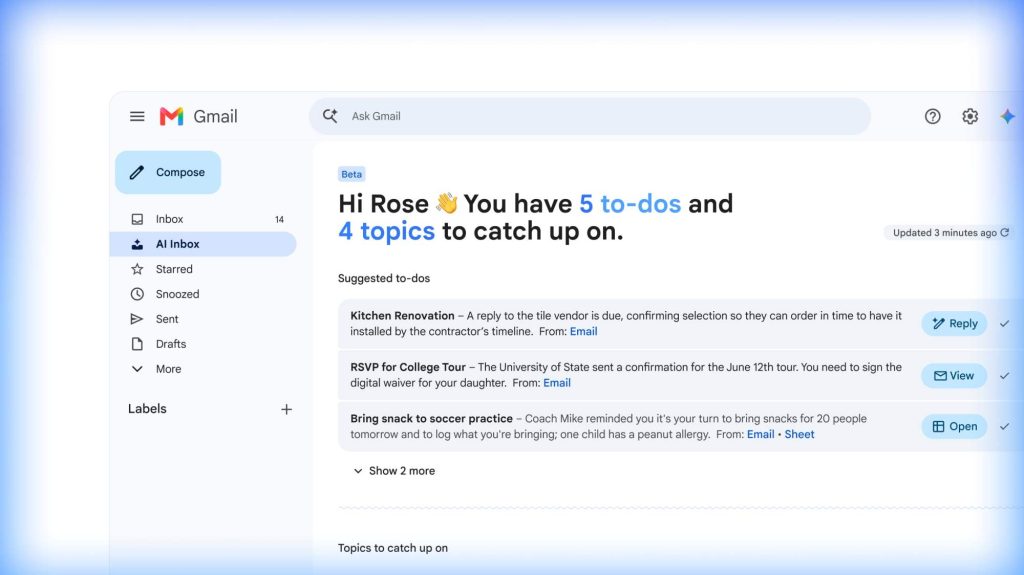
To free users from the tedious task of typing keywords into the Gmail search box, Google is actively pursuing AI as a new way to simplify everyday tasks. The “Gmail Live” feature first debuted at this year’s Google I/O 2026 developer conference. Now it has formally entered the beta testing stage.
This new feature runs on the Gemini model. As a result, it lets users search the cluttered contents of their inbox quickly and precisely, using natural-language “voice conversation.”
Find Emails by Voice: The Gmail Live Test Interface Appears
According to a discovery by 9to5Google, the test interface has begun appearing on some Android and iOS users’ phones.
If you happen to be one of the chosen testers, you will see a new “Live” icon in the search bar at the top of Gmail. A Gemini icon button sits beside it. After you tap it, the system opens a fullscreen Gmail Live voice interface. A prompt also appears, noting that the feature is still in beta.
Within this interface, you get a button to exit and return to your inbox. It also offers a quick microphone-mute switch, which helps protect your privacy.
Through Gmail Live, you can simply speak to your phone. For example, you might say, “Find the dates for my upcoming trip flights,” or “Where did that online order I bought last week ship to?” However, 9to5Google notes that the system still needs a brief wait and processing time to understand voice commands for now.
Not Just Gmail: Google’s Office Apps All Go “Live”
Gmail Live is only one piece of Google’s vast AI blueprint. Google is now trying to copy the smooth experience of “Gemini Live” — real-time voice conversation with the Gemini chatbot — across its most popular productivity apps. These include Google Docs, Google Drive, and Keep. Moreover, the company plans to roll out dedicated voice features for each app over the coming months.
For example, the world still awaits the launch of “Docs Live.” With user permission, that feature claims it can read details from other apps directly. It can then turn a user’s fragmented voice “stream of consciousness” into a fully structured draft document.
In addition, another outlet, Android Authority, previously caught a test screen of a similar “Keep Live” feature in the wild.
Advanced Features Stay Locked to Paid Subscribers
It is worth noting an important detail. Although random beta testing is under way now, Google has already stated its plan clearly. When this powerful set of “Live” voice features launches officially this summer, it will open only to paid subscribers first. Those subscribers are Google AI Pro and Google AI Ultra members. As for Google Workspace enterprise customers, they can test the experience through a preview version.
From Keyword Search to Conversational Assistant: Google Builds a Productivity Moat
The arrival of Gmail Live marks an important paradigm shift in how we interact with email.
For the past two decades, our logic for digging through data in Gmail has stayed the same. We issued precise keywords, such as a sender, a specific filename, or a date range.
However, Gemini-powered Gmail Live shatters that logic completely. It turns the inbox from a “passive database” into an “active personal secretary that organizes information for you.” This change greatly reduces the friction of hunting for old emails on a small phone screen. Furthermore, it showcases Google’s clear advantage in controlling your underlying personal data — the content of your emails.
Beyond that, Google locks these highly convenient Live features into paid plans like Google AI Pro and Ultra. That choice is a shrewd business strategy. Once users grow used to the convenience of “organizing emails and documents just by speaking,” they will naturally become far more willing to pay for Google’s subscription services.
Support Our Threat Intelligence
Find our tech and OS security coverage helpful? Support our work today and unlock a 100% ad-free reading experience!
 Buy Me a Coffee
