 Do Son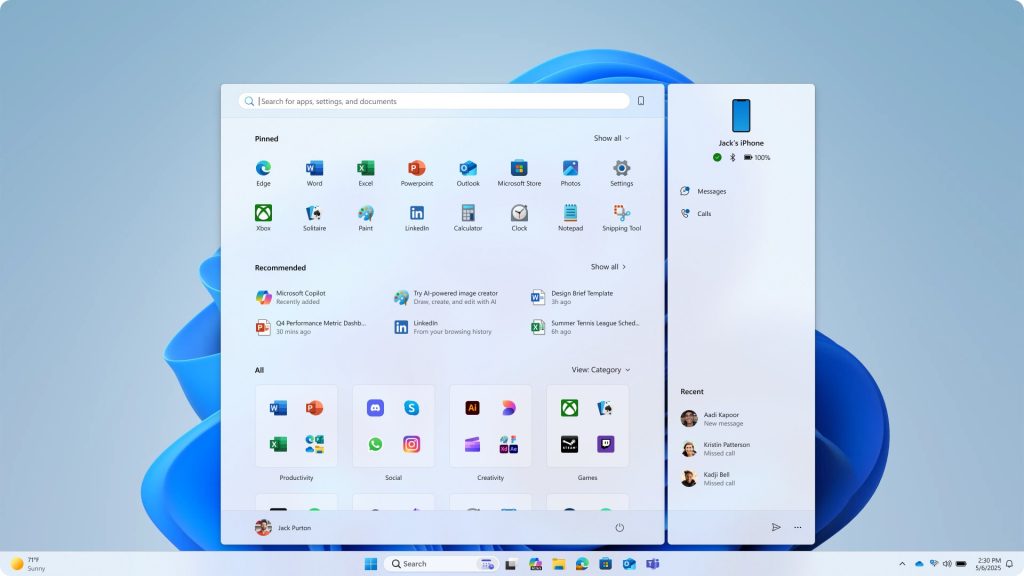
Back in March, Microsoft published a pledge to improve Windows 11 quality. The promise targeted reliability and performance problems that customers had complained about for years.
Anyone following Windows 11 preview builds since then has noticed genuine movement. Improvements span File Explorer, a movable taskbar, a cleaner search box, trimmed AI bloat, and less disruptive system updates.
Now Microsoft has posted a fresh progress report on what is ready. These changes are already live in preview builds, and Microsoft plans to ship them to all users this autumn through a cumulative update or the Windows 11 26H2 release.
What Has Landed So Far
Cleaner Taskbar Search
The taskbar search box now opens with a simpler home screen and sharper results. More importantly, Microsoft has stripped ads and other distracting content from web search results.
A Movable Taskbar at Last
The taskbar can now sit at the top, left, or right edge of the screen. Users are no longer forced to keep it pinned to the bottom.
A More Flexible Start Menu
The Start menu supports deeper personalisation. Users can choose between list mode and grid mode, and they can adjust the content layout to suit their workflow.
Trimmed AI Features
Microsoft has simplified the AI features in Windows 11. Several widely criticised additions have been removed or replaced. The aim is to stop AI from intruding on users who never asked for it.
File Explorer Improvements
File Explorer receives reliability fixes alongside usability gains. The address bar, file-size formatting, keyboard navigation, and renaming all work more smoothly now.
Developer-Focused Additions
Developers gain several new tools. A WSL container preview lets users run containers directly, with no Docker Desktop required. Microsoft has also introduced Windows 365 with developer configurations and Microsoft execution containers, both aimed at enterprise workflows.
WinUI 3 Expansion
Microsoft is extending the WinUI 3 framework deeper into the Windows Shell. Widgets and a redesigned Run experience already use it, and the company plans to modernise more of the OS and its app ecosystem through this architecture.
Driver Quality and Performance
A driver quality programme targets better reliability and security. Early improvements include better USB4 docking-station performance. Meanwhile, Microsoft is investing across the stack, from the kernel to the Shell and tooling, to lift baseline responsiveness and scheduling.
Memory and WebView2 Optimisation
Microsoft also mentions work on Windows 11 memory efficiency. Plans include deploying more efficient memory allocators to trim overhead for apps and OS components, and continuing to tune WinUI 3 so that apps built on it consume less memory by design. The company is also improving the efficiency of Chromium and WebView2 components inside the operating system.
One irony lingers, though. While Microsoft pledges to reduce memory overhead, it recently pushed a WebView2-based OneDrive Photos app to users. That app ships bundled inside OneDrive and cannot be uninstalled separately. The juxtaposition raises an obvious question: does the quality team’s agenda still run behind the commercial division’s priorities?
Support Our Threat Intelligence
Find our tech and OS security coverage helpful? Support our work today and unlock a 100% ad-free reading experience!
 Buy Me a Coffee
