 Do Son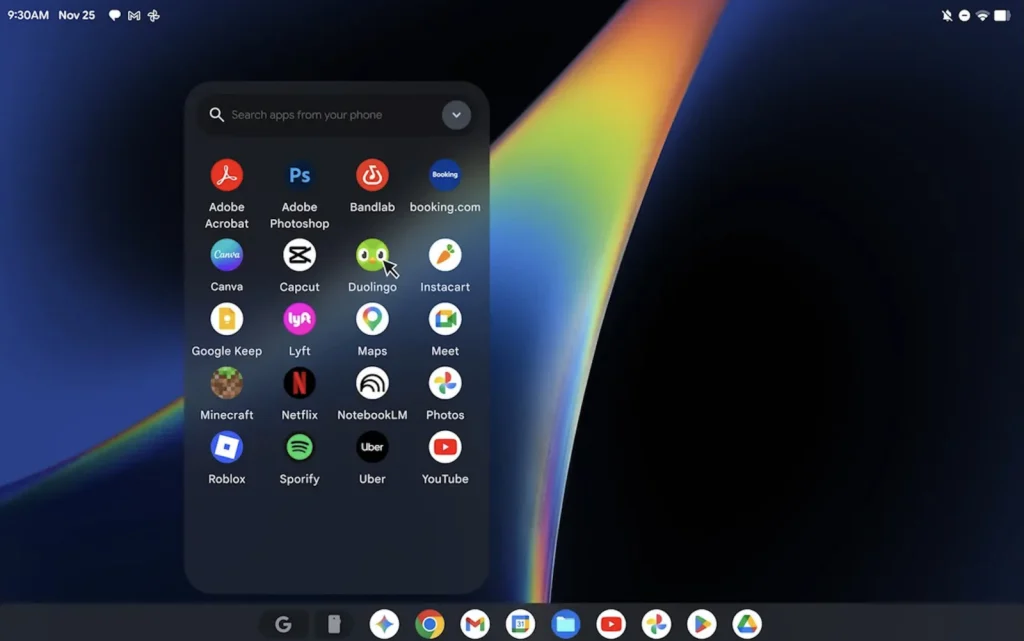
Recently, Google collaborated with hardware manufacturers to launch several AI-centric Googlebook devices operating on Googlebook OS, formerly codenamed Aluminium OS. This system amalgamates ChromeOS and Android to deliver a desktop-class Android experience for users.
Running Aluminium OS on a MacBook
Developer Skylar Taylor-Barrick is currently attempting to run this operating system on a MacBook through QEMU virtualization. Features successfully implemented thus far include standard booting, GPU acceleration, and running the Google Chrome browser. This initiative has been open-sourced via the GBOS-VM project. The endeavor utilizes an official Dell recovery image provided by Google as its foundation, subsequently replacing components intended for physical hardware with virtual device counterparts.
However, at this juncture, the project remains in its nascent experimental phase. Functional compatibility and security are insufficient to sustain daily usage. Furthermore, substantial hardware support remains inadequate, with incomplete functionality for Bluetooth, audio, and peripheral devices. Consequently, it is intended solely for deployment and testing by capable developers.
Establishing Graphics Translation Between Vulkan and Metal
Googlebook OS utilizes the Vulkan graphics interface, whereas macOS relies predominantly on Metal. To bridge this divide, the GBOS-VM project translates Vulkan calls to Metal via MoltenVK. It employs POSIX shared memory to resolve the intricacies of Android sharing graphics buffers between OpenGL ES and Vulkan.
Furthermore, the project adjusts for the disparate texture row alignments between Android and Metal, empowering the virtual machine to leverage the MacBook GPU rather than relying entirely on software rendering. This configuration successfully displays the system interface and operates Google Chrome. Nevertheless, certain WebGL content may exhibit rendering anomalies, and the virtual machine’s display frame rate is currently capped at 60FPS.
Incomplete Hardware and Peripheral Support
The project requires a Mac device equipped with Apple Silicon (M-series chips). It is highly recommended to possess at least 16GB of memory and 60GB of available storage space. Additionally, the installation of Xcode Command Line Tools, Homebrew, JDK, as well as the Android SDK and NDK is mandatory.
Currently, Bluetooth is solely facilitated through the Android emulator providing virtual radio, rendering it incapable of pairing directly with physical devices. Audio performance remains unstable. The virtual machine’s data partitions, right-click operations, and prolonged execution have yet to undergo rigorous testing. Furthermore, the developer has not conducted comprehensive compatibility evaluations across disparate Mac models.
Therefore, the developer explicitly recommends utilizing this solely for developmental exploration rather than daily driving. For users aspiring to investigate Googlebook OS, evaluate the Android desktop environment, or participate in virtualization development, this project furnishes a valuable verification pathway. However, a vast chasm still separates this experience from operating a physical Googlebook device.
Support Our Threat Intelligence
Find our tech and OS security coverage helpful? Support our work today and unlock a 100% ad-free reading experience!
 Buy Me a Coffee
