 Do Son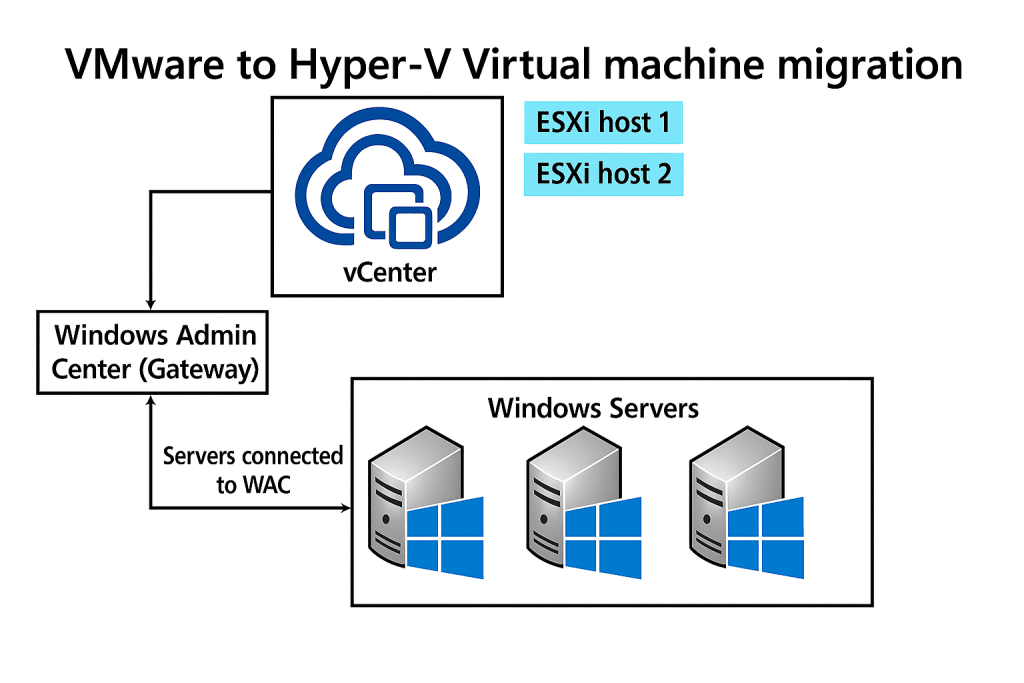
For reasons of compliance and data governance, many large enterprises prefer to purchase servers for on-premises deployment, then rely on virtualization technology to create multiple virtual machines (VMs) on those servers, each dedicated to running different business applications.
A significant number of organizations use Broadcom’s VMware virtualization suite to build and manage their VMs, while Microsoft continues to recommend its own Microsoft Hyper-V as the preferred solution.
To ease migration, Microsoft has now introduced a VM Conversion utility that enables enterprises to rapidly convert VMware VMs into Hyper-V VMs while preserving all associated data. Provided sufficient system resources are available, the tool can migrate up to ten VMs simultaneously within minutes.
Rather than being offered as a standalone product, the new conversion utility is distributed as an extension module for Windows Admin Center, accessible only to enterprise IT administrators for the purpose of executing conversions and migrations.
According to Microsoft, the converter establishes connections to virtualization environments in an agentless fashion, replicating source VM data without causing disruption or downtime. Once the process is complete, enterprises can safely shut down the original VM to finalize the migration.
VMs based on BIOS are automatically mapped to Hyper-V Generation 1, while those built on UEFI are mapped to Hyper-V Generation 2 (see Microsoft’s documentation for details on supported generations). The utility also supports multi-disk configurations and is compatible with both Windows and Linux VMs.
In its official announcement, Microsoft emphasized that all operations begin with a pre-check phase, which validates critical components and configuration details of the virtual machines. Any issues identified at this stage must be resolved manually by IT administrators before the conversion can proceed.
After remediation, the converter employs Changed Block Tracking (CBT) to create a replica of the source VM while keeping it operational. In some cases, the VM may need to be briefly powered down, at which point the converter performs incremental updates by copying only the modified data.
Once migration is finalized, the new Hyper-V VM can be powered on, and IT administrators must verify its functionality and data integrity. If all checks pass, the legacy VM can be archived and eventually retired.
For detailed instructions on installing the extension in Windows Admin Center, consult Microsoft’s technical documentation.
Related Posts:
- Urgent Fix: Microsoft Issues OOB Update for Windows Server 2022 Hyper-V Freeze
- Microsoft’s August Patch Tuesday: Zero-Day Kerberos Flaw Threatens Domain Admins
- Web Shell to Ransomware: New VMware Attack Vector Exposed by Sygnia
- Windows Hyper-V Zero-Day CVE-2025-21333: PoC Drops, SYSTEM Access Exposed
- PoC Exploit Released for Windows Hyper-V Zero-Day Vulnerability CVE-2024-38080
Support Our Threat Intelligence
Find our tech and OS security coverage helpful? Support our work today and unlock a 100% ad-free reading experience!
 Buy Me a Coffee
