One-Click Setup: Microsoft Store Adds Multi-App Batch Installation for New PCs
 Do Son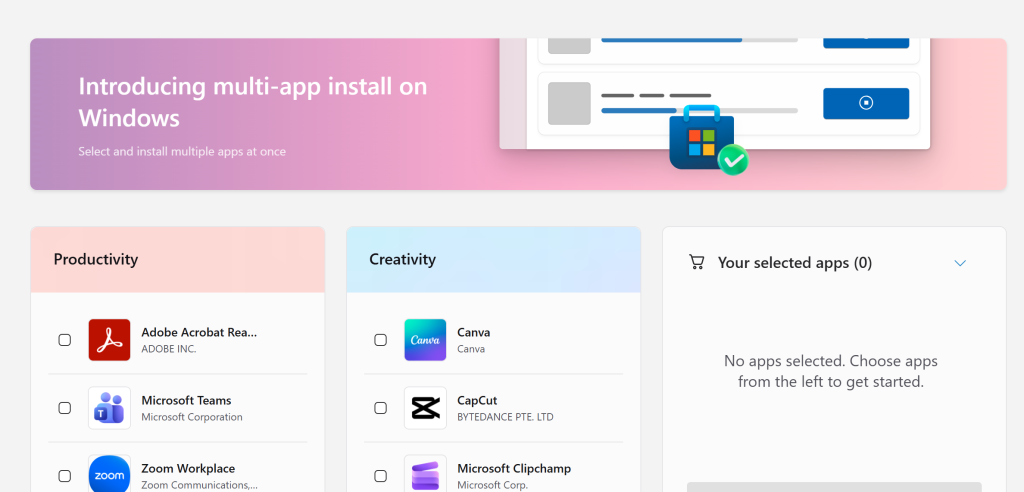
Microsoft has recently introduced a multi-app batch installation option in its application store, designed to address the long-standing inconvenience of installing multiple apps individually. Previously, both the Microsoft Store client and web versions allowed users to download and install only one app at a time—forcing them to navigate back and forth between different app pages for each installation.
The new batch installation feature resolves this issue, though with certain limitations. Microsoft has launched a multi-app installation page, where users can select multiple recommended applications—such as WhatsApp and others—from a curated list. Once selected, the system consolidates them into a single installation package that executes the batch installation process.
This package essentially functions as a downloader containing app IDs; the applications themselves are still fetched and installed online through the downloader. However, the process requires no further manual intervention, allowing users to install multiple apps quickly and seamlessly.
Regrettably, users cannot customize their own app selection—only the applications pre-approved and recommended by Microsoft can be batch-installed. This feature appears primarily targeted at new PC setups or users reinstalling their systems.
The list of recommended applications varies by region.
Related Posts:
- New in Windows 11: Lock Screen Widget Customization
- Google NotebookLM Unveils “Featured Notebooks”: AI-Powered Insights from Experts and Publishers
- Years Late: Apple Finally Launches Full Web-Based App Store Homepage with Search & Discovery
Support Our Threat Intelligence
Find our tech and OS security coverage helpful? Support our work today and unlock a 100% ad-free reading experience!
 Buy Me a Coffee
