Proton Launches Standalone Authenticator: Separating MFA from Passwords for Ultimate Security
 Do Son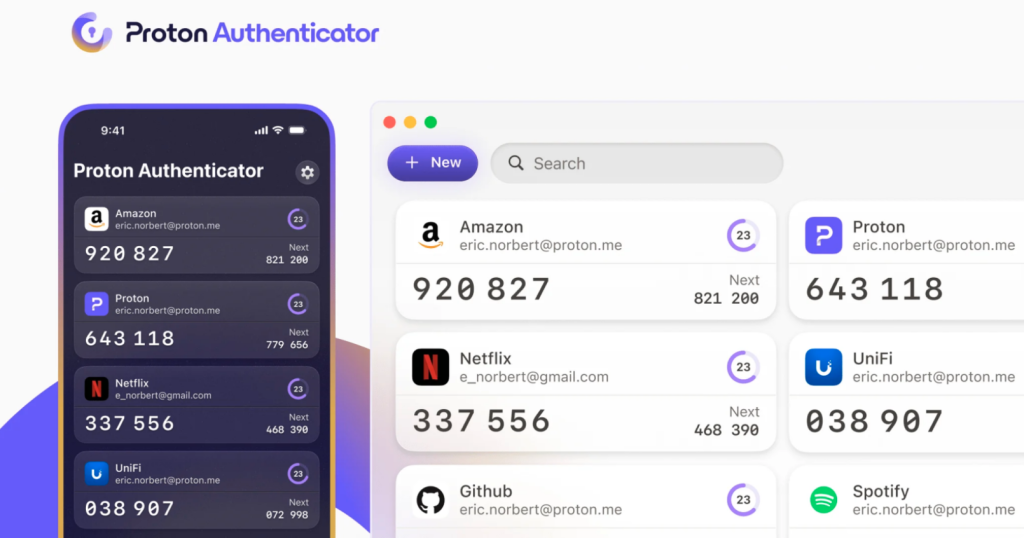
End-to-end encrypted email provider ProtonMail has recently unveiled Proton Authenticator, a cross-platform multi-factor authentication (MFA) app with cloud sync capabilities—an addition to its existing password manager. True to Proton’s philosophy, the new app maintains a commitment to open source principles and end-to-end encryption.
Why did Proton choose to launch a standalone authenticator rather than integrate MFA directly into its password manager as a paid feature? The answer lies in addressing a critical flaw plaguing much of the industry: bundling password management and MFA under one roof can actually weaken security.
Since the introduction of Google Authenticator, MFA apps have typically been used on mobile devices. This separation ensures that while passwords may be stored or autofilled on a desktop, verification codes remain isolated and secure on a separate device.
By contrast, password managers like 1Password that integrate both account credentials and MFA pose a significant risk: should the manager’s database be compromised, or if an unattended and unlocked computer is accessed, an attacker could gain full access to the user’s accounts.

- For convenience: One might opt to use a password manager like Proton Pass, which integrates MFA for a seamless login experience.
- For maximum security: It is advisable to use Proton Authenticator separately, requiring users to manually retrieve and input codes—preserving the vital isolation between credentials and verification.
Proton Authenticator leverages end-to-end encryption, ensuring that data is only decrypted locally after successful authentication, and is accessible offline. Not even Proton itself can read users’ verification data stored on its servers, offering a significantly enhanced layer of security.
The application also supports biometric authentication and PIN-based unlocking, ensuring that verification codes remain protected even on the user’s own device. Proton Authenticator is available across Windows, macOS, Linux, Android, and iOS, with seamless cross-platform synchronization.
Moreover, the app allows users to import data from other authenticators without needing to manually unbind and rebind their accounts. It also supports exporting credentials, making it easy to migrate data when needed.
Interested users can download Proton Authenticator from their device’s app store. To download the desktop version, click here.
Related Posts:
- Proton Unveils Lumo AI Assistant: Fully Encrypted, No Data Logging, European-Hosted AI for Ultimate Privacy
- Kaspersky Lab found Calisto malware, a Precursor to Dangerous Proton macOS Malware
- Microsoft Authenticator’s Password Manager is Phasing Out: What You Need to Do!
- Microsoft Authenticator to Drop Password Manager Features by August 2025
- Meta Launches Standalone Meta AI App to Rival ChatGPT
Support Our Threat Intelligence
Find our tech and OS security coverage helpful? Support our work today and unlock a 100% ad-free reading experience!
 Buy Me a Coffee
