 Do Son
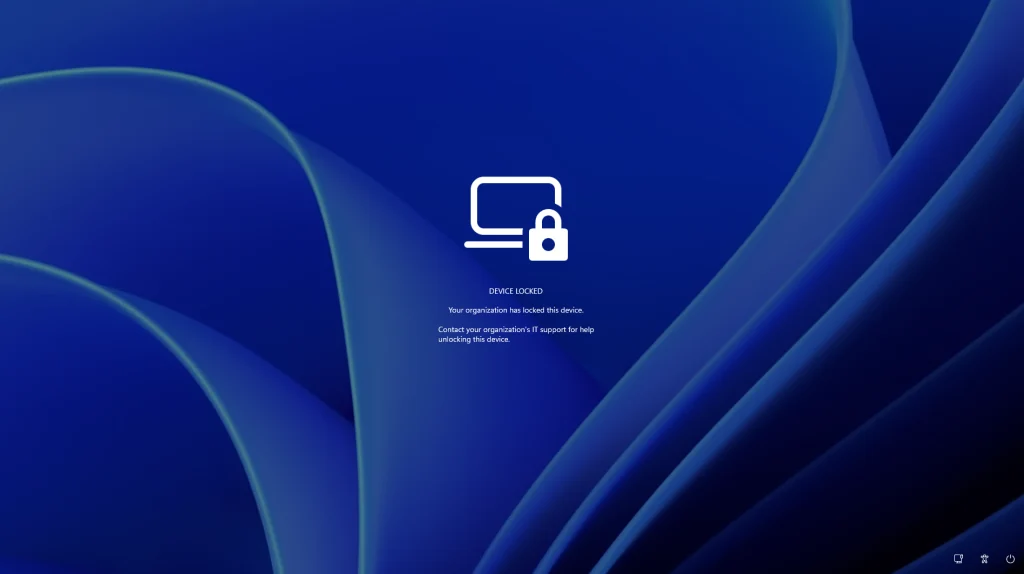
Microsoft is currently testing a powerful security capability for corporate workstations. Specifically, the new Windows 11 Remote Lock feature lets IT administrators secure lost, stolen, or compromised devices through Microsoft Intune. When triggered, this control restricts unauthorized access immediately without erasing sensitive corporate data.
Upon activation, the operating system terminates all active user sessions and hides every login prompt. Consequently, unauthorized individuals cannot sign in using passwords, PINs, or local administrator accounts. Once security teams recover the hardware, administrators can lift the restriction remotely.
Persistence Across Reboots and Offline Environments
Currently, Microsoft is evaluating this capability inside Windows 11 Insider Preview Build 29708.1001. Importantly, the feature preserves all local user files and maintains enterprise enrollment status. Even if an attacker restarts the computer or disconnects network adapters, the lock remains active. As detailed in the official Microsoft documentation for Windows Remote Lock, users regain access immediately after IT unlocks the machine.
Furthermore, locked workstations display a prominent organizational notice across the sign-in screen. This prompt instructs anyone holding the laptop to contact corporate support. Administrators can also customize the lock reason and helpdesk contact details. Therefore, Good Samaritans who find misplaced laptops can easily return them to the rightful organization.
Pairing Remote Lock With BitLocker Disk Encryption
However, security architects must recognize that this mechanism governs operating system login rather than storage encryption. Specifically, Remote Lock cannot prevent someone from booting into the Windows Recovery Environment, Safe Mode, or external USB media. Consequently, a determined thief could wipe the drive and reinstall Windows entirely.
To protect confidential records from physical extraction, enterprises must continue enforcing Microsoft BitLocker encryption. When BitLocker secures the drive, stolen hardware remains completely unreadable even if an attacker removes the disk. Ultimately, combining Intune Remote Lock with full-disk encryption delivers comprehensive protection for mobile enterprise fleets.
Support Our Threat Intelligence
Find our tech and OS security coverage helpful? Support our work today and unlock a 100% ad-free reading experience!
 Buy Me a Coffee
