 Do Son
A clever new phishing technique skips the password entirely. ReversingLabs has uncovered an active device code phishing campaign that hijacks Microsoft 365 accounts. Instead of faking a login page, the attackers abuse a real Microsoft sign-in flow. As the researchers put it, the kit “abuses Microsoft’s legitimate OAuth 2.0 Device Authorization Grant flow.”
No Password Required
This is what makes the attack so dangerous. “Rather than stealing passwords through a counterfeit login page,” the kit takes a different route. It “persuades victims to complete a legitimate Microsoft authentication process that authorizes an attacker-controlled device.” In short, the victim hands over access without ever leaking a password.
Because the login happens on real Microsoft pages, classic warning signs vanish. There is no fake domain to spot. No suspicious certificate raises a flag either. Consequently, even careful users can fall for it.
A Technique on the Rise
Device code phishing is not entirely new. The OAuth 2.0 device flow normally helps smart TVs and command-line tools log in. However, attackers have learned to twist it for account theft. Over the past year, both criminal and state-aligned groups have embraced the tactic. Phishing-as-a-service kits have lowered the bar even further. This RL campaign shows how polished those operations have become.
How the Attack Unfolds
The lure arrives as a business email. It poses as a vendor estimate awaiting approval. Notably, the message hides its image behind a clickable HTML attachment. One click sends the victim to a polished, ClickFix-style landing page.
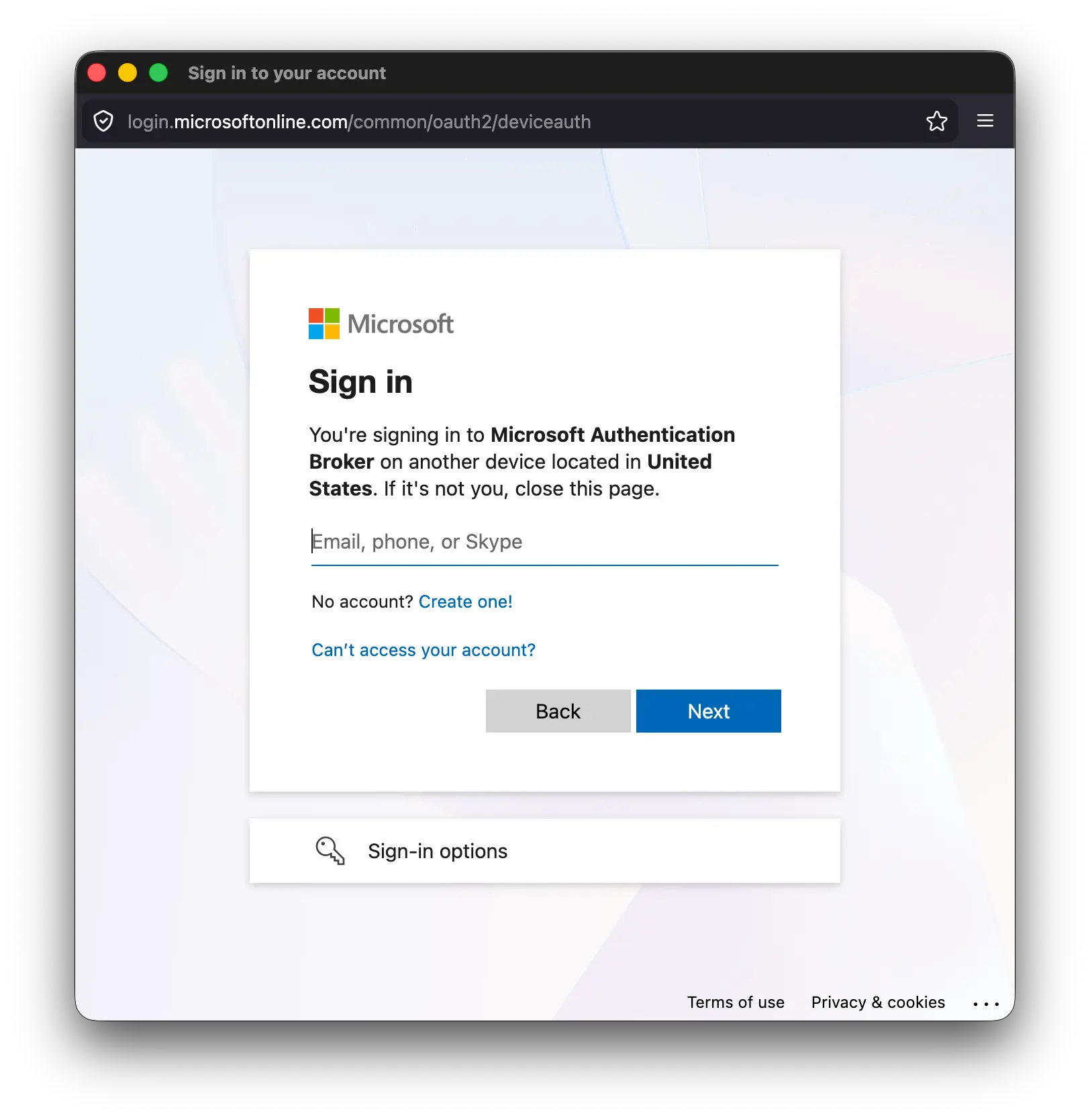
There, a “Review Document” button reveals a verification code. The page then tells the victim to copy that code and sign in with Microsoft. Crucially, the sign-in popup is genuine. It lives on Microsoft’s own aka.ms/devicelogin entry point.
When the victim enters the code, they unknowingly approve the attacker’s device. From that moment, the criminal holds a valid token for the Microsoft 365 account. A later Microsoft prompt even names the “Microsoft Authentication Broker” and “another device” a subtle clue something is wrong. As a result, the account takeover completes silently.
Built to Dodge Detection
The phishing kit also works hard to stay hidden. For instance, it sprinkles invisible Unicode characters through its code. These zero-width spaces split red-flag words like “Verify” and “Microsoft.” Therefore, simple string-matching scanners miss them.
Behind the scenes, the kit beacons constantly. It sends the device code to its server every four seconds. This loop keeps the attacker’s OAuth flow in sync with the victim. The kit also routes through Akamai-hosted Microsoft URLs, which boosts its air of legitimacy.
How to Spot Device Code Phishing
Detection is still possible, however. RL notes that “the Microsoft authentication alone is not malicious.” Yet pairing that login with four-second beaconing exposes the scheme. So network defenders should hunt for that telltale traffic pattern. Security teams can also watch for the specific hostname-resolution sequences RL documented.
For users, the rule is simple. Treat any unsolicited code you are told to enter at a Microsoft prompt as suspicious. Microsoft’s own dialog even warns, “Do not enter codes from sources you don’t trust.” User training that focuses only on URLs will not catch this.
Device code phishing represents a growing threat, and it will not be the last campaign of its kind. Above all, organizations should review Entra ID sign-in logs for unexpected device code grants.
Support Our Threat Intelligence
Find our threat intelligence and malware analysis helpful? Support our work today and unlock a 100% ad-free reading experience!
 Buy Me a Coffee
