EDR-Freeze: How a Researcher Turned Windows Error Reporting Into a Weapon Against Antivirus
 Do Son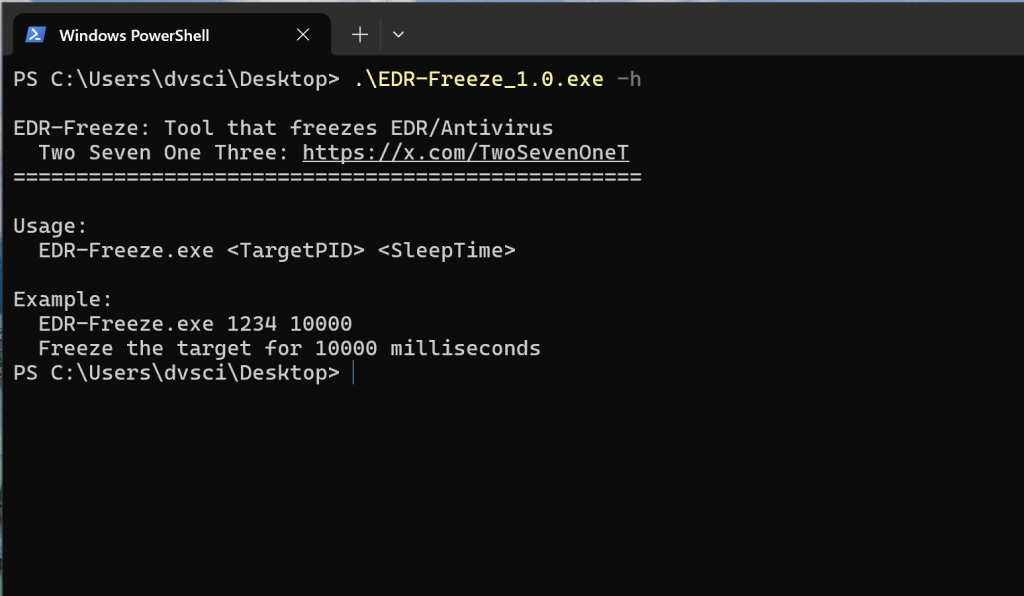
A new study from a ZeroSalarium security researcher sheds light on a new technique to bypass endpoint defenses by abusing a built-in Windows feature. Instead of relying on the increasingly common BYOVD (Bring Your Own Vulnerable Driver) approach, the researcher demonstrates how to suspend antivirus and EDR processes using nothing more than user-mode code and the Windows Error Reporting (WER) mechanism.
According to the study, “the trend of using BYOVD techniques to disable the processes of EDRs and Antivirus by attackers is becoming increasingly popular. The biggest drawback of the BYOVD technique is the need to find a way to install and execute drivers with vulnerabilities to exploit. Alternatively, a more straightforward approach is to exploit vulnerabilities in existing drivers on Windows.”
At the heart of this attack lies the MiniDumpWriteDump function, normally used for debugging. It takes a snapshot of a process, but to ensure consistency, it first suspends all threads in that process.
As the researcher explains, “the MiniDumpWriteDump function from the Windows DbgHelp library is used to create a minidump of a process… but here’s the catch: it suspends all threads in the target process during the dump.”
This behavior creates an opportunity: if attackers can trigger MiniDumpWriteDump at just the right time and prevent the process from resuming, they can effectively freeze critical security tools like antivirus engines.
Normally, Protected Process Light (PPL) prevents attackers from tampering with security processes. However, Microsoft’s WerFaultSecure.exe, part of Windows Error Reporting, runs with PPL protection at the WinTCB level.
The researcher discovered that by combining WerFaultSecure with tools like CreateProcessAsPPL, it becomes possible to bypass PPL restrictions and call MiniDumpWriteDump on antivirus or EDR processes.
The study details a race-condition attack:
- Launch WerFaultSecure with PPL privileges targeting an antivirus process.
- As WerFaultSecure suspends the target, immediately suspend WerFaultSecure itself.
- Because WerFaultSecure is paused mid-operation, the antivirus process remains indefinitely frozen.
The paper notes, “if we can make WerFaultSecure perform the dump process and then call MiniDumpWriteDump with Antivirus processes, and then we suspend WerFaultSecure right at the moment it puts the target process into a suspended state, the target program will be suspended indefinitely.”
To demonstrate the technique, the researcher developed EDR-Freeze, a tool designed to put security processes into a “coma state.”
According to the documentation, “this tool takes two parameters: the first is the PID of the program we want to ‘freeze,’ and the second is the duration for which the target process will be forced to pause.”
In testing, EDR-Freeze successfully suspended MsMpEng.exe, the core process of Windows Defender, for 5000 milliseconds on Windows 11 24H2.
This provides attackers with a short but critical window to execute malicious operations without detection.
This technique is a dangerous evolution of EDR evasion:
- No vulnerable drivers required (unlike BYOVD).
- No kernel-mode code — it runs entirely in user space.
- Leverages trusted Windows binaries (WerFaultSecure), making detection harder.
The researcher concludes, “with EDR-Freeze, exploiting the software vulnerability of the WerFaultSecure program available on Windows will address the weakness of the BYOVD technique. Additionally, we can flexibly control the programs of EDRs and Antimalware, deciding when they should run and when they should be suspended at will.”
Detection opportunities do exist. The researcher suggests monitoring the running parameters of WerFaultSecure: if it points to sensitive processes like LSASS, Antivirus, or EDR agents, that should trigger an investigation.
Related Posts:
- Mozilla suspends ads on Facebook due to privacy issues
- Google Ads Safety Report: AI Drives Fraud Prevention
- Escalating Cyber Threats: Q2 2024 Vulnerability Report
- India: Major banks suspended major Bitcoin exchanges
Support Our Threat Intelligence
Find our zero-day alerts and CVE reports helpful? Support our work today and unlock a 100% ad-free reading experience!
 Buy Me a Coffee