 Do Son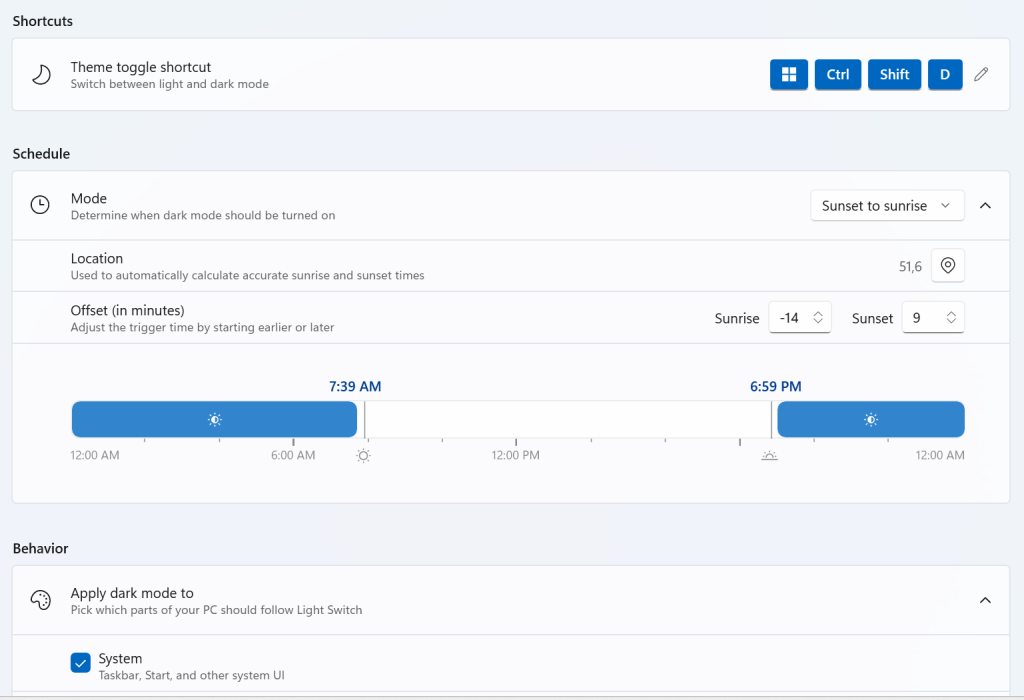
In the latest release of Microsoft’s open-source utility suite PowerToys, a new feature called Light Switch has been introduced. This tool allows users to automatically toggle between Windows 11’s light and dark themes, for instance, by switching to dark mode during a user-defined time period.
The inclusion of this feature stems from a long-standing omission in Windows 11, which still lacks native support for automatic theme switching. Other operating systems typically allow users to schedule transitions—such as enabling dark mode at a specific hour in the evening. To address this gap, the PowerToys team, in collaboration with the community, has implemented the functionality externally.
However, the Light Switch tool has already begun to exhibit serious issues. Some users have reported that once enabled, their systems rapidly alternate between light and dark modes without stopping. Notably, the feature is enabled by default, meaning many users were unaware of its presence.
After PowerToys updated automatically and activated Light Switch, affected users began experiencing the incessant theme flickering—yet few realized PowerToys was the cause, spending hours troubleshooting elsewhere in vain.
The issue has since been officially reported to the PowerToys development team for investigation, though no definitive fix has been released yet. Users encountering this problem are advised to open PowerToys, locate the Light Switch utility, and disable it temporarily to prevent further theme-switching loops.
Related Posts:
- Microsoft’s Command Palette: A New Way to Search and Launch in Windows
- A Brighter Future for Dark Mode: Android 16 Will Force Apps to Go Dark
- Chrome’s Auto-Change: Boosting Password Security After Breaches
Support Our Threat Intelligence
Find our tech and OS security coverage helpful? Support our work today and unlock a 100% ad-free reading experience!
 Buy Me a Coffee
